
FIXONIC
SellSavedMy Fixonic
Official iFixit API visual reference

Kobo Forma Teardown

My Kobo Forma e-reader stopped charging. So I...

iFixit Library Kobo Forma Moderate 10 minutes Guide 162028
Open the authorised source
Licensed iFixit integration

This attributed iFixit guide is displayed through Fixonic's recorded commercial API permission. iFixit remains the independent source and author of the procedure.

Guide overview

Before you begin

My Kobo Forma e-reader stopped charging. So I stripped it down.I thought it would be a faulty battery but the battery seems to be OK. But the motherboard doesn't think it is charging (when it is) and shuts down if I boot it up.There is very little to fix inside but the motherboard does have what looks like a serial debugging port. Pins labelled TX/RX/V and ground.
Step 1

Remove Fingerplate

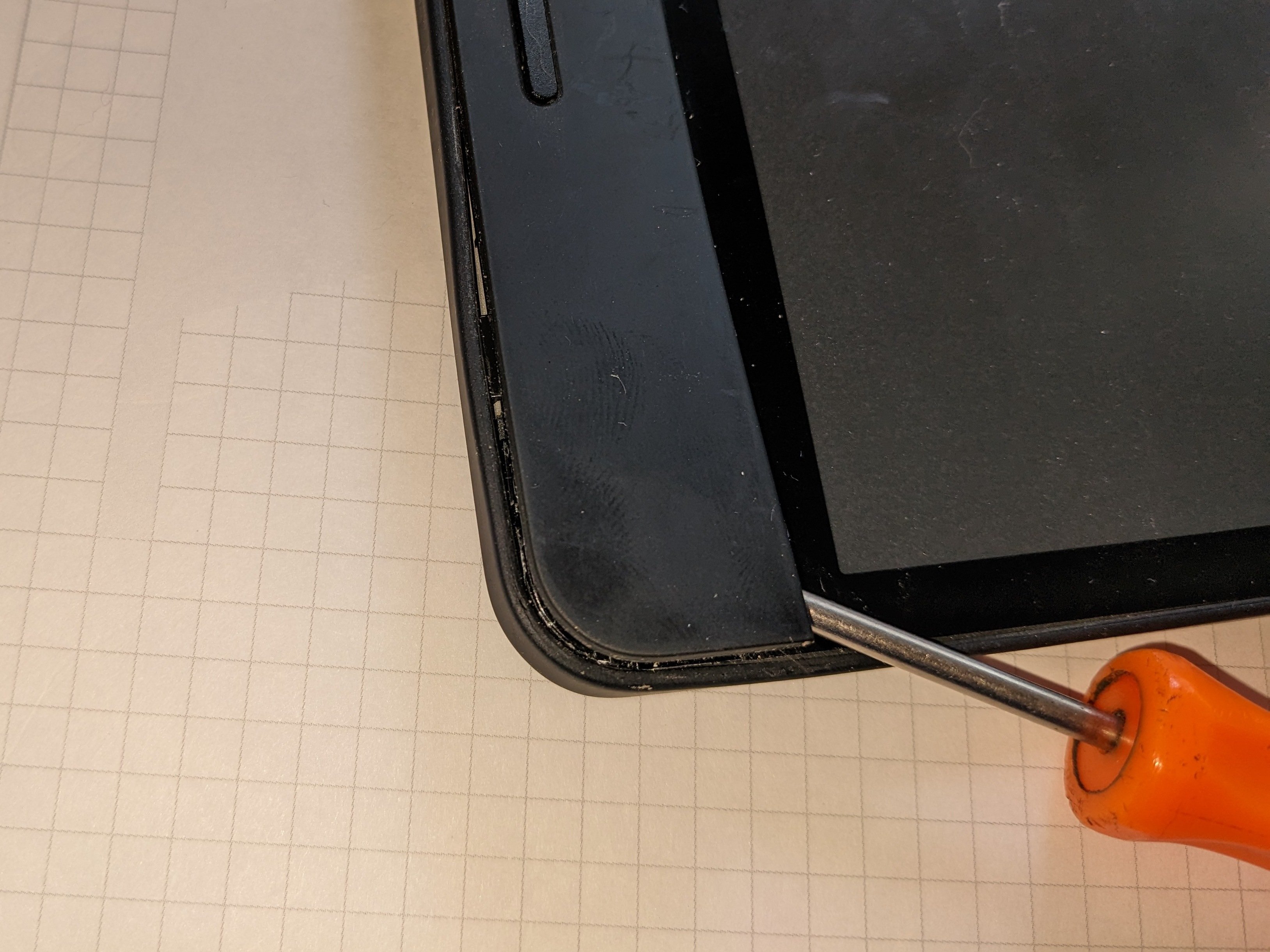
  • Careful: the fingerplate is glued down, and may not come off easily. Work slowly and use heat to soften the adhesive if needed, otherwise it can break off in pieces.
  • Remove the finger plate. Start in one corner and push in a spudger/flat blade and lever it up. It is glued all the way along and has clips at the bottom edge so you'll want to bend out the bottom edge to clear the clips.
Step 2

Remove the back cover

  • With the fingerplate removed, you can get a spugder in the bottom and lever off the backplate. Again it is stuck down with tape all the way round and has clips that break away easily. I don't suggest you do like I did and push a metal screwdriver all the way in, you could short out the battery. It is coated with some glue/lacquer, so maybe not!
Step 3

Remove battery & mainboard

  • The board is held down by some small (#0?) screws and the battery is stuck down with double sided tape. You will likely pierce the foil wrap when you try to remove it.