FIXONIC
SellSavedMy Fixonic
Official iFixit API visual reference

How to Apply New Flip Battery Adhesive in Your Google Pixel Fold

This repair guide was authored by the iFixit...

iFixit Library Google Pixel Fold Moderate 10 - 20 minutes Guide 163635
Open the authorised source
Licensed iFixit integration

This attributed iFixit guide is displayed through Fixonic's recorded commercial API permission. iFixit remains the independent source and author of the procedure.

Guide overview

Before you begin

This repair guide was authored by the iFixit staff and hasn’t been endorsed by Google. Learn more about our repair guides here. Use this guide to replace the flip battery adhesive in your Google Pixel Fold following a repair. Follow this guide to remove the flip battery, if you haven't done so already.

Step 1

Remove the old adhesive

  • Apply a few drops of highly-concentrated isopropyl alcohol (over 90%) to the frame.
  • Use the flat end of a spudger and tweezers to remove the remaining adhesive residue from the frame.
  • Wipe off any remaining isopropyl alcohol with a lint-free or microfiber cloth.
Step 2

Repair step

  • Place the new adhesive strips over the frame to check the proper orientation.
  • The clear liners should face the frame.
  • Use the white lines on the frame to align the adhesive strip corners.
Step 3

Expose the adhesive

  • Peel off the new adhesive strips from their clear liners.
Step 4

Apply the adhesive

  • Be careful with this step, as it's easy to stick the adhesive in the wrong spot. Take your time and work slowly.
  • Apply the adhesive strips to their respective spots on the frame.
  • Make sure the black tabs on the left-most adhesive strip don't overlap where the screen adhesive sits.
Step 5

Repair step

  • Use a spudger, or your fingers, to press down the three adhesive strips to adhere them.
  • Fold over the black tabs on the left-most adhesive strip onto the frame.
Step 6

Remove the liners

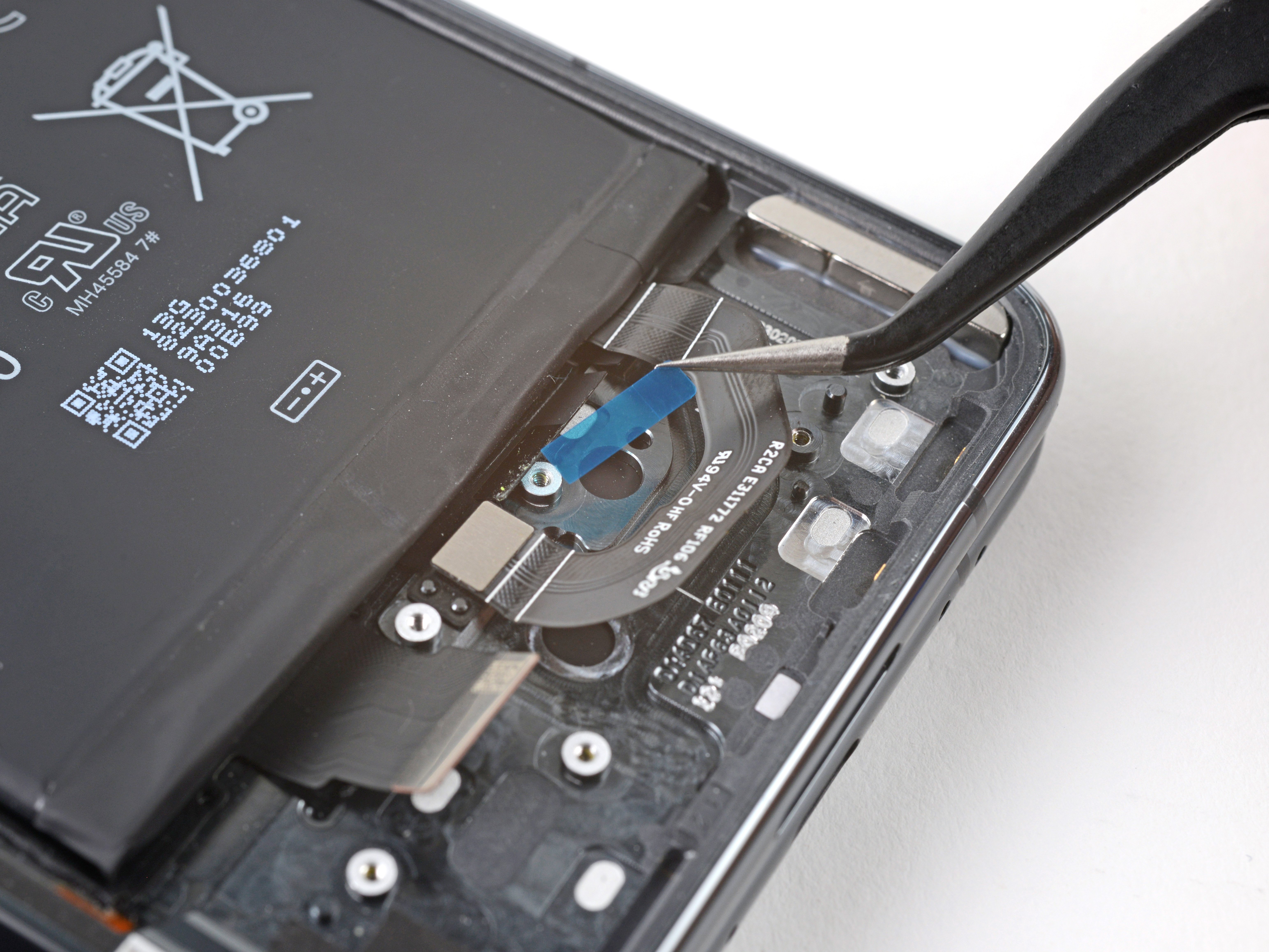
  • Remove the blue liners on the adhesive strips to expose the top adhesive.
Step 7

Secure the battery

  • Reconnect the battery cable temporarily to make sure the battery is aligned properly.
  • Place the battery in its recess, making sure to align it as close to the top edge of the recess lip as possible.
  • Press down on the battery to adhere it to the frame.
  • Make sure the battery is disconnected before continuing your repair.
Step 8

Secure the cable

  • Peel off the blue liner on the middle black tab near the battery connector.
  • Fold the black tab onto the bottom edge of the battery.
  • Press down on the battery cable to adhere it to the frame.
  • You may have to fold the cable slightly to get it to fit in its recess.