
FIXONIC
SellSavedMy Fixonic
Official iFixit API visual reference

How to Install a New Battery in Your Samsung Galaxy S22 Ultra

Follow this guide to install a new battery in...

iFixit Library Samsung Galaxy S22 Ultra Moderate 20 - 30 minutes Guide 163952
Open the authorised source
Licensed iFixit integration

This attributed iFixit guide is displayed through Fixonic's recorded commercial API permission. iFixit remains the independent source and author of the procedure.

Guide overview

Before you begin

Follow this guide to install a new battery in your Samsung Galaxy S22 Ultra. If you haven't already, follow this guide to remove the battery.
Step 1

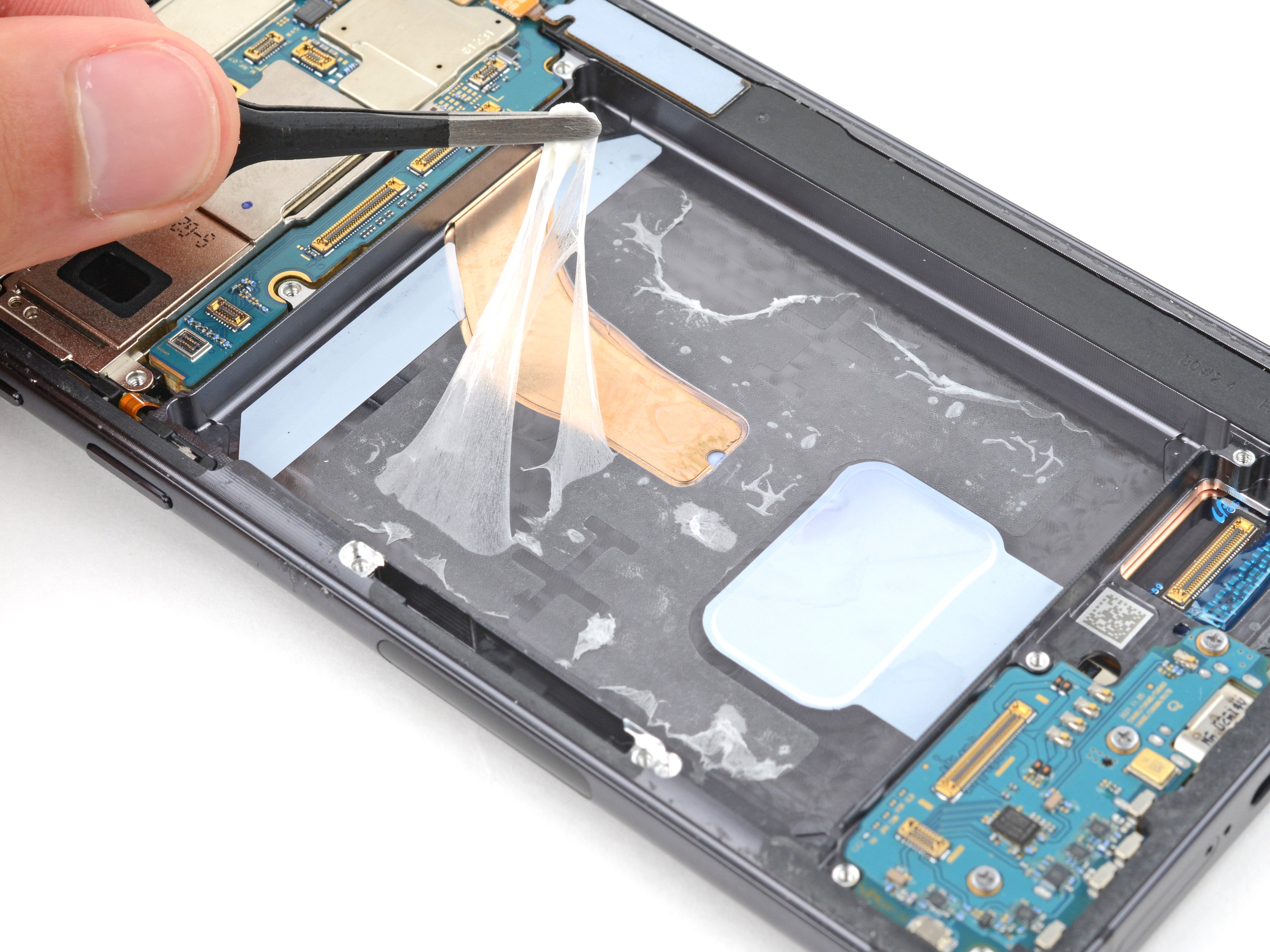
Clean the frame

  • Use your fingers or tweezers to peel up and remove any large pieces of adhesive from the frame.
  • Apply a few drops of highly-concentrated isopropyl alcohol (greater than 90%) to the remaining adhesive.
  • Use the flat end of a spudger to scrape off all remaining adhesive.
Step 2

Repair step

  • Apply a few more drops of highly-concentrated isopropyl alcohol (greater than 90%) to any adhesive residue on the frame and wipe it away with a microfiber or lint-free cloth.
Step 3

Measure and cut the tape

  • Measure and cut strips of strong double-sided tape so they'll fit on the exposed metal frame in the battery recess.
Step 4

Apply the strips of tape

  • Lay a strip of tape onto the frame.
  • Use the flat end of your spudger to press down firmly along the whole strip to secure it.
  • Use tweezers to remove the liner from the strip of tape.
Step 5

Repair step

  • Repeat the previous step to apply the remaining strips of tape.
Step 6

Secure the battery

  • While holding the battery above its recess, reconnect the battery cable.
  • This ensures the battery is properly aligned.
  • Lay the battery into its recess in the frame.
  • Press down firmly on the entire surface of the battery to secure it with the tape.
  • Disconnect the battery.
  • Return to your repair guide and continue reassembly.