FIXONIC
SellSavedMy Fixonic
Official iFixit API visual reference

Audio-Technica ATH-M40x Earpad Replacement

This guide will show you how to replace the...

iFixit Library Audio Technica ATH-M40X Very easy 5 - 10 minutes Guide 165327
Open the authorised source
Licensed iFixit integration

This attributed iFixit guide is displayed through Fixonic's recorded commercial API permission. iFixit remains the independent source and author of the procedure.

Guide overview

Before you begin

This guide will show you how to replace the worn-out earpad cushions on your Audio Technica ATH-M40x headphones. Whether you want to extend the life of your headphones, restore sound quality, or opt for cushions that provide a better fit, this guide has you covered. Make sure replacement cushions match the specifications of the ATH-M40x model before you begin.

Step 1

Repair step

  • Turn the headphone cable counter-clockwise to unlock.
  • Remove the headphone cable by pulling it out.
  • The headphone cable is unlocked when the white line markers are not aligned.
Step 2

Repair step

  • Turn the earcups over to make removal of the cushion easier.
Step 3

Repair step

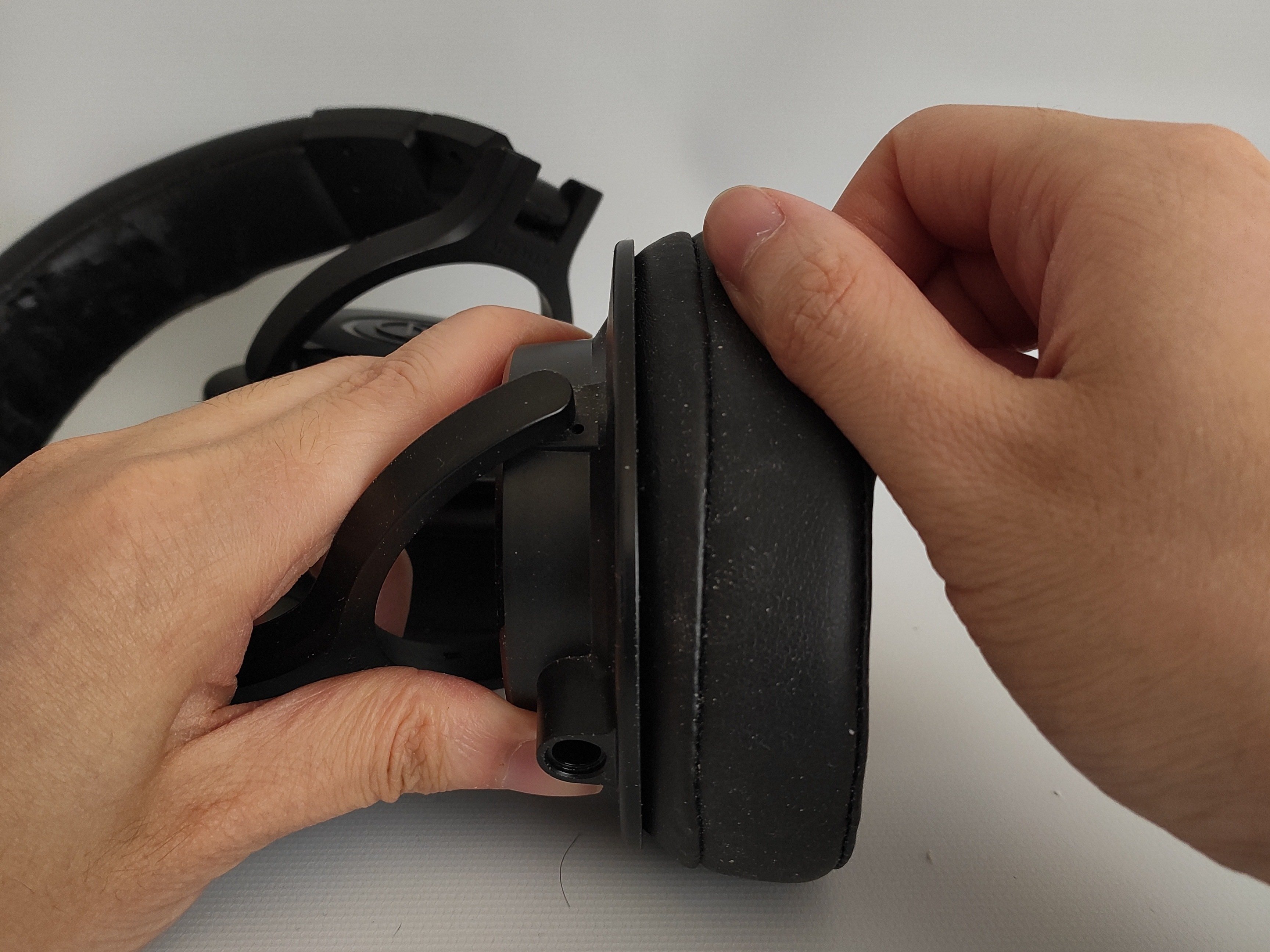
  • With one hand, hold your headphones in place while the other grips the earpad cushion.
  • Gently pry the old earpad cushion off.
  • You may need to slide it off the lip of the driver before prying it off.
Step 4

Repair step

  • Use a microfiber cloth to wipe off any moisture or debris from the headphone drivers before installing your new earpad cushion.
  • Using a damp or wet cloth may damage headphone drivers.
Step 5

Repair step

  • Align the edge of new cushion to your headphone driver.
  • Slide the cushion over the headphone drivers until it is fully attached.
Step 6

Repair step

  • Rotate the cushion to make sure it is securely in place.