FIXONIC
SellSavedMy Fixonic
Official iFixit API visual reference

Amazon Echo Show 15 Microphone Replacement

If the microphone in your Amazon Echo Show 15...

iFixit Library Amazon Echo Show 15 Moderate 10 - 20 minutes Guide 167492
Open the authorised source
Licensed iFixit integration

This attributed iFixit guide is displayed through Fixonic's recorded commercial API permission. iFixit remains the independent source and author of the procedure.

Guide overview

Before you begin

If the microphone in your Amazon Echo Show 15 (model H6Y2A5) is not picking up your voice in calls, distorting your audio, or is giving a heavy feedback loop, use this guide to replace it. The microphone on an Amazon Echo Show 15 plays a crucial role in picking up sound and providing users with excellent communication. Issues with unresponsive microphones can disrupt the user experience. Before diving into the replacement process, ensure your device is completely powered off and disconnected from any external power sources. This guide provides a step-by-step walkthrough to address microphone replacement and restore optimal functionality to your Amazon Echo Show 15.

Step 1

Repair step

  • Remove the four white stickers on your device's back panel.
  • Due to the strong adhesive supporting the stickers, we recommend heating them up to make removal easier.
  • A hair dryer may work best for this step.
Step 2

Repair step

  • Unscrew the four 50 mm screws with a T3 Torx screwdriver.
  • Pop the sides and remove the back panel of the device.
Step 3

Repair step

  • In the top right corner you will find a small black panel.
  • Remove the five 2 mm screws with a Torx T5 screwdriver.
  • Remove the two 5 mm with a Torx T3 screwdriver.
  • Remove both ends of the connector from the main device.
  • Remove the black panel.
Step 4

Repair step

  • Locate the microphone panel on the top right hand corner.
  • Remove the two 3 mm screws with a Torx T3 screwdriver.
Step 5

Repair step

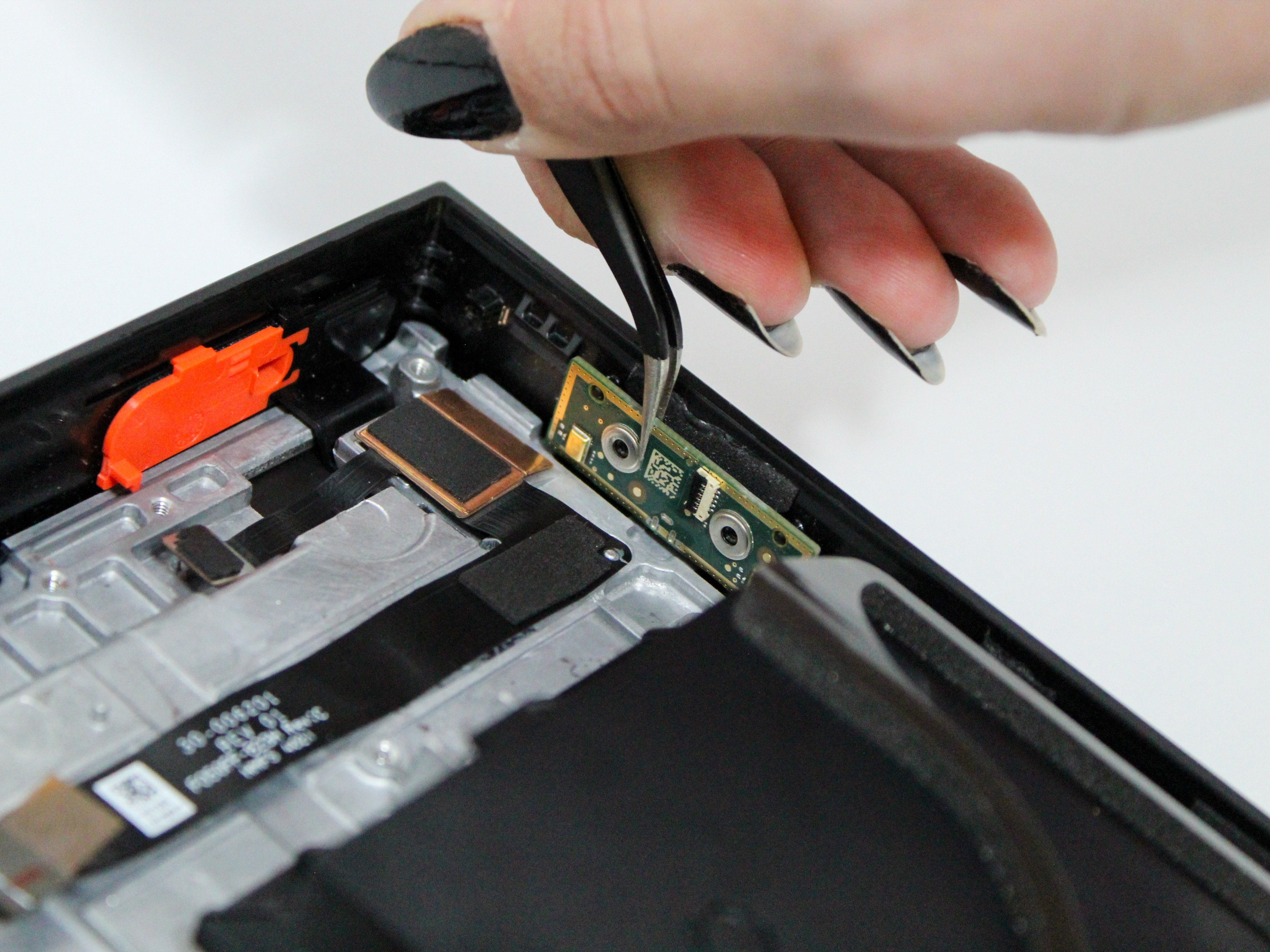
  • Remove the microphone.
  • You may use tweezers for this step if necessary.