
FIXONIC
SellSavedMy Fixonic
Official iFixit API visual reference

Sony ICF-C1iPMK2 Speaker Replacement

The speakers of the device allow you to listen...

iFixit Library Sony ICF-C1iPMK2 Moderate 20 - 30 minutes Guide 168335
Open the authorised source
Licensed iFixit integration

This attributed iFixit guide is displayed through Fixonic's recorded commercial API permission. iFixit remains the independent source and author of the procedure.

Guide overview

Before you begin

The speakers of the device allow you to listen for your favorite songs and hear your alarm in the morning. If you hear a crackling sound or no sound at all, follow these steps to replace the speaker.
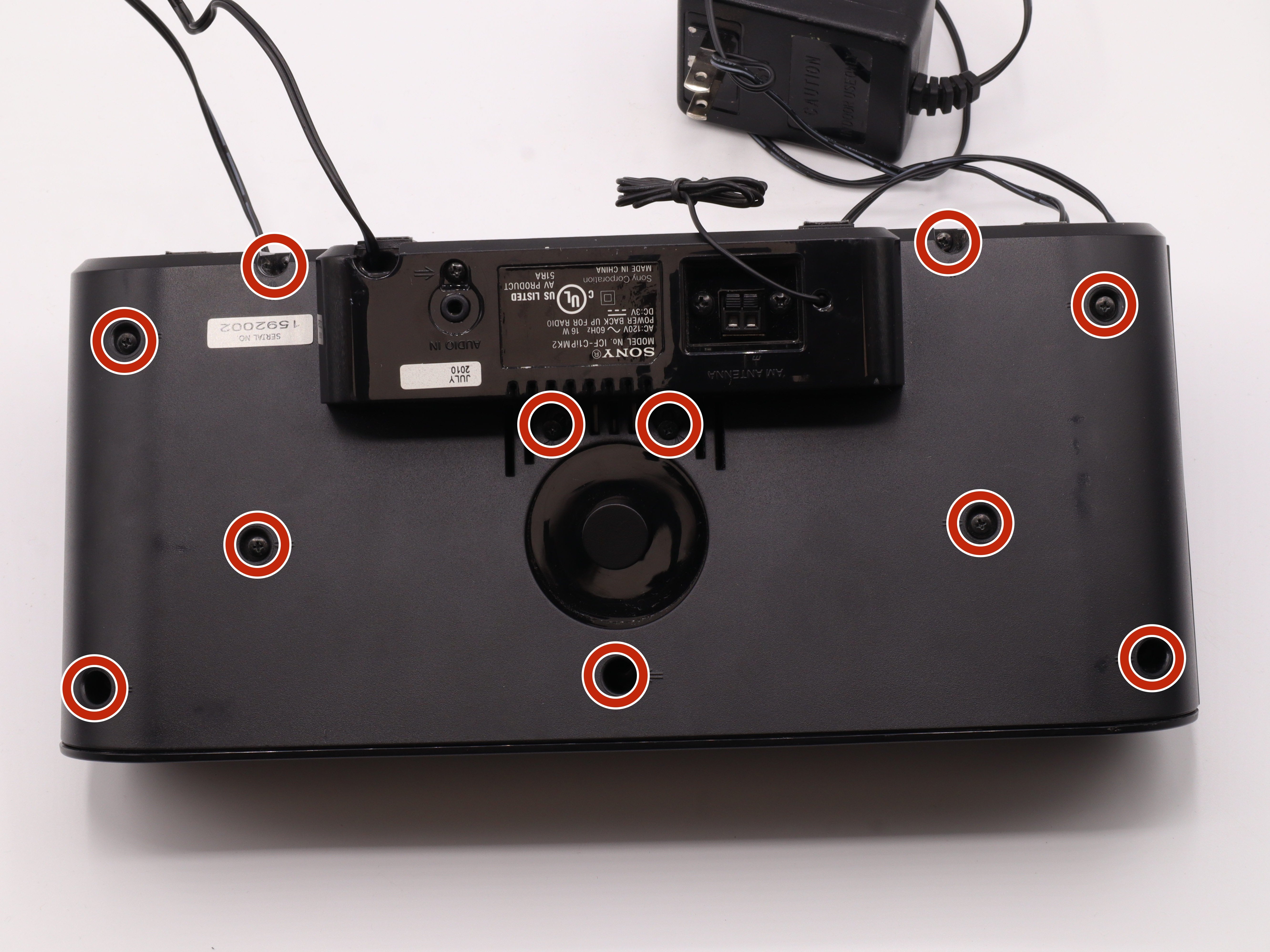
Step 1

Repair step

  • Unscrew the 1 cm Phillips #00 screws.
  • Use spudger to loosen the back panel of the device.
Step 2

Repair step

  • This step contains ribbon cables. Be careful to not bend or rip these fragile cables, to protect your device.
  • Slowly pull the back panel off until it separated from the main panel.
  • Carefully unplug all of the ribbon cables connecting the back panel to the main panel.
Step 3

Repair step

  • Remove the power connector with a pair of ESD safe tweezers.
  • Remove the Aux port connector with a pair of ESD safe tweezers.
  • Slide the button panels out of the chassis.
Step 4

Repair step

  • Unscrew the four 1 cm Phillips #00 screws and remove the speaker cover.
  • Unscrew the 1 cm Phillips #00 screws holding the speaker in place.
  • Remove the old speaker and insert the new one.