FIXONIC
SellSavedMy Fixonic
Official iFixit API visual reference

Alcatel Go Flip V Flip Phone Motherboard Replacement

Outside of the camera and rear speaker, there...

iFixit Library Alcatel Go Flip V Flip Phone Moderate No estimate Guide 168868
Open the authorised source
Licensed iFixit integration

This attributed iFixit guide is displayed through Fixonic's recorded commercial API permission. iFixit remains the independent source and author of the procedure.

Guide overview

Before you begin

Outside of the camera and rear speaker, there are really only two replaceable parts in this phone, the motherboard and the display. This guide will show you how to disassemble the main body of the phone to remove the keyboard/motherboard assembly.

Step 1

Repair step

  • The battery cover provides a notch to use in levering the cover off.
  • Place your thumbnail in the notch and pry up.
  • Here you can see the back starting to separate.
Step 2

Repair step

  • The rear cover has been removed.
Step 3

Repair step

  • The midframe has a cutout for a fingernail to use to remove the battery.
  • Use your fingernail to pry the battery up and lift it out.
Step 4

Repair step

  • The battery has been removed.
Step 5

Repair step

  • Remove the eight 4.25mm Phillips screws securing the midframe.
Step 6

Remove the Midframe

  • Starting at the top, insert a pry tool under the midframe.
  • Proceed down both sides, releasing the clips holding the midframe on.
  • Then you can lift the midframe from the phone.
Step 7

Repair step

  • The midframe has been removed.
Step 8

Unplug the Display Connector

  • Use a spudger to unplug the display connector.
Step 9

Remove the Motherboard/Keypad Assembly

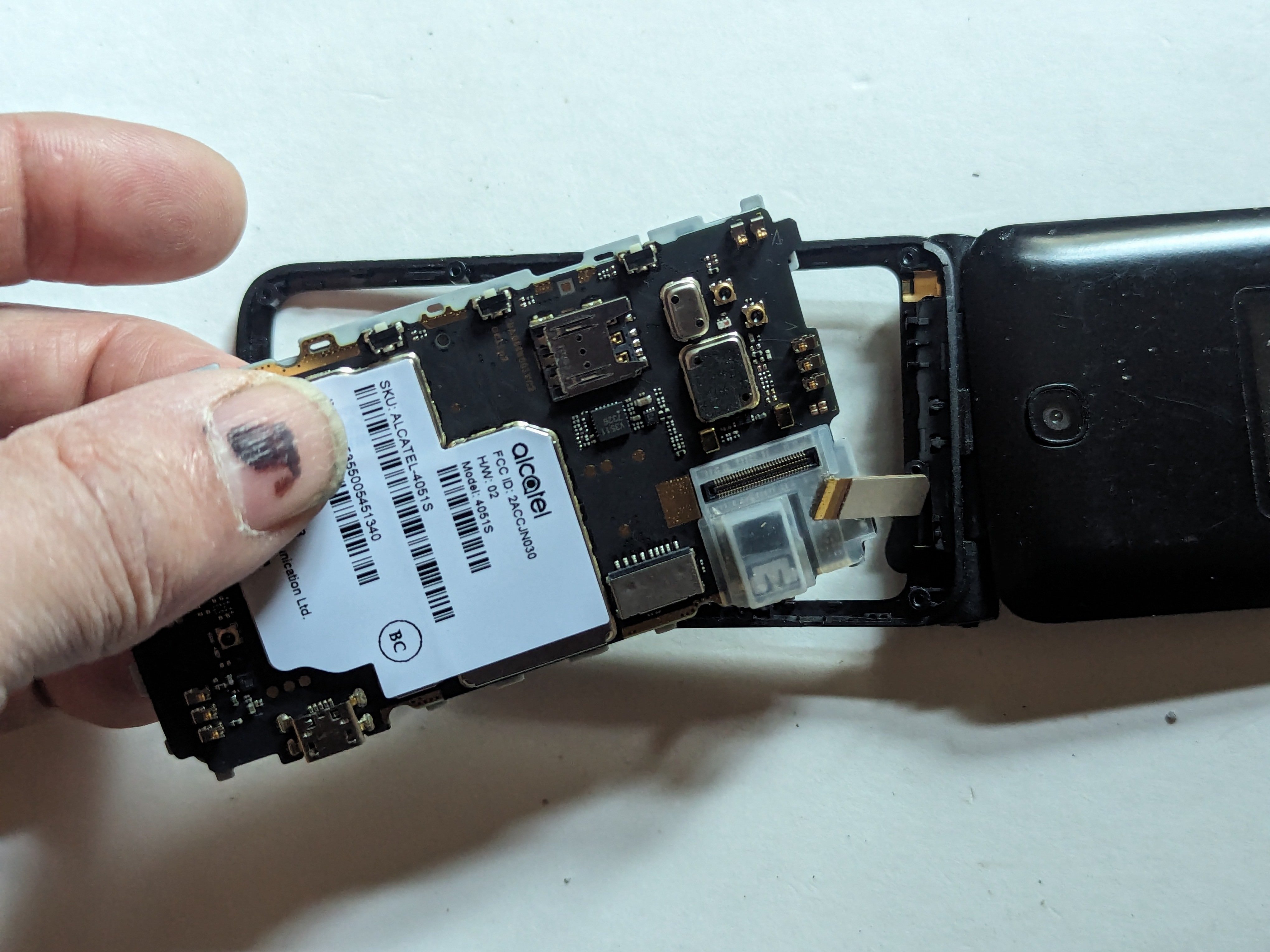
  • Open the phone and press the keyboard/motherboard assembly out from the front.
Step 10

Repair step

  • Remove the motherboard.