FIXONIC
SellSavedMy Fixonic
Official iFixit API visual reference

Mouse middle button replacement on Asus ROG Gladius II

In case the middle button of the ROG Gladius II...

iFixit Library ROG gladius II Moderate 45 minutes Guide 169823
Open the authorised source
Licensed iFixit integration

This attributed iFixit guide is displayed through Fixonic's recorded commercial API permission. iFixit remains the independent source and author of the procedure.

Guide overview

Before you begin

In case the middle button of the ROG Gladius II stops working properly (the click only gets registered some of the time), the button can be replaced.

Step 1

Repair step

  • Remove the screw taps, and then the screws themselves.
Step 2

Repair step

  • Open the mouse
Step 3

Repair step

  • Remove the four screws holding the wheel assembly
Step 4

Repair step

  • Remove the wheel assembly
  • remove the RGB lights from within the wheel
Step 5

Repair step

  • Remove the wheel from the wheel assembly
Step 6

Repair step

  • Unsolder the button (on the opposite side of the rotary encoder)
Step 7

Repair step

  • Place the new button and solder it
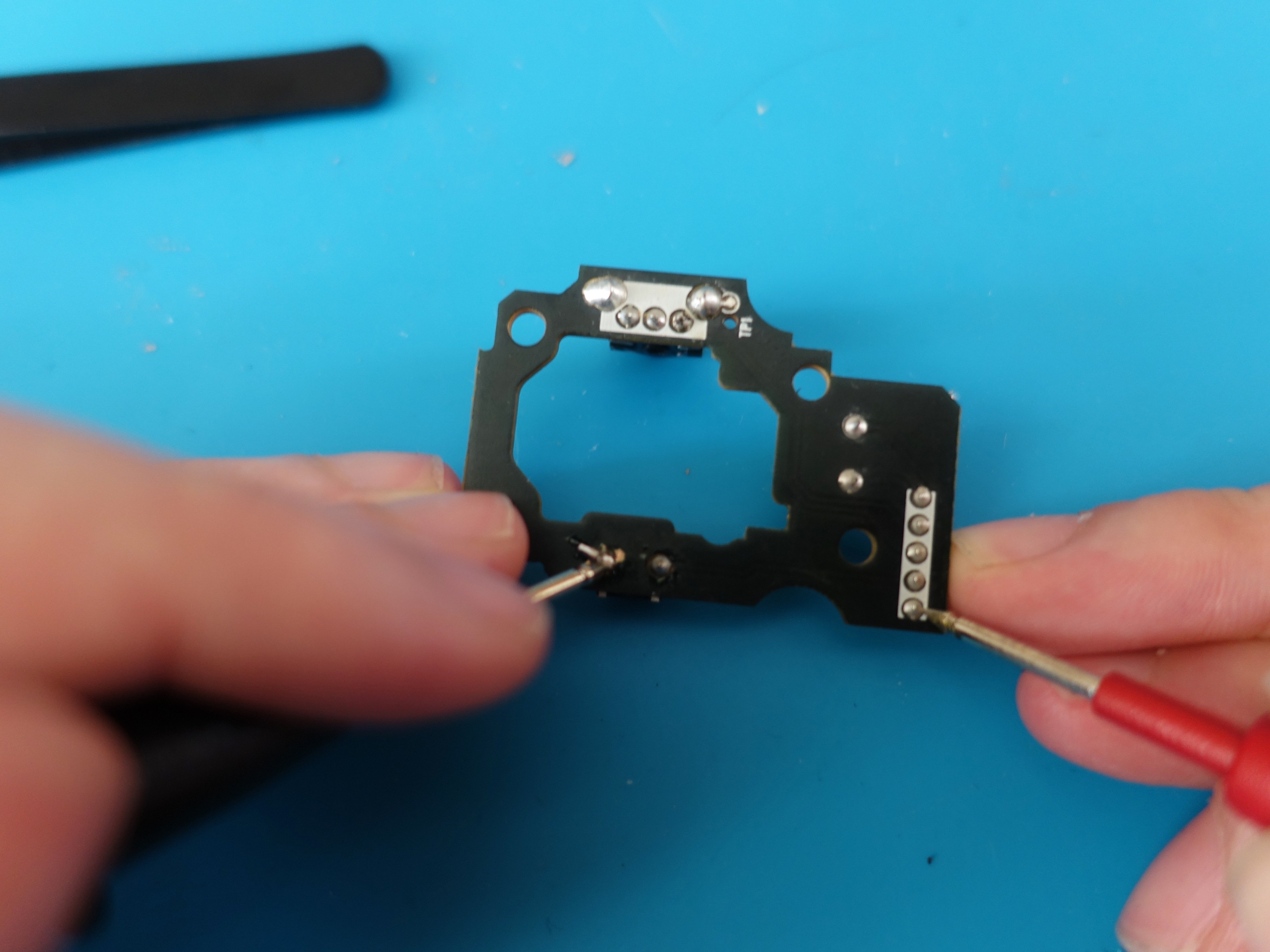
Step 8

Repair step

  • The result can be checked for connectivity