
FIXONIC
SellSavedMy Fixonic
Official iFixit API visual reference

Casio A700 Battery Replacement

Has your Casio A700 stopped working all of a...

iFixit Library Casio A700 Easy 5 - 15 minutes Guide 171367
Open the authorised source
Licensed iFixit integration

This attributed iFixit guide is displayed through Fixonic's recorded commercial API permission. iFixit remains the independent source and author of the procedure.

Guide overview

Before you begin

Has your Casio A700 stopped working all of a sudden? Is the digital watch displaying nothing? Maybe it's time for a routine battery change! This guide will guide you through the process of changing the battery in a Casio A700. No prior experience is required, replacing your battery is much simpler than most people think and will give more usage out of your precious watch.
Step 1

Repair step

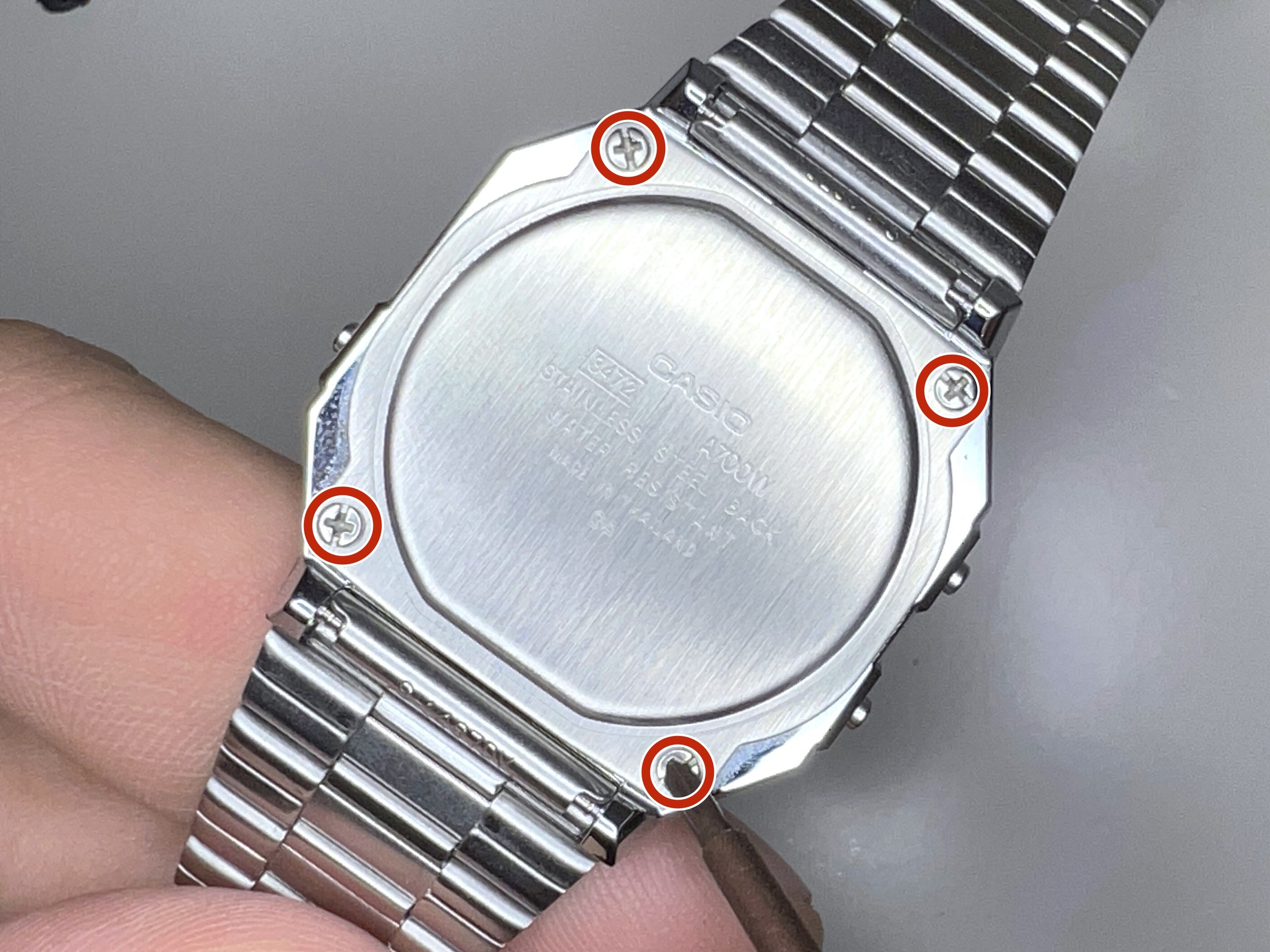
  • Using a Philips #00 screwdriver, remove the four screws in the rear panel of the watch.
  • Remove the back panel from the watch.
Step 2

Repair step

  • Carefully peel off the sticker placed on top of the battery using tweezers.
Step 3

Repair step

  • Use the tweezers to unlatch the lever holding down the battery.
  • Carefully remove the old battery.
Step 4

Repair step

  • Insert the new battery and reengage the lever.
  • Use the tweezers to reset the battery by contacting the battery (+) and the (AC) point at the same time.
Step 5

Repair step

  • Before reinstalling the back panel, ensure the watch operates and is functional.
Step 6

Repair step

  • Place the back panel into position and use the Philips #00 screwdriver to screw the four screws into place.