
FIXONIC
SellSavedMy Fixonic
Official iFixit API visual reference

Disassembling mouse PERIXX PERIMICE-719

Attributed iFixit repair guide for mouse.

iFixit Library Mouse Moderate 15 minutes Guide 172114
Open the authorised source
Licensed iFixit integration

This attributed iFixit guide is displayed through Fixonic's recorded commercial API permission. iFixit remains the independent source and author of the procedure.

Step 1

Repair step

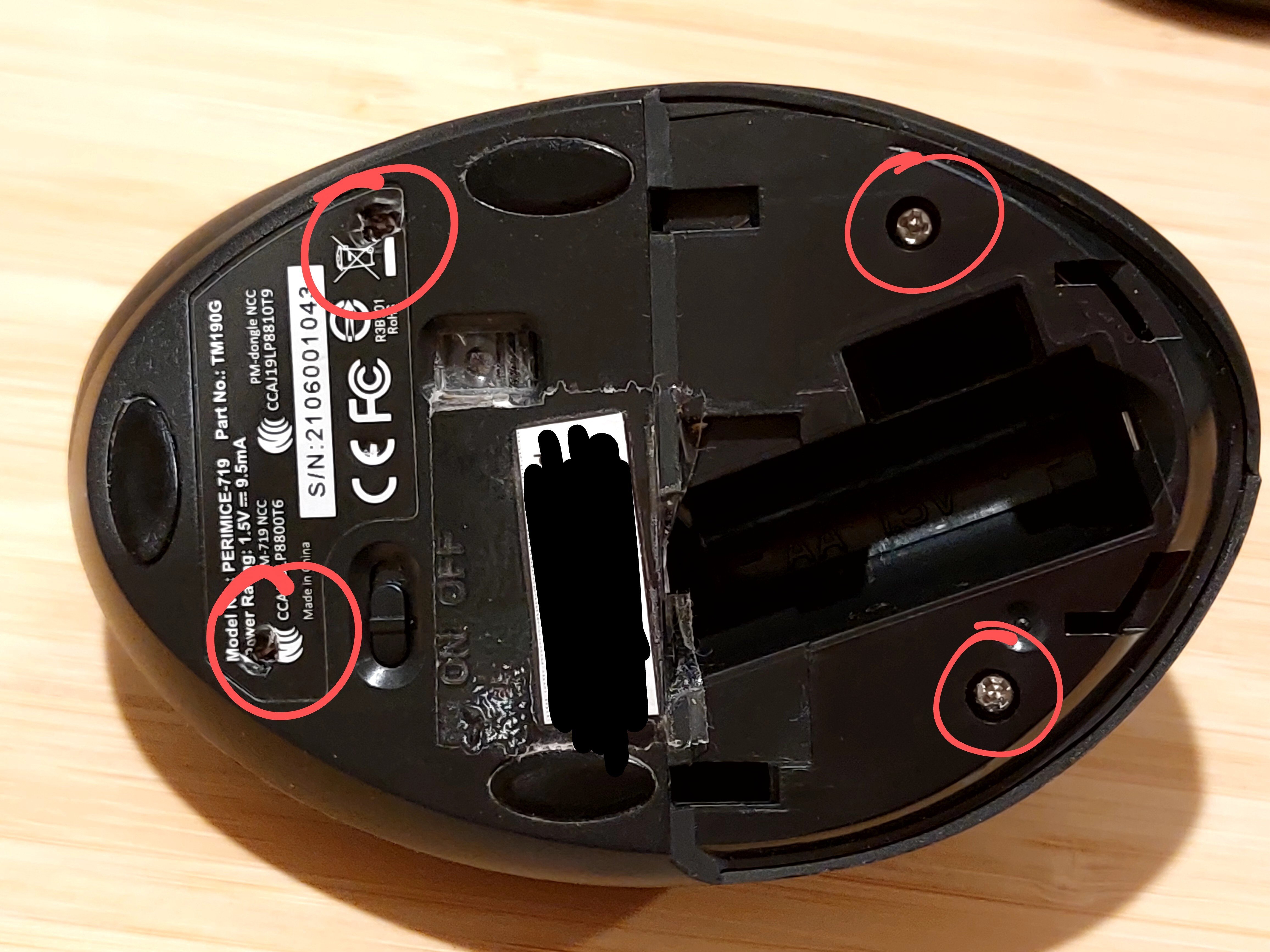
  • Remove these four screws. Two are in the battery compartment; the other two are under the label.
Step 2

Repair step

  • Unplug this ribbon cable.
Step 3

Repair step

  • Look for these two plastic tabs that move when you click the left and right mouse buttons. Push them forwards (towards the front of the mouse) to release the buttons from the top case.
Step 4

Repair step

  • Push these two retainer tabs to release the button assembly from the top case.
Step 5

Repair step

  • Remove these two screws, then pull apart the two halves of the top case.
Step 6

Repair step

  • Remove these two screws and pull off the PCB.
Step 7

Repair step

  • The scroll wheel uses a 13mm mechanical encoder made by TTC. The buttons use microswitches made by Huano. Replacements readily available from eBay or AliExpress.
Step 8

Repair step

  • Nothing too interesting here.