
FIXONIC
SellSavedMy Fixonic
Official iFixit API visual reference

IFYOO ZD-V108 Face Buttons Replacement

Use this guide to replace the face buttons of...

iFixit Library IFYOO ZD-V108 Easy 3 minutes Guide 179196
Open the authorised source
Licensed iFixit integration

This attributed iFixit guide is displayed through Fixonic's recorded commercial API permission. iFixit remains the independent source and author of the procedure.

Guide overview

Before you begin

Use this guide to replace the face buttons of the IFYOO ZD-V108. The main reasons you would need to replace the face buttons are that the inputs of them are not being read or that they have become stiff, requiring more effort to push them down. Before proceeding, make sure the device is not plugged in and completely dry, away from any water sources.
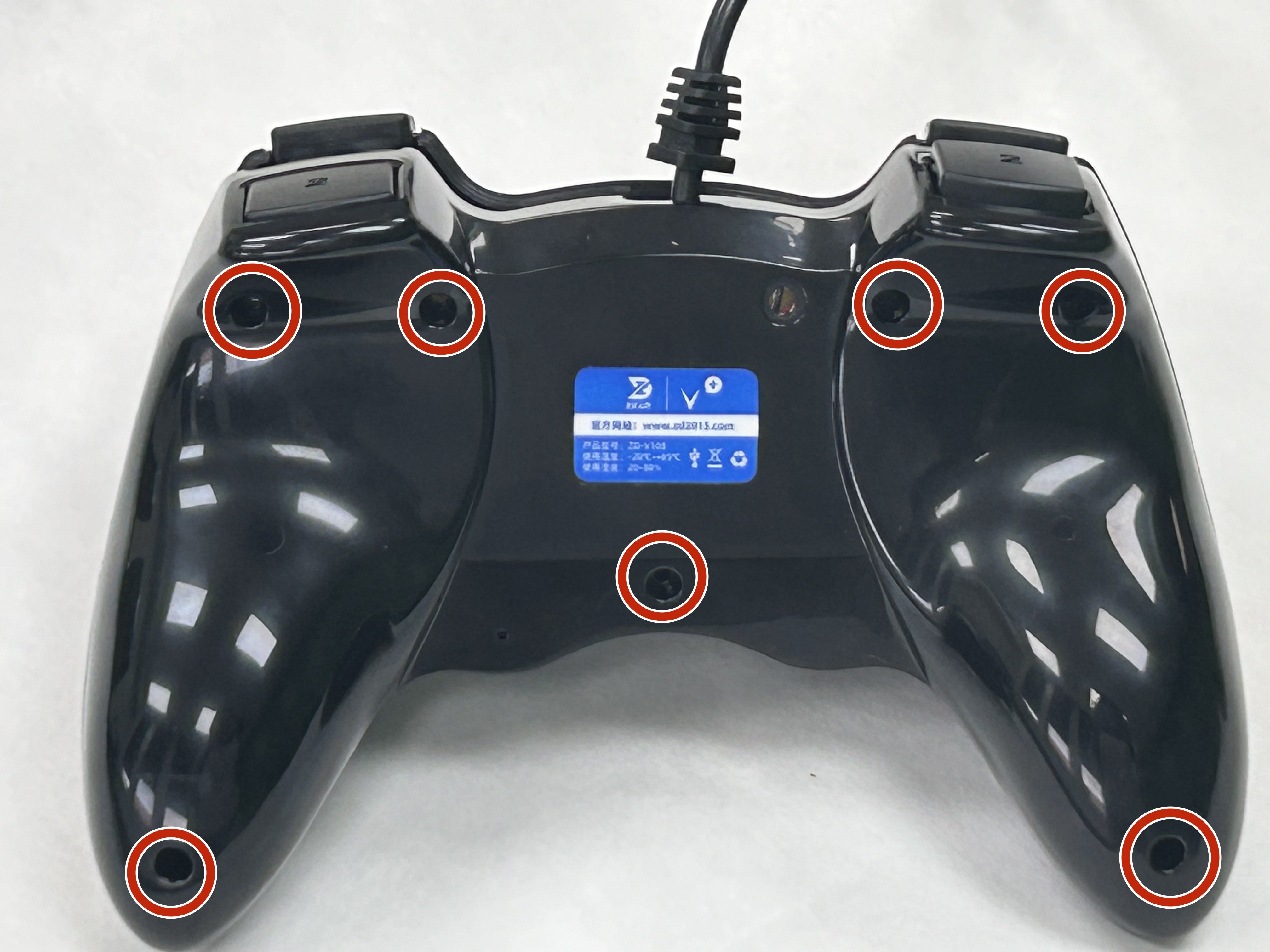
Step 1

Repair step

  • Remove the seven 9.2 mm screws from the back of the controller using a Phillips #00 screwdriver.
  • Remove the back cover.
Step 2

Repair step

  • Remove the two 7.2 mm screws that connect the red daughterboard to the tan motherboard using a Phillips #00 screwdriver.
Step 3

Repair step

  • Carefully pull up on the motherboard until it slides off from the four black cylinders keeping it in place.
Step 4

Repair step

  • Push out the face buttons located on the left side of the controller.