FIXONIC
SellSavedMy Fixonic
Official iFixit API visual reference

Anbernic RG35XX Speaker Replacement

The speaker allows audio from the device,...

iFixit Library Anbernic RG35XX Moderate 15 minutes Guide 179438
Open the authorised source
Licensed iFixit integration

This attributed iFixit guide is displayed through Fixonic's recorded commercial API permission. iFixit remains the independent source and author of the procedure.

Guide overview

Before you begin

The speaker allows audio from the device, however, overtime the speaker may stop working due to damage from dirt and dust or long-term use of the high volume. This guide demonstrates how to replace the speaker.

Step 1

Repair step

  • Remove the SD card located on the right side of the device by pushing into the SD card slot and pulling the card out.
  • Remove the six 1.2 mm screws that secure the back case with a 1.5 Hex Bit screwdriver.
Step 2

Repair step

  • Insert an opening tool into the MicroSD card slot and twist it clockwise to begin releasing the rear case.
  • You'll hear "clicks" as the retaining clips release.
  • Pry around the entire perimeter until the rear case fully releases.
  • Remove the rear case.
Step 3

Repair step

  • Use your fingernails or tweezers to gently remove the battery connector from its socket.
Step 4

Repair step

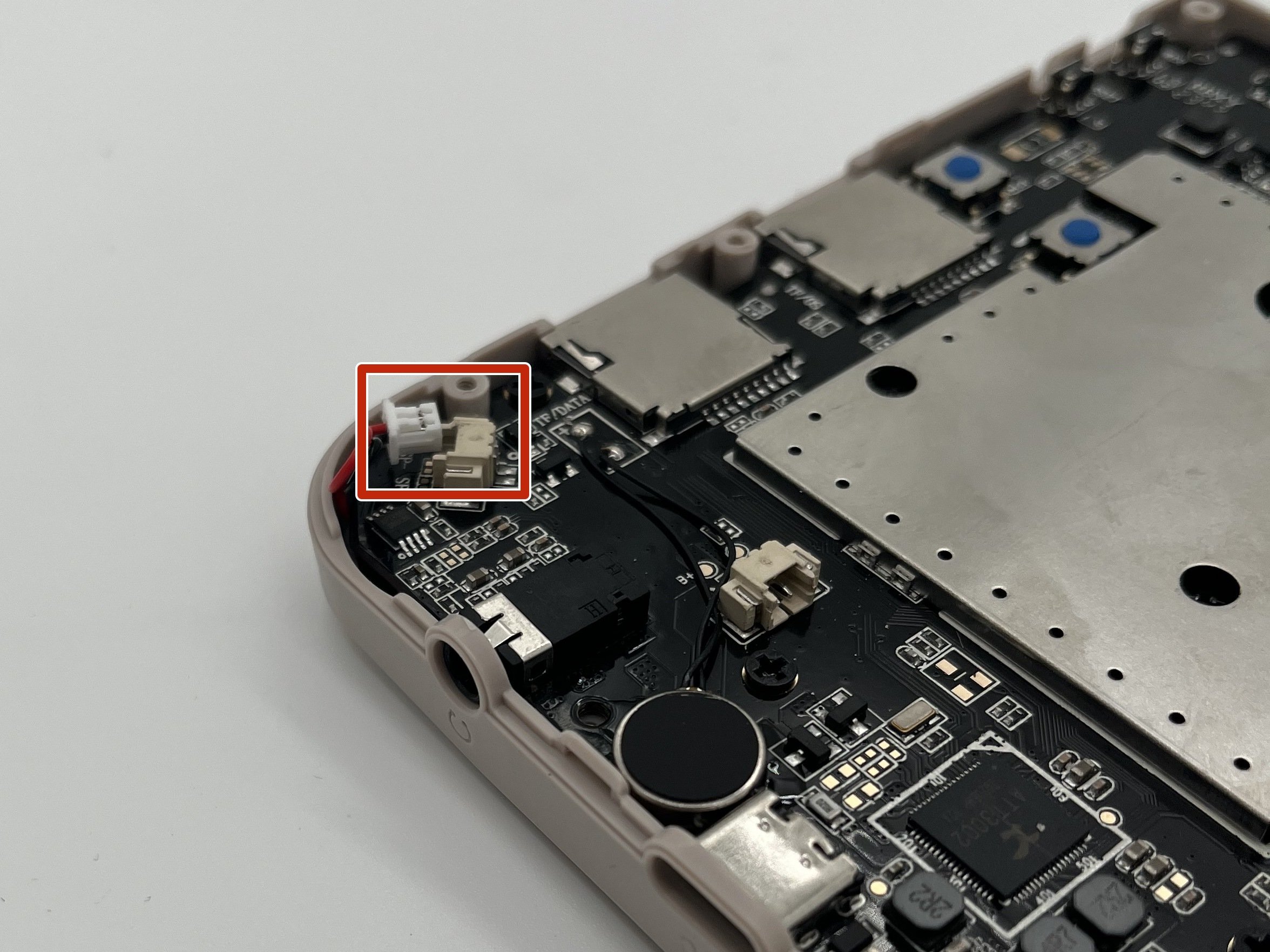
  • Disconnect the red audio cable from its motherboard port by carefully pulling the connector with your index finger and thumb or with fine tip tweezers.
Step 5

Repair step

  • Remove the six 1 mm Phillips screws that secure the motherboard to the case.
Step 6

Repair step

  • Flip up the black ZIF locking flap that secures the bronze ribbon cable.
  • Gently disconnect the bronze ribbon cable.
  • Lift the motherboard up and out the chassis.
Step 7

Repair step

  • Take a pair of angled tweezers and put it in the square hole next to the tweezers.
  • Rotate the tweezer tip clockwise to push the speaker out of the chassis.
  • Remove the speaker.