
FIXONIC
SellSavedMy Fixonic
Official iFixit API visual reference

Samsung Galaxy S10e Bixby Button Remap

If you are trying to remap the bixby button on...

iFixit Library Samsung Galaxy S10e Very easy 2 minutes Guide 179873
Open the authorised source
Licensed iFixit integration

This attributed iFixit guide is displayed through Fixonic's recorded commercial API permission. iFixit remains the independent source and author of the procedure.

Guide overview

Before you begin

If you are trying to remap the bixby button on your Samsung Galaxy S10e (Or any other Samsung from the S9 to S10 series), you've come to the right place. There is a way to remap this button through the settings app, so don't worry about damaging your phone. Let's get to it.
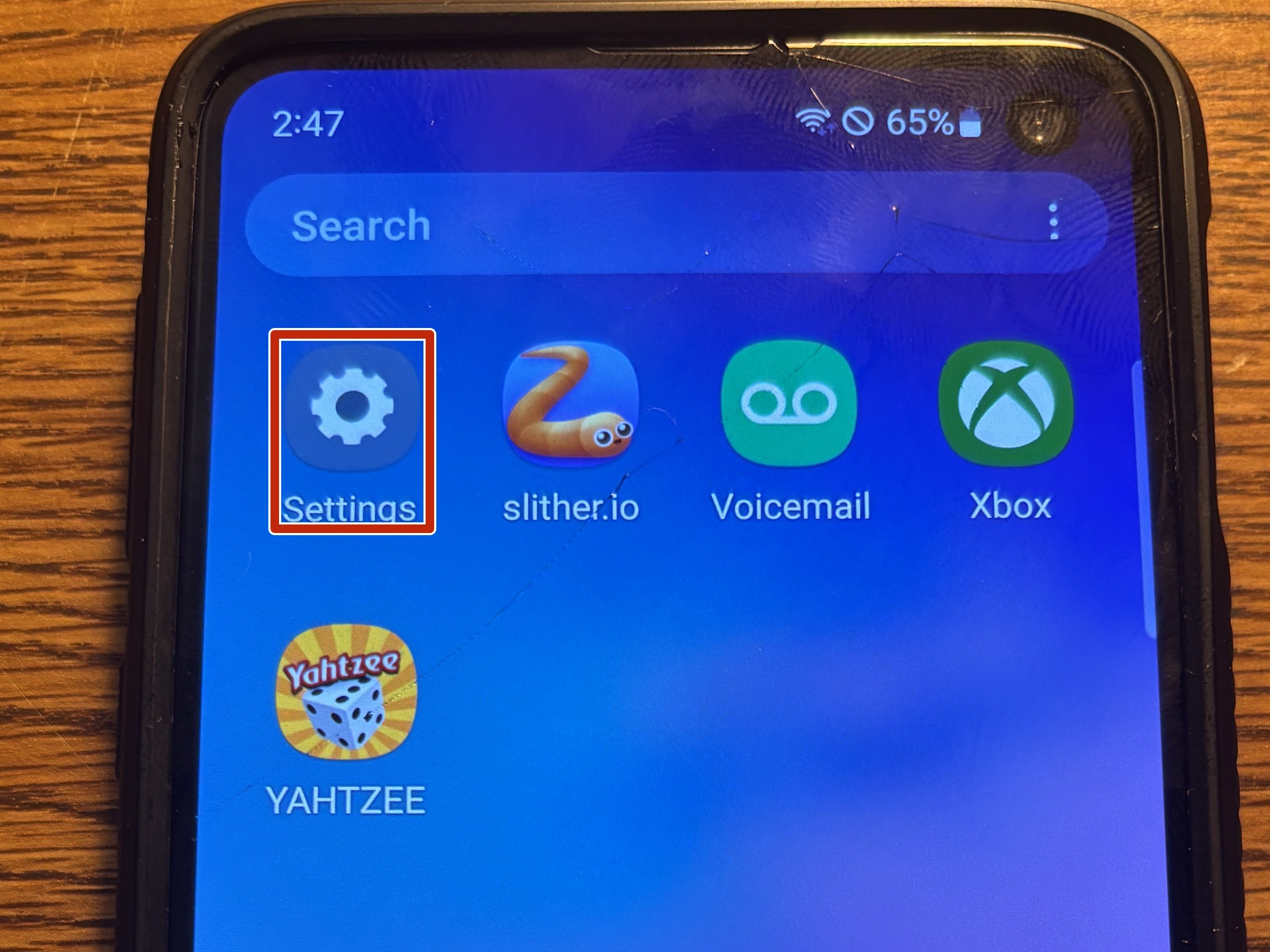
Step 1

Repair step

  • Go to the settings app.
Step 2

Repair step

  • Find the "Advanced Features" tab.
Step 3

Repair step

  • Click on Bixby key.
Step 4

Repair step

  • Using the "Single press to open Bixby" option, turn on "Use double press" and click on the text.
Step 5

Repair step

  • Now select "Open App".
Step 6

Repair step

  • Tap on "Flashlight" or any other function that interests you.