FIXONIC
SellSavedMy Fixonic
Official iFixit API visual reference

PowerBook G3 Pismo Keyboard Replacement

Replacing this keyboard is easy. It requires no...

iFixit Library PowerBook G3 Pismo Easy No estimate Guide 18
Open the authorised source
Licensed iFixit integration

This attributed iFixit guide is displayed through Fixonic's recorded commercial API permission. iFixit remains the independent source and author of the procedure.

Guide overview

Before you begin

Replacing this keyboard is easy. It requires no tools and takes only a few minutes.

Step 1

Repair step

  • Turn the keyboard locking screw so that it is parallel to the space bar.
  • Pull the keyboard release tabs toward you and lift up on the keyboard until it pops free.
  • Lift the keyboard out by pulling it up and away from you. Rest the keyboard, face down, on top of the track pad.
Step 2

Repair step

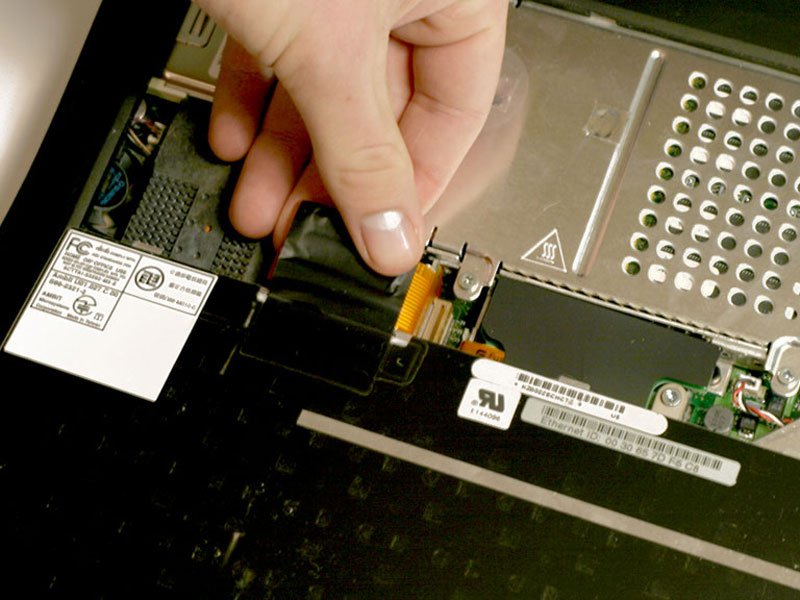
  • Pull the keyboard ribbon straight up from the logic board. Place the keyboard aside.
  • The connector may be tight. Gently rock the connector from side to side while pulling directly upward to free it. You can use this technique on many of the cards and cables you'll be disconnecting.
  • Make sure you have removed the laptop battery and CD/DVD modules from the expansion bays before proceeding.
Step 3

Repair step

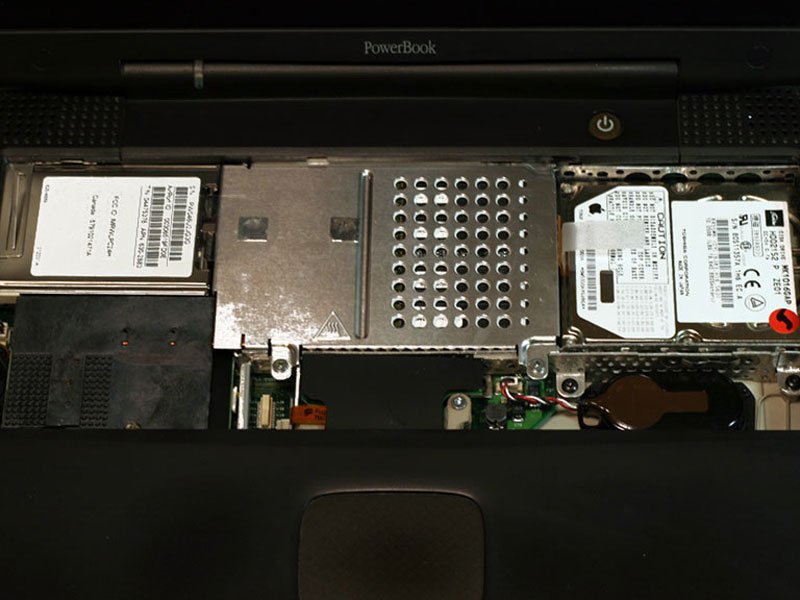
  • Your laptop should look approximately like this.