
FIXONIC
SellSavedMy Fixonic
Official iFixit API visual reference

Casio CZ-1000 Display Screen Replacement

If your display screen is not turning on or is...

iFixit Library Casio CZ-1000 Moderate 30 minutes Guide 180042
Open the authorised source
Licensed iFixit integration

This attributed iFixit guide is displayed through Fixonic's recorded commercial API permission. iFixit remains the independent source and author of the procedure.

Guide overview

Before you begin

If your display screen is not turning on or is malfunctioning then use this guide to replace your display screen on you Casio CZ-1000 synthesizer. The display screen is significant part of this synthesizer that allows you to save memory to a RAM cartridge, load RAM cartridges, and change the tone of your synthesizer. In this guide you will be provided with a step by step process on how to replace you display screen.
Step 1

Repair step

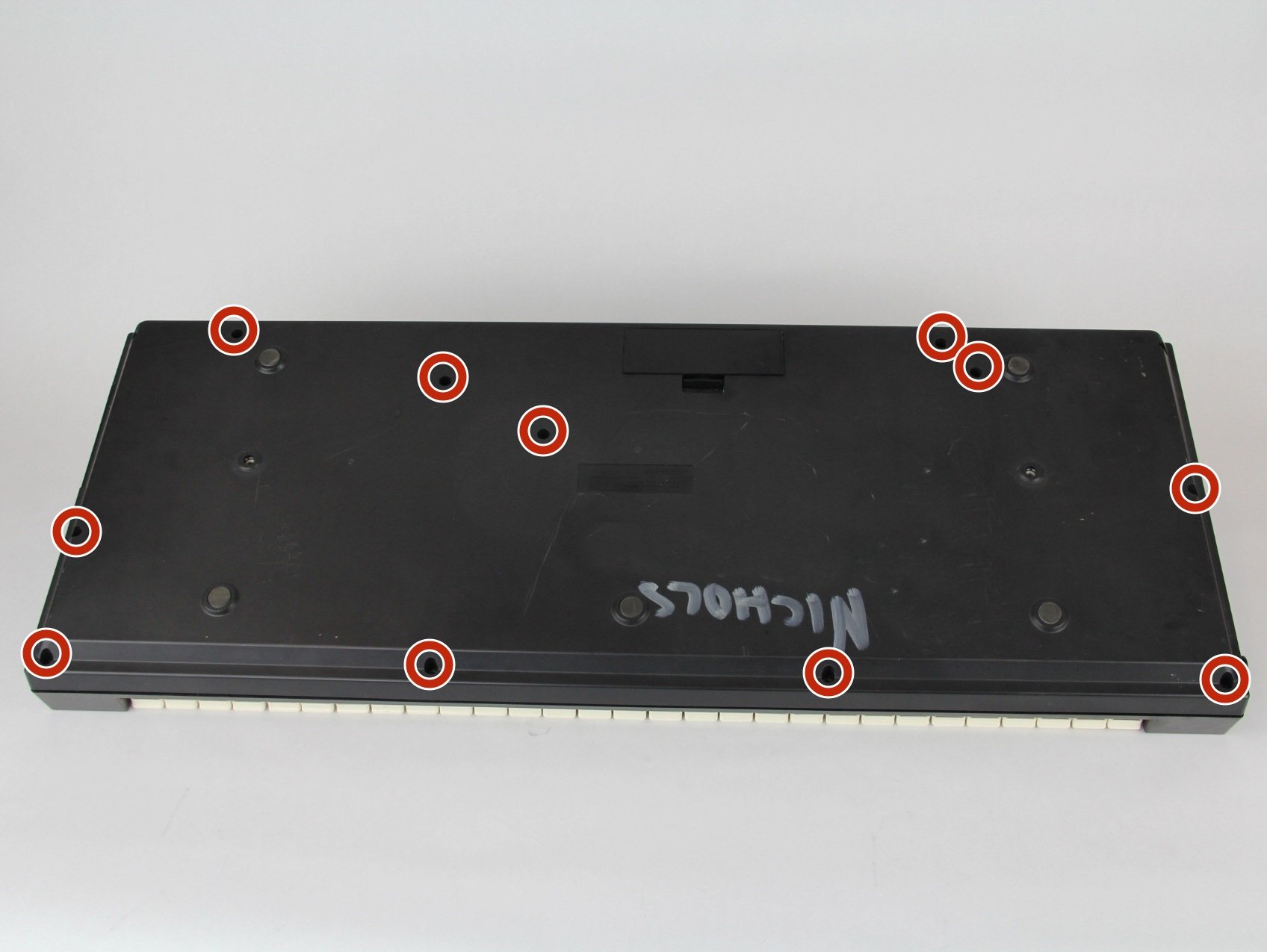
  • Use a Phillips #1 screwdriver to remove the eleven 7.5 mm screws securing the back plate.
Step 2

Repair step

  • Using a Phillips #1 screwdriver, remove all 14 5.5 mm screws from the two motherboards.
  • These screws secure the motherboards to the keyboard assembly and the dial on the right side.
Step 3

Repair step

  • Carefully cut the zip tie located in the right-hand corner using a pair of scissors or wire cutters.
  • Be sure to avoid cutting any nearby wires or components.
  • Gently slide all the plugs out of their sockets.
  • This will prevent them from catching on anything or damaging the connectors as you lift.
Step 4

Repair step

  • Pull out the orange 24 pin connector.
  • Pull on the orange plastic piece and not the wires. Pulling on the wires can potentially damage the device.
Step 5

Repair step

  • Remove the four 7.5 mm screws that are holding down the metal sheets using a Phillips #1 screwdriver.
  • Set the sheet to the side for now.
Step 6

Repair step

  • Remove the four 5.5 mm screws from the corners of the display screen using a Phillips #1 screwdriver.
  • Lift the side of the display screen that is closer to you and then pull out the screen.