
FIXONIC
SellSavedMy Fixonic
Official iFixit API visual reference

Disassembling Casio CZ-1000 Backplate

Many Casio CZ-1000 troubleshooting symptoms...

iFixit Library Casio CZ-1000 Moderate 5 - 10 minutes Guide 180175
Open the authorised source
Licensed iFixit integration

This attributed iFixit guide is displayed through Fixonic's recorded commercial API permission. iFixit remains the independent source and author of the procedure.

Guide overview

Before you begin

Many Casio CZ-1000 troubleshooting symptoms require opening up the back plate of the digital synthesizer. Inside the keyboard, a number of components are located under the two main motherboards. In this guide, we take you step by step through how to open up the back plate and remove the two main motherboards, giving access to the components below.
Step 1

Repair step

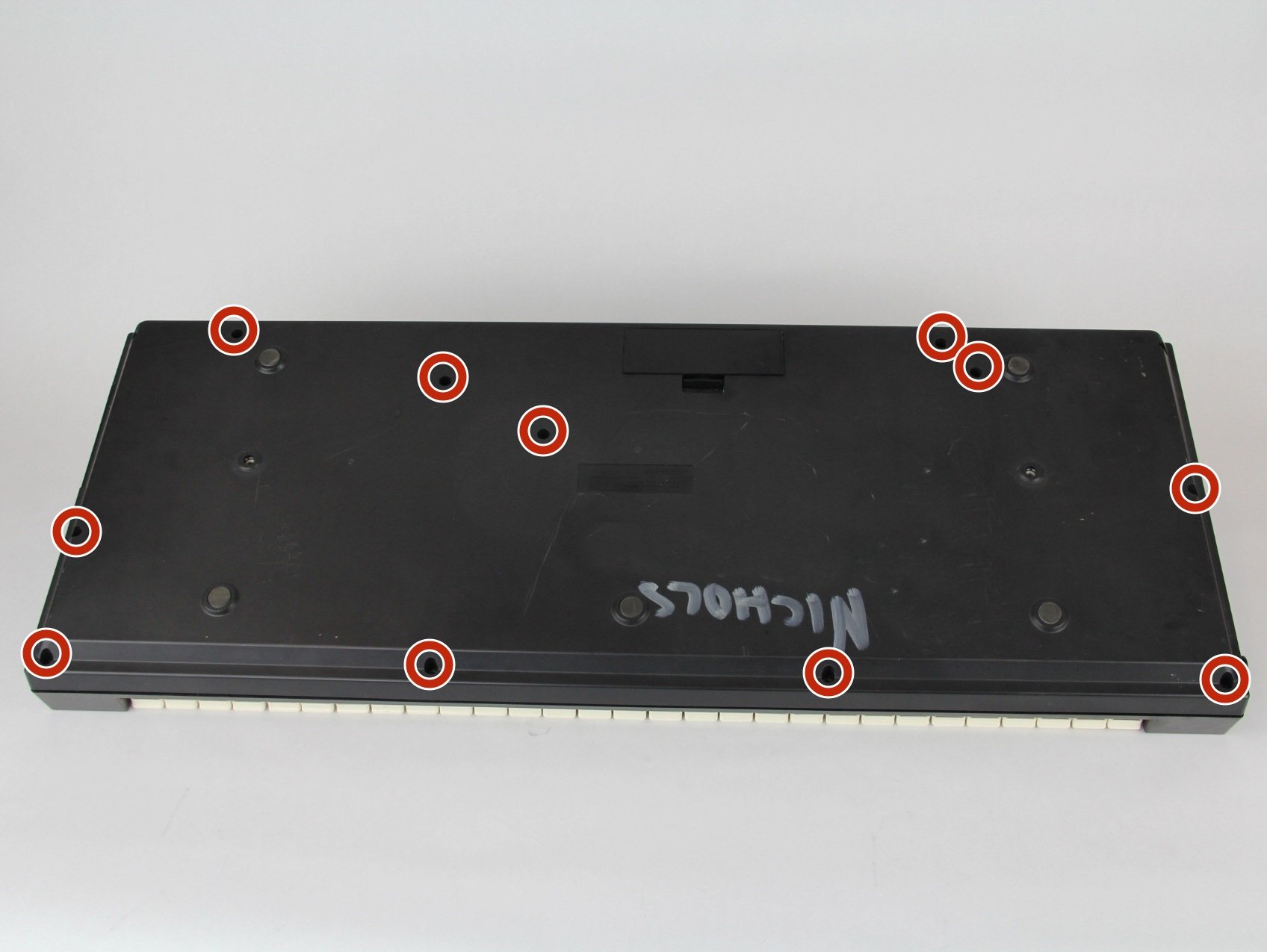
  • Use a Phillips #1 screwdriver to remove the eleven 7.5 mm screws securing the back plate.
Step 2

Repair step

  • Using a Phillips #1 screwdriver, remove all 14 5.5 mm screws from the two motherboards.
  • These screws secure the motherboards to the keyboard assembly and the dial on the right side.
Step 3

Repair step

  • Carefully cut the zip tie located in the right-hand corner using a pair of scissors or wire cutters.
  • Be sure to avoid cutting any nearby wires or components.
  • Gently slide all the plugs out of their sockets.
  • This will prevent them from catching on anything or damaging the connectors as you lift.