FIXONIC
SellSavedMy Fixonic
Official iFixit API visual reference

Lenovo ThinkPad L440 Hard Drive Replacement

Attributed iFixit repair guide for Lenovo ThinkPad L440.

iFixit Library Lenovo ThinkPad L440 Moderate No estimate Guide 180706
Open the authorised source
Licensed iFixit integration

This attributed iFixit guide is displayed through Fixonic's recorded commercial API permission. iFixit remains the independent source and author of the procedure.

Step 1

Repair step

  • Open the laptop to access the power button.
  • Hold the power button in the top right until the computer powers off.
  • Turn the computer over so that the bottom of the computer is facing up
Step 2

Repair step

  • On the left side under the raised surface, move the tab to the left towards the unlocked symbol. Repeat this on the right side and move the tab to the right towards the unlocked symbol.
Step 3

Repair step

  • From the top of the laptop, slide the raised surface away from the rest of the laptop and out of its slot to remove the battery from the computer.
Step 4

Repair step

  • Loosen the four retainer screws on the bottom of the laptop using a Phillips #0 screwdriver.
  • These four screws are attached to the panel with washers, so they will spin freely when they are loose and will come off with the panel.
Step 5

Repair step

  • With your fingers, lift up the back panel from the left side.
Step 6

Repair step

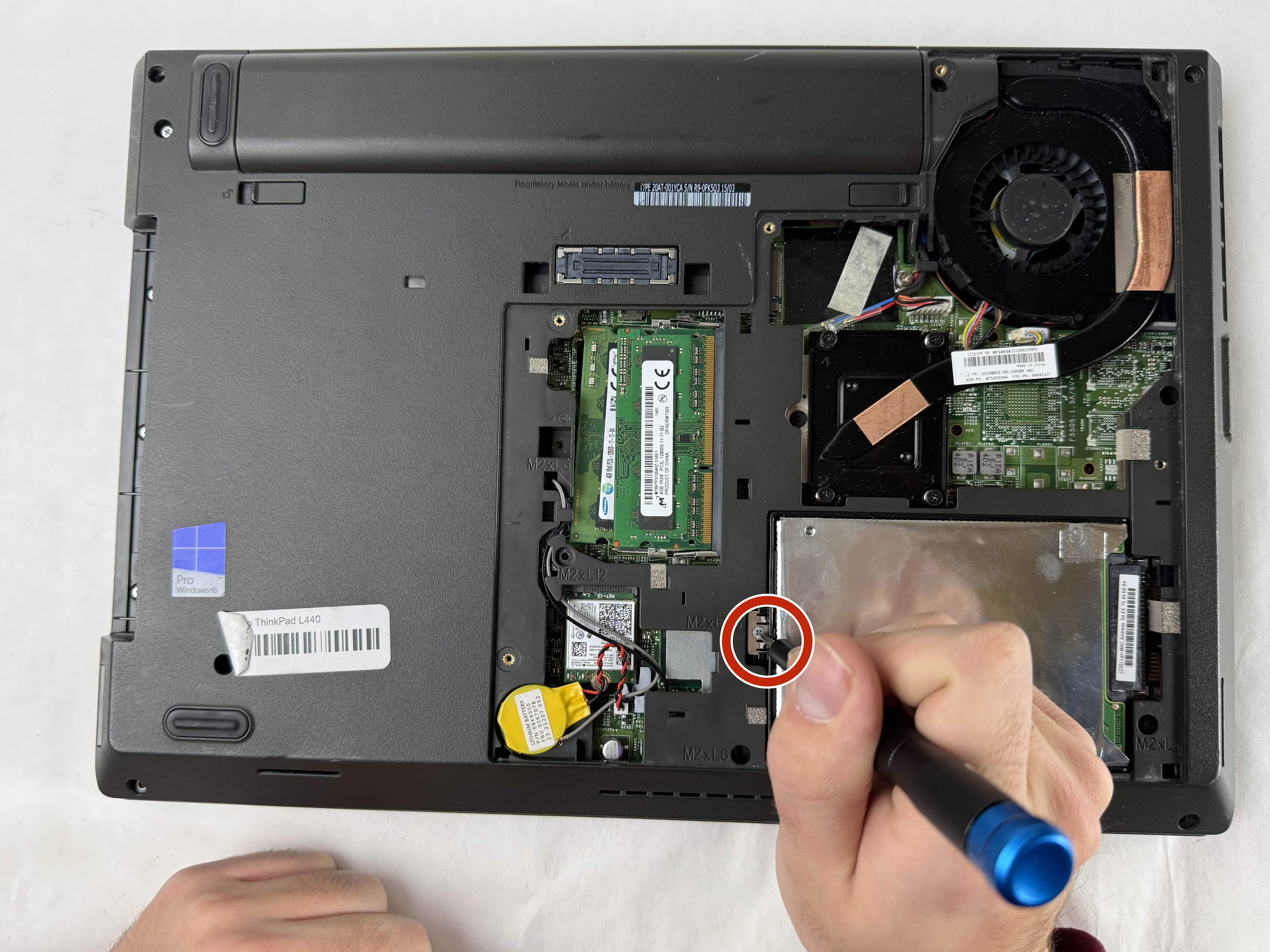
  • Remove the single 3.5 mm screw next to the hard drive using a Phillips #00 screwdriver.
  • Remove the hard drive from the laptop.