
FIXONIC
SellSavedMy Fixonic
Official iFixit API visual reference

Disassembling Toshiba Satellite A65-S126 Upper and Lower Assemblies

This guide provides step by step instructions...

iFixit Library Toshiba Satellite A65-S126 Moderate No estimate Guide 18666
Open the authorised source
Licensed iFixit integration

This attributed iFixit guide is displayed through Fixonic's recorded commercial API permission. iFixit remains the independent source and author of the procedure.

Guide overview

Before you begin

This guide provides step by step instructions on how to disassemble the laptop in order to perform further repairs or replacements.
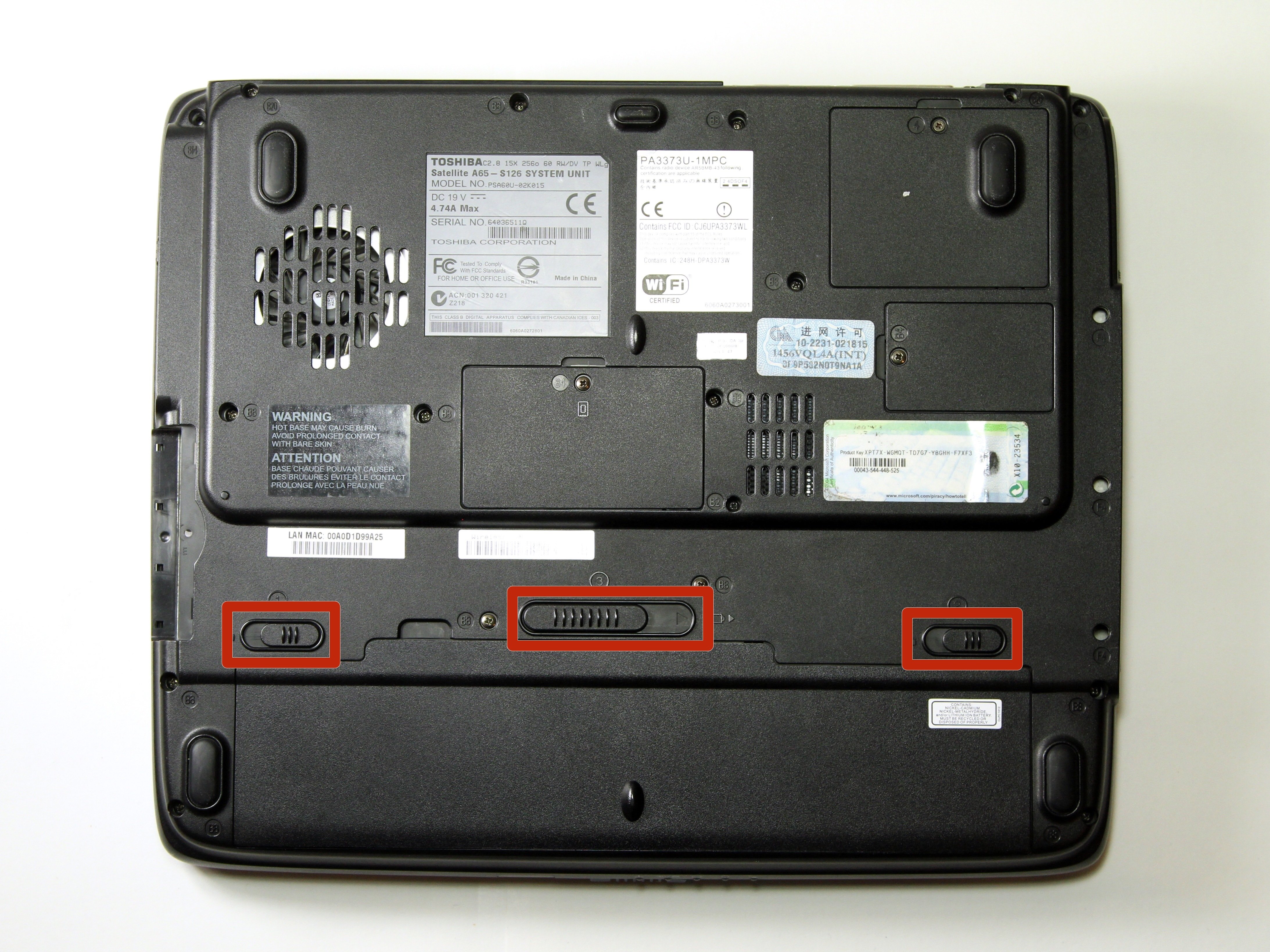
Step 1

Repair step

  • Flip the laptop over so the bottom is facing up.
  • Slide each of the three tabs on the bottom half of the assembly into the unlocked position.
Step 2

Repair step

  • Gently lift the battery out of the computer.
Step 3

Repair step

  • Remove the single 3mm Phillips #00 screw that secures the wireless card cover.
Step 4

Repair step

  • Remove the WIFI module cover. It will pull right off.
Step 5

Repair step

  • Unplug the white and black wires from the WiFi module.
Step 6

Repair step

  • Remove the twelve 8mm button head Phillips #00 B8 screws.
  • Remove the two 14 mm button head Phillips #00 B14 screws.
  • Remove the two 10 mm Phillips #00 battery compartment screws.
  • Remove the two 8 mm Phillips #00 screws.
Step 7

Repair step

  • Remove the seven 4mm flat Phillips #00 screws.
  • Remove the seven 20mm button head Phillips #00 screws.
Step 8

Repair step

  • Use the plastic opening tool to pry the two halves apart.