
FIXONIC
SellSavedMy Fixonic
Official iFixit API visual reference

Pixel 10 USB‑C Board Installation

Attributed iFixit repair guide for Google Pixel 10.

iFixit Library Google Pixel 10 Moderate No estimate Guide 196701
Open the authorised source
Licensed iFixit integration

This attributed iFixit guide is displayed through Fixonic's recorded commercial API permission. iFixit remains the independent source and author of the procedure.

Step 1

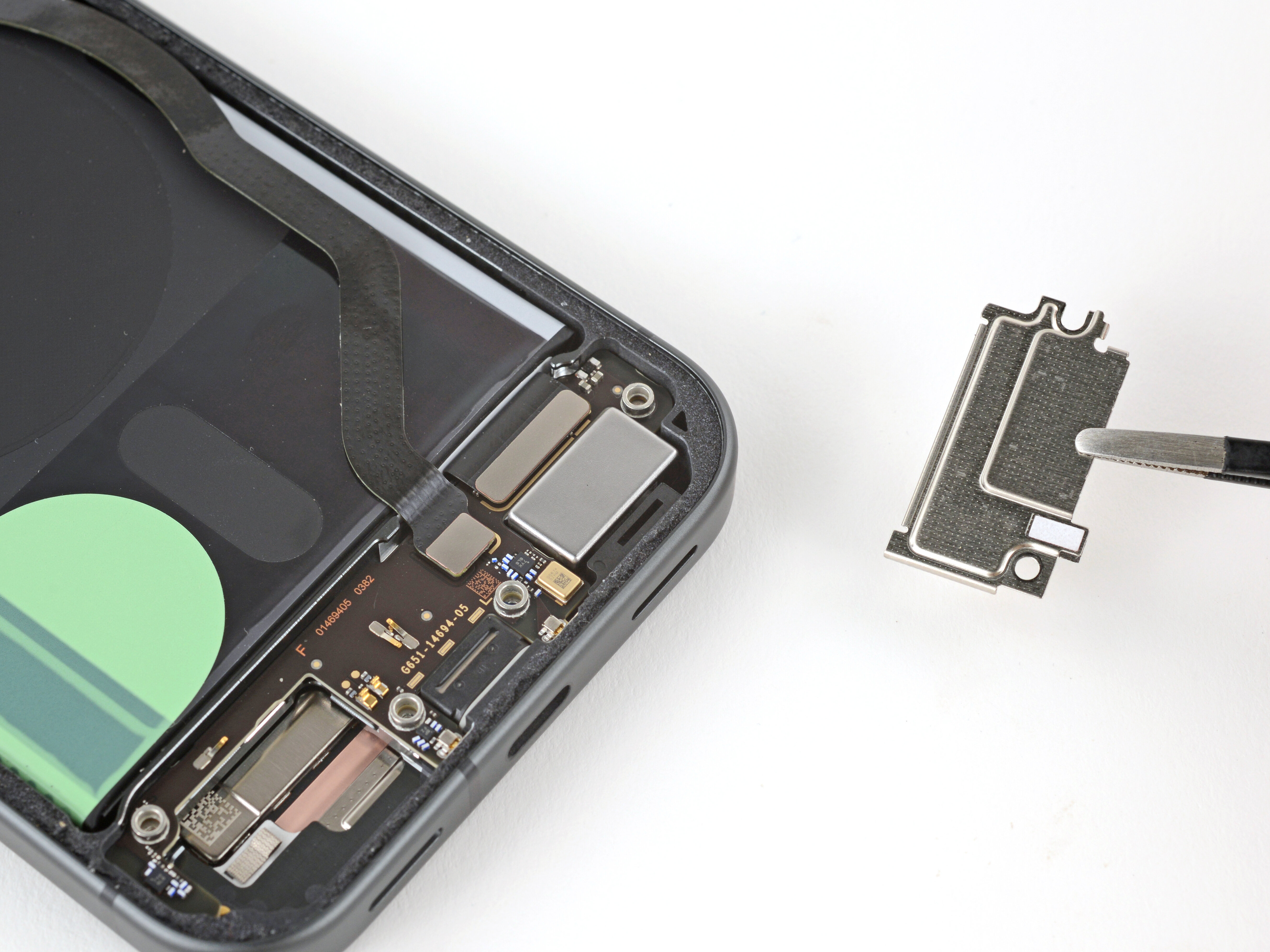
Insert the USB‑C board

  • Make sure both cables that connect to the USB‑C board are out of the way—you may need to hold the interconnect cable up as you insert the board.
  • Insert the USB‑C board at a slight downward angle, guiding the port into its recess.
  • With the board in place, press down firmly on the center of the top edge to clip the board in place.
Step 2

Connect the USB‑C board cables

  • Use your finger to press down and connect the two press connectors to the top edge of the USB‑C board.
Step 3

Install the USB‑C board cover

  • Put the USB‑C board cover back into place, sliding the tabs on the top corners under their hooks.
Step 4

Repair step

  • Use a Torx Plus 3IP screwdriver to install the two 5.0 mm‑long screws securing the USB‑C board cover.