FIXONIC
SellSavedMy Fixonic
Official iFixit API visual reference

Razer Wolverine Ultimate Face Buttons Replacement

Pressing a button and it isn't working? There...

iFixit Library Razer Wolverine Ultimate Moderate 25 - 30 minutes Guide 196721
Open the authorised source
Licensed iFixit integration

This attributed iFixit guide is displayed through Fixonic's recorded commercial API permission. iFixit remains the independent source and author of the procedure.

Guide overview

Before you begin

Pressing a button and it isn't working? There is a chance that one or more buttons are jammed or broken. This guide will show you how to take apart your Razer Wolverine Ultimate for access to clean and/or repair its face buttons.

Step 1

Repair step

  • Place a Jimmy into the crevice between the front panel and one of the back grips, and gently pry the back grip off. Repeat for the other back grip.
  • You may damage the grip's rubber when doing this, but the damage is minimal and does not affect the effectiveness of this device.
Step 2

Repair step

  • Remove two 2 mm screws on the back of each grip using a T5 Torx screwdriver.
Step 3

Repair step

  • Place a Jimmy into the crevice between the front and back panels and pry the back panel away.
Step 4

Repair step

  • Separate the top of the controller from the back, exposing the motherboard.
Step 5

Repair step

  • Remove all four 4 mm main screws holding the motherboard in its place using a Phillips #000 screwdriver.
Step 6

Repair step

  • Detach the two white connectors from the motherboard.
Step 7

Repair step

  • Lift the motherboard up slowly to avoid damaging any inner components.
  • In the middle is a white ribbon of wires connecting the inside of the controller to the motherboard. Be careful not to detach or damage it by pulling too hard.
Step 8

Repair step

  • Detach the white ribbon cable from the motherboard.
  • Remove the motherboard from the controller.
Step 9

Repair step

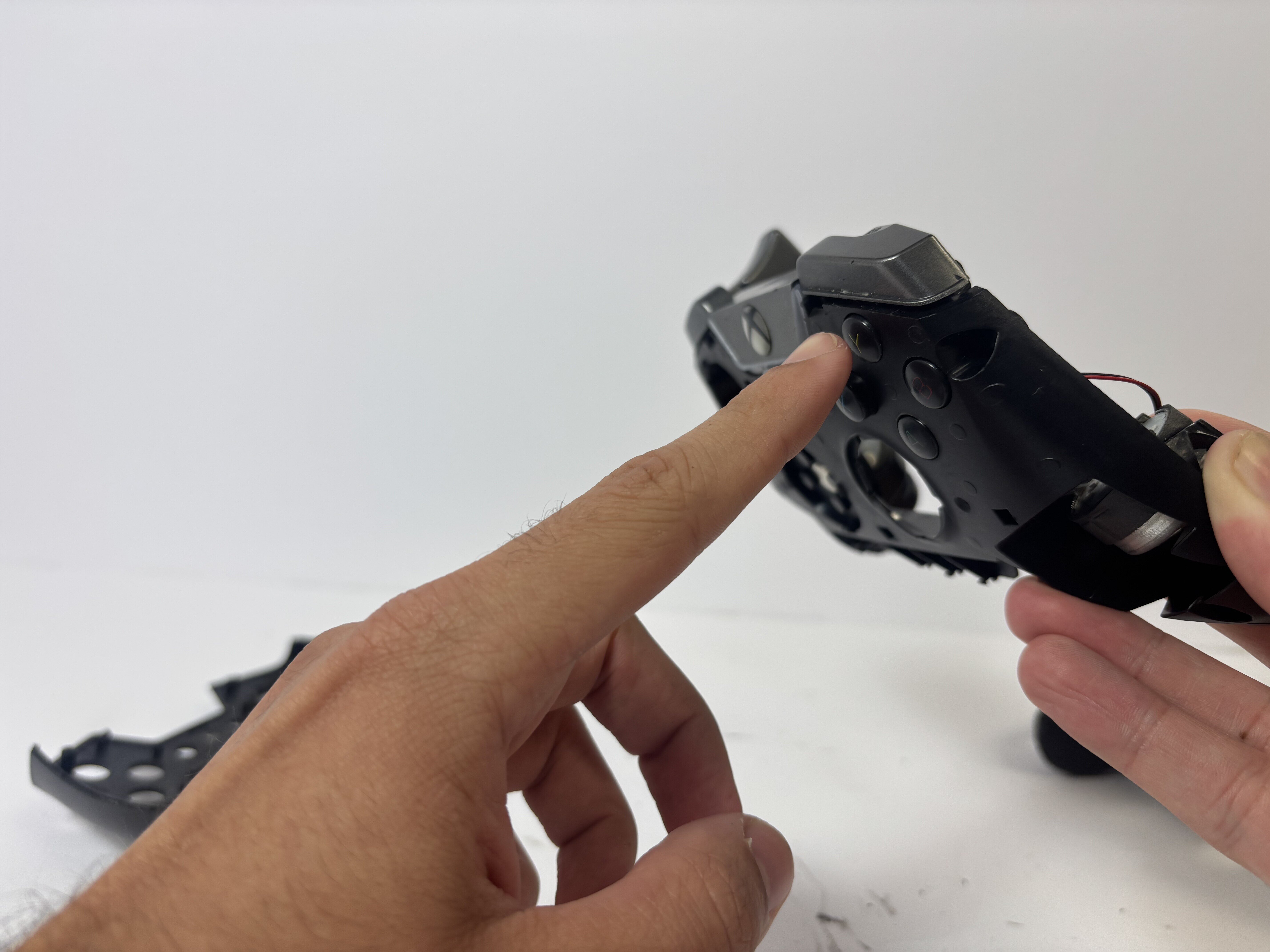
  • Push the face buttons out from the front side of the controller.
  • Be advised as the buttons are not firmly in place; they can fall out.