FIXONIC
SellSavedMy Fixonic
Official iFixit API visual reference

Alienware 15 R2 Motherboard Replacement

The motherboard on the Alienware 15 R2 is an...

iFixit Library Alienware 15 R2 Difficult 35 minutes Guide 198401
Open the authorised source
Licensed iFixit integration

This attributed iFixit guide is displayed through Fixonic's recorded commercial API permission. iFixit remains the independent source and author of the procedure.

Guide overview

Before you begin

The motherboard on the Alienware 15 R2 is an key part of this laptop. This guild will show how to replace the motherboard which is a critical component in the laptop that allows the all other components to work together. When doing this guild make sure to keep take of where each screw was and where the cables plug into.

Step 1

Repair step

  • Place laptop upside down with the hinge facing you, then remove the two 9 mm Phillips #0 screws located in the bottom left and right of the of the rear panel.
  • Remove the rear panel by using the iFixit opening tool to separate it from the back of the laptop.
Step 2

Repair step

  • Use the iFixit opening tool to disconnect the battery cable. Put the iFixit tool underneath the cable and then pull it to remove.
Step 3

Repair step

  • Two clips secure each RAM module in place, one on each side. Using your fingers, spread the clips away from the RAM module.
  • Repeat for the second module.
Step 4

Repair step

  • Using a Phillips #0 screw driver remove the 3 mm screw behind where the RAM used to be.
  • If you installed additional SSD's, you will need to remove those as well.
Step 5

Repair step

  • Remove all screws from the back casing using a Phillips #0 screw driver. (4X 18mm, 4X 10mm, 6X 6mm)
  • Press your finger in the hole next to the hard drive to lift the key board. You may need an iFixit opening tool and work your way around the edges of the keyboard to get it fully lifted.
  • Move slowly as the power cable at the front of the keyboard is still attached to the motherboard as well as the ribbon cables.
Step 6

Repair step

  • Using a Phillips #0 screw driver remove the 2X 3mm screws.
Step 7

Repair step

  • Using a Phillips #0 screw driver remove the 6X 8mm screws.
Step 8

Repair step

  • Disconnect the cables.
Step 9

Repair step

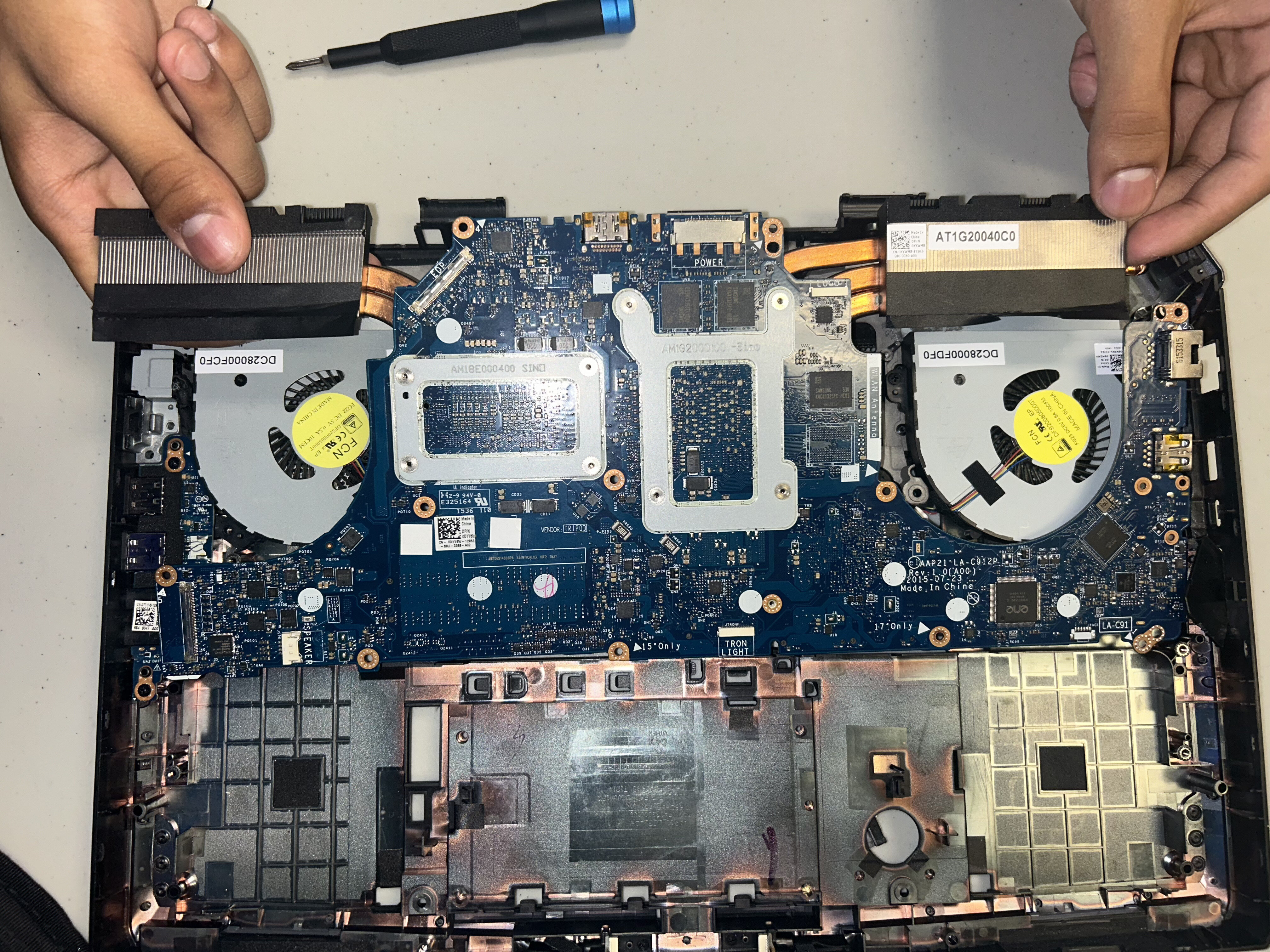
  • Remove the motherboard using an iFixit opening tool anytime it becomes difficult to get out.