FIXONIC
SellSavedMy Fixonic
Official iFixit API visual reference

Framework Laptop 16 Antenna Installation

Attributed iFixit repair guide for Framework Laptop 16 (AMD Ryzen™ AI 300 Series).

iFixit Library Framework Laptop 16 (AMD Ryzen™ AI 300 Series) Moderate No estimate Guide 199814
Open the authorised source
Licensed iFixit integration

This attributed iFixit guide is displayed through Fixonic's recorded commercial API permission. iFixit remains the independent source and author of the procedure.

Step 1

Remove the adhesive liner

  • Remove the liner from the back of your replacement right antenna.
  • The right antenna has a white cable and has an R printed on its front.
Step 2

Install the right antenna

  • Use your fingers to slide the right antenna into its slot on the Top Cover and press it into its alignment peg.
Step 3

Install the right antenna screw

  • While keeping the antenna pressed into place, use your Framework Screwdriver to install the 2.4 mm‑long T5 Torx screw securing the right antenna.
Step 4

Repair step

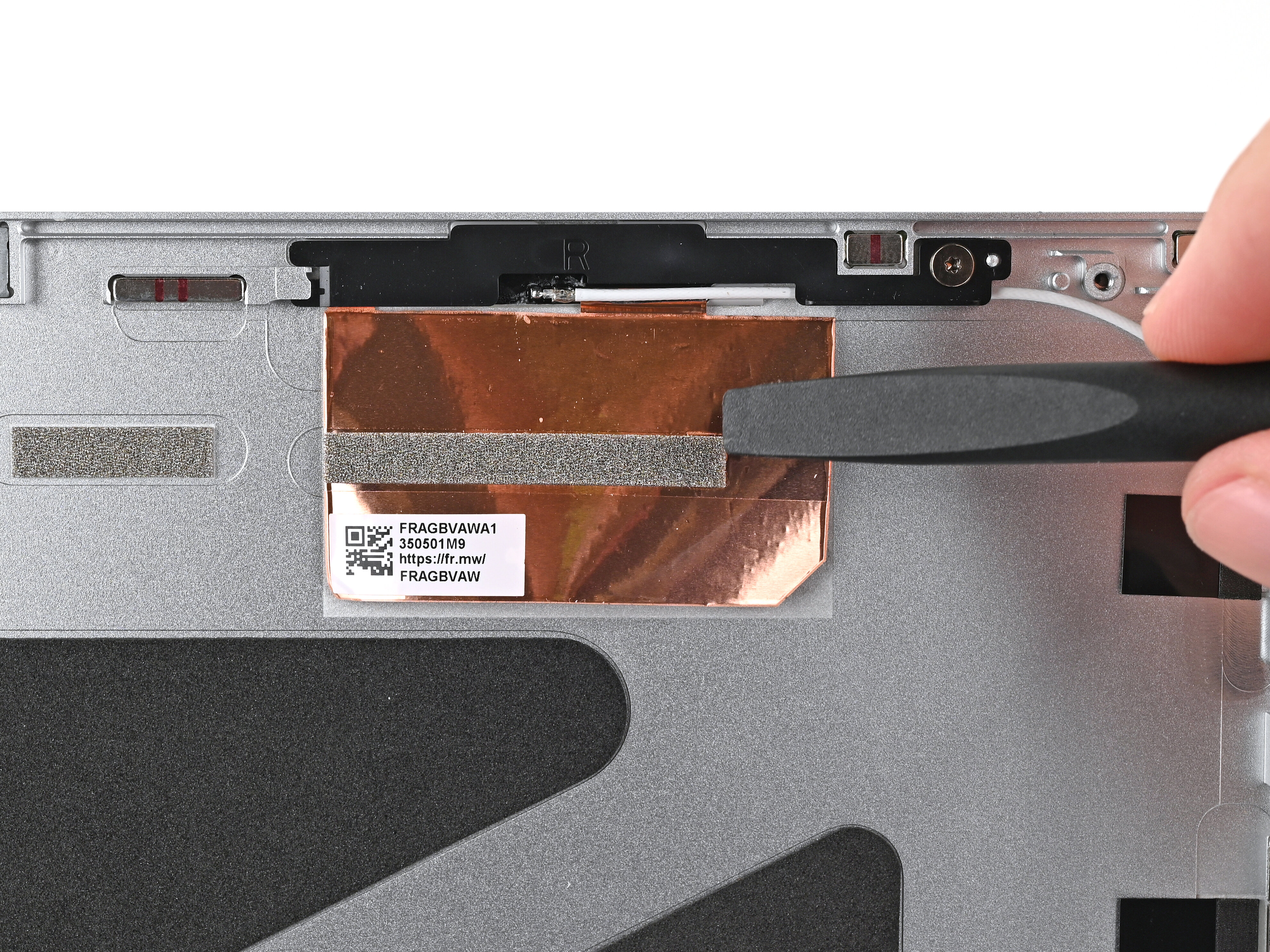
  • Use the flat end of your Framework Screwdriver to press the copper film onto the Top Cover and adhere it.
Step 5

Reroute the white cable

  • Use the flat end of your Framework Screwdriver, or your fingers, to press the white antenna cable into its clips at the top right corner of the Top Cover.
Step 6

Repair step

  • Repeat the previous step for the clips along the right edge of the Top Cover.
Step 7

Remove the adhesive liner

  • Remove the liner from the back of your replacement left antenna.
  • The left antenna has a black cable and has an L printed on its front.
Step 8

Install the left antenna

  • Use your fingers to slide the left antenna into its slot on the Top Cover and press it into its alignment peg.
Step 9

Install the left antenna screw

  • While keeping the antenna pressed into place, use your Framework Screwdriver to install the 2.4 mm‑long T5 Torx screw securing the left antenna.
Step 10

Repair step

  • Use the flat end of your Framework Screwdriver to press the copper film onto the Top Cover and adhere it.
Step 11

Reroute the black cable

  • Use the flat end of your Framework Screwdriver, or your fingers, to press the black antenna cable into its clips at the top left corner of the Top Cover.
Step 12

Repair step

  • Repeat the previous step for the clips along the left edge of the Top Cover.