FIXONIC
SellSavedMy Fixonic
Official iFixit API visual reference

2008 Chevrolet Tahoe Key Fob Battery Replacement

This guide shows how to replace the battery in...

iFixit Library Chevrolet Tahoe Easy 5 - 10 minutes Guide 208031
Open the authorised source
Licensed iFixit integration

This attributed iFixit guide is displayed through Fixonic's recorded commercial API permission. iFixit remains the independent source and author of the procedure.

Guide overview

Before you begin

This guide shows how to replace the battery in a 2008 Chevrolet Tahoe key fob. The key fob battery supplies power to the remote's internal electronics, which allows you to lock, unlock, and remotely operate your vehicle. However, over time the battery will lose it's energy and it may cause a reduced range, delayed response, or complete failure in operation. If your key fob no longer responds consistently and requires multiple presses on it to function then replacing the battery may restore it to normal.

Step 1

Repair step

  • Insert a plastic opening tool into the side seam between the top and bottom cases of the key fob.
  • Using a metal flathead can scratch the case or damage the inside of the key fob. To prevent this, use a plastic opening tool when opening the key fob.
Step 2

Repair step

  • Twist the plastic opening tool just enough to create a gap between the top and bottom halves.
  • Gently separate the top and bottom of the key fob.
Step 3

Repair step

  • Remove the back part of the key fob.
Step 4

Repair step

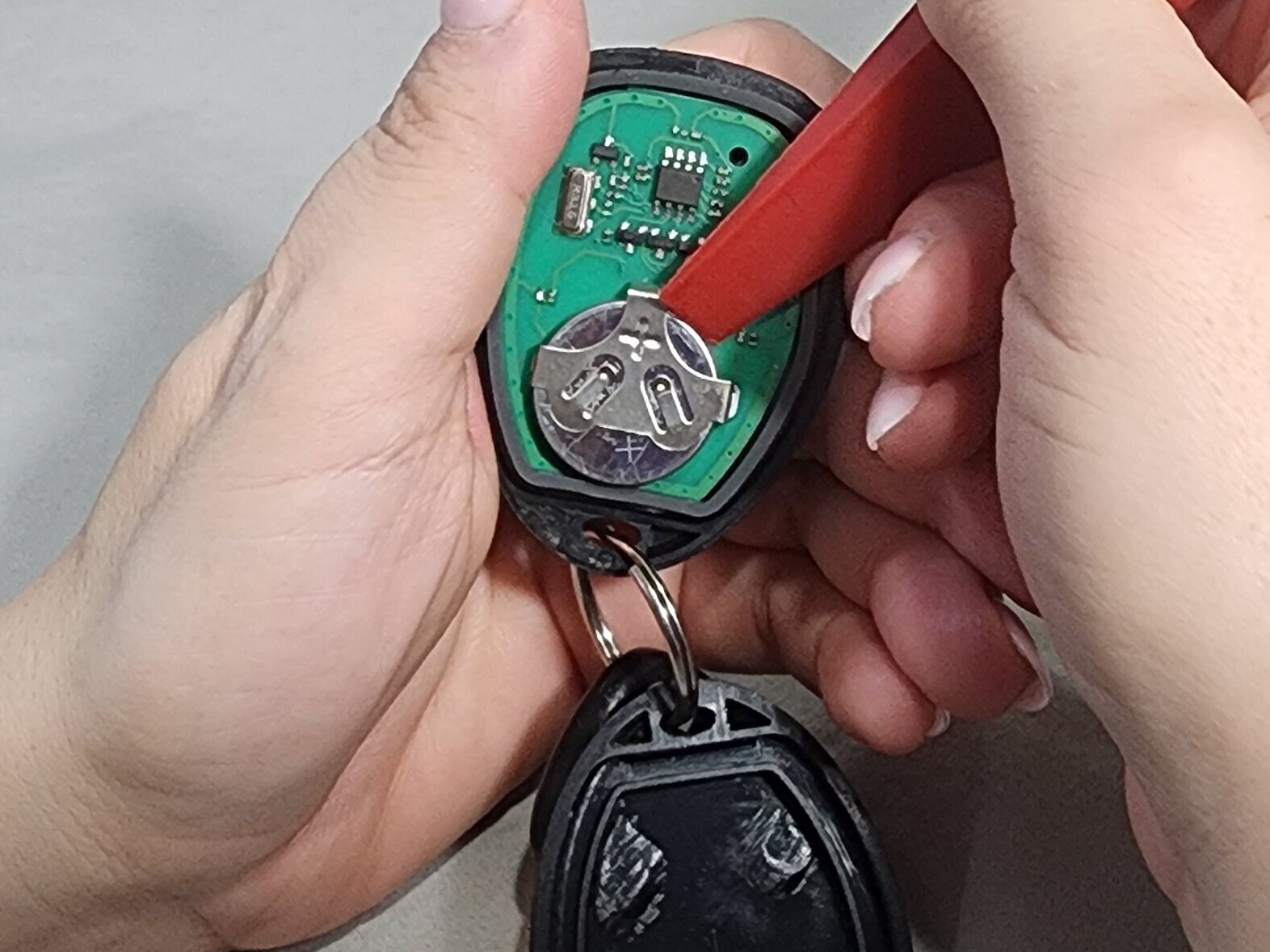
  • Push the battery out from the top of the clip to remove it.
  • Be careful not to break the battery clip that holds the key fob battery.
Step 5

Repair step

  • Insert a new CR2032 3V coin cell battery into the battery clip.
  • Make sure that the positive (+) side is facing up.
Step 6

Repair step

  • Align the top and bottom halves of the key fob and press them together until they snap into place.