FIXONIC
SellSavedMy Fixonic
Official iFixit API visual reference

Mac Pro Late 2013 AirPort Antenna Array Replacement

Use this guide to replace the AirPort antenna...

iFixit Library Mac Pro Late 2013 Moderate No estimate Guide 21221
Open the authorised source
Licensed iFixit integration

This attributed iFixit guide is displayed through Fixonic's recorded commercial API permission. iFixit remains the independent source and author of the procedure.

Guide overview

Before you begin

Use this guide to replace the AirPort antenna array in your Mac Pro.

Step 1

Repair step

  • Slide the lock switch to the right, to the unlocked position.
Step 2

Repair step

  • Lift the outer case straight up off the Mac Pro.
  • It may help to push down on the center of the fan while lifting the case up.
Step 3

Repair step

  • Remove five 5.1 mm T10 Torx screws from around the outer perimeter of the fan assembly.
Step 4

Repair step

  • The fan assembly is attached to the rest of the computer by two cables on the IO board side.
  • Tilt the assembly up away from the IO board.
  • Do not try to remove the fan assembly yet, as it is still attached by two cables.
Step 5

Repair step

  • While supporting the fan assembly with one hand, loosen the two T8 captive screws in the fan cable bracket.
  • These screws are captive in the Mac Pro. Do not try to remove these screws from your Mac Pro.
Step 6

Repair step

  • Use a pair of tweezers to pull the fan cable bracket away from the fan assembly.
Step 7

Repair step

  • Use the flat end of a spudger to disconnect the fan assembly ribbon cable from the IO board.
Step 8

Repair step

  • Disconnect the fan assembly antenna cable from the IO board.
  • Remove the fan assembly from the Mac Pro.
Step 9

Repair step

  • Use the flat end of a spudger to pry the fan assembly lid up off the fan assembly.
  • Remove the fan assembly lid.
Step 10

Repair step

  • Remove the three 3.7 mm T4 screws securing the metal cover to the AirPort board bay.
Step 11

Repair step

  • Lift and remove the metal cover from the AirPort board bay.
Step 12

Repair step

  • Use the tip of a spudger to flip the ZIF retaining tab on the fan assembly ribbon cable connector.
  • Remove the fan assembly ribbon cable from its ZIF socket.
Step 13

Repair step

  • Use the tip of a spudger to flip the ZIF retaining tab on the fan ribbon cable.
  • Disconnect the fan ribbon cable.
Step 14

Repair step

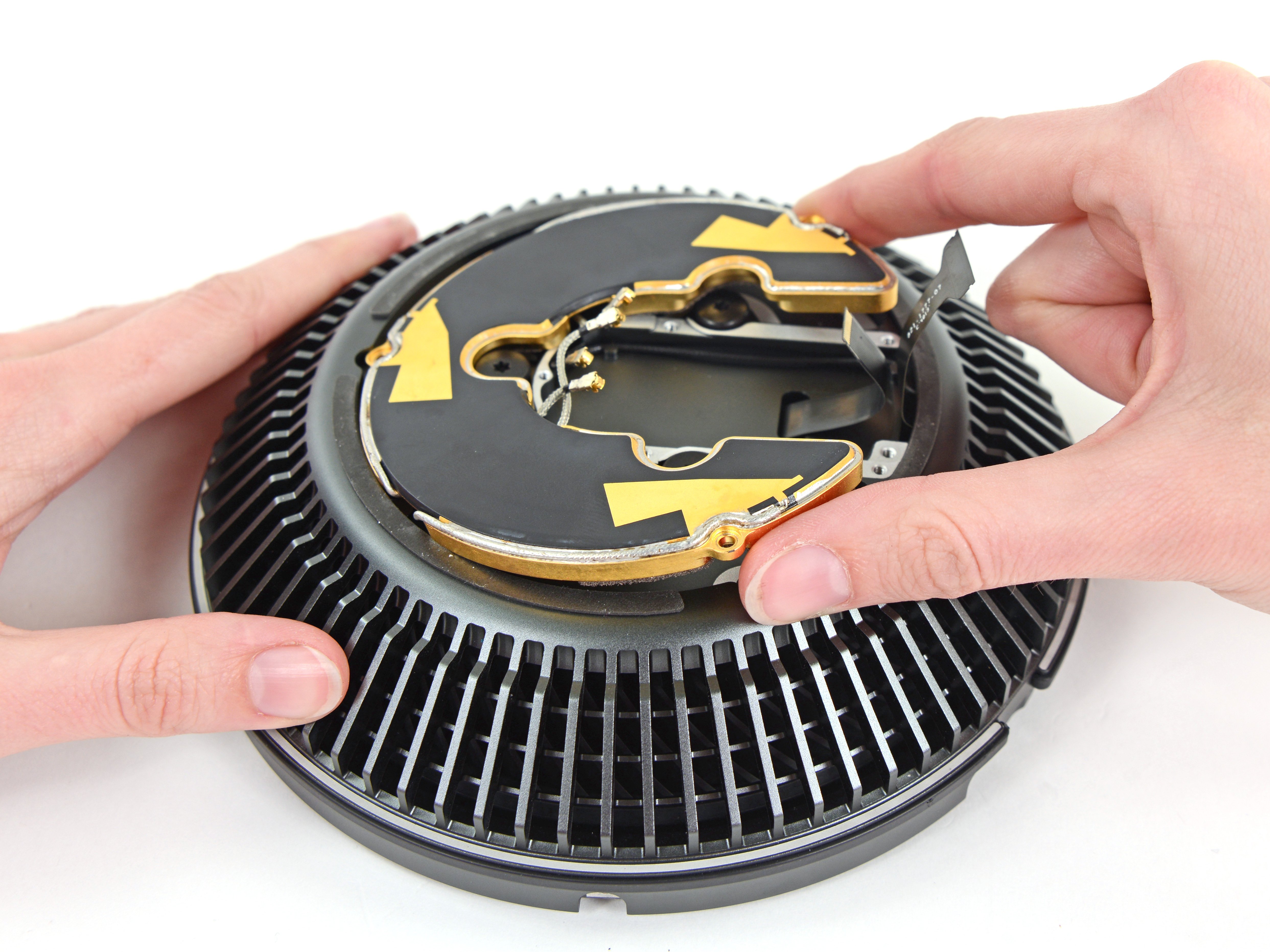
  • Remove the three 3.7 mm T4 screws securing the antenna array to the fan assembly.
Step 15

Repair step

  • Remove the AirPort antenna array.