
FIXONIC
SellSavedMy Fixonic
Official iFixit API visual reference

How to Clean and Repair an Obstruction in a Suncoze IG1003 V5 Hydroponic System Water Pump

If your Suncoze Hydroponic System is growing...

iFixit Library Household Item Very easy 5 - 10 minutes Guide 214547
Open the authorised source
Licensed iFixit integration

This attributed iFixit guide is displayed through Fixonic's recorded commercial API permission. iFixit remains the independent source and author of the procedure.

Guide overview

Before you begin

If your Suncoze Hydroponic System is growing algae, there is a high chance it is due to obstructions in the water pump that cleaning can solve. Water pumps are used in a hydroponic system to move the water in the tank to avoid standing water that can lead to algae. Check first if the water level is an issue with the pump, as the water level needs to be high enough to cover the pump. If that is not the issue than cleaning the pump using this guide will be your next step. This guide is for the Suncoze IG1003 V5 model, one of many hydroponic systems the company offers. Most of the model differences consist of the amount of spaces for planting and additions like a screen interface or water level indicator, and the steps for this guide may be helpful for other models with similar tank and water pump features.
Step 1

Repair step

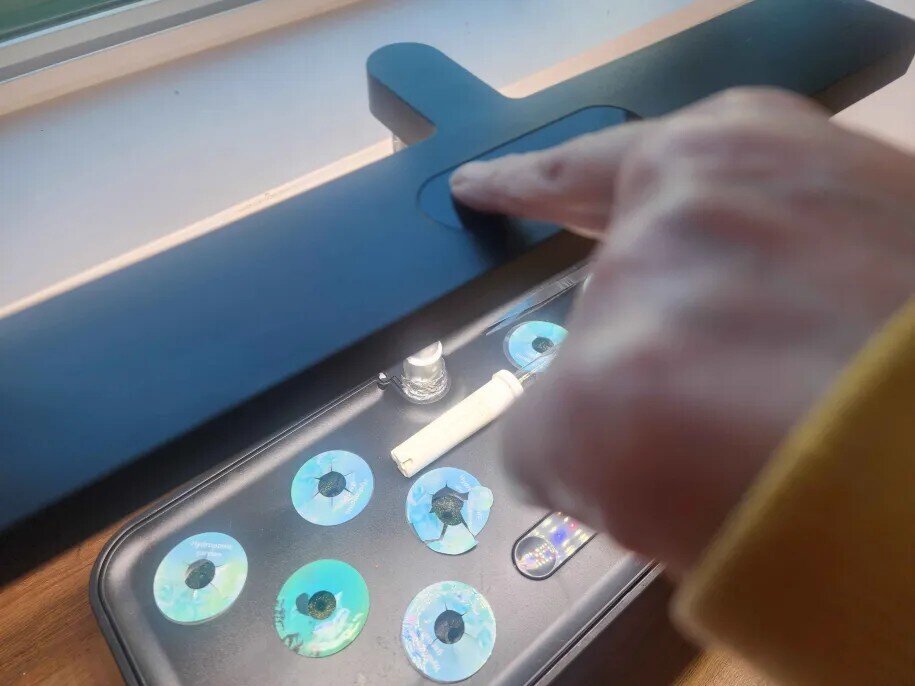
  • Turn off the system and unplug the electric cord of the hydroponic system from the outlet power source.
  • Keep the water pump cord plugged in until step 3.
Step 2

Repair step

  • Remove the water level indicator from the system.
  • Take out all grow pods from the grow deck.
  • Discard sponges inside of the grow pods and set the pods aside for cleaning later.
  • Remove the grow deck off from the rest of the system.
Step 3

Repair step

  • Pour out all the water from the water tank.
  • Unplug the water pump cord from the back of the system.
Step 4

Repair step

  • Using an appropriately sized screwdriver, unscrew the two 2mm screws from the water pump cover and separate the cover from the water pump.
Step 5

Repair step

  • Take out the sponge in front of the water pump.
  • Squeeze the sponge to get rid of the water.
  • The sponge may need to be replaced if there is too much bacteria and algae growth.
Step 6

Repair step

  • Gently tug at the water pump to release the suction cups on the pump from the bottom of the water tank.
  • Check the pump for any obstructions, debris, or algae growth.
  • Using a paper towel or cloth and a distilled vinegar solution, wipe down all components of the water pump, the sides of the water tank, and the bottom of the grow deck.
Step 7

Repair step

  • Optionally, to help prevent future algae growth, before reassembly you can attach aluminum foil to the bottom of the grow deck. This will block light from unused grow pods that can contribute to algae growth.
  • Detach the grow deck legs from the grow deck.
  • Take a piece of aluminum foil roughly the size of the grow deck and cover the bottom of the grow deck. Press down on the foil until you can see the imprint of the grow deck.
  • Reattach the grow deck legs to the grow deck with the aluminum foil in between to keep it attached. Holes can be punctured in the aluminum foil when planting grow pods.