
FIXONIC
SellSavedMy Fixonic
Official iFixit API visual reference

Lenovo ThinkPad T460p RAM Replacement

This guide covers step by step how to replace...

iFixit Library Lenovo ThinkPad T460P Easy 10 - 15 minutes Guide 215460
Open the authorised source
Licensed iFixit integration

This attributed iFixit guide is displayed through Fixonic's recorded commercial API permission. iFixit remains the independent source and author of the procedure.

Guide overview

Before you begin

This guide covers step by step how to replace the random access memory (RAM) sticks on the Lenovo T460p; this computer is equipped with two slots normally. RAM is the short-term memory of the computer while it is running, and it is strongly correlated to the responsiveness of the system. As computer programs evolve to be more demanding, upgraded RAM can allow older devices to efficiently run newer software. If your computer spends abnormally long amounts of time loading, this replacement guide may be for you!
Step 1

Repair step

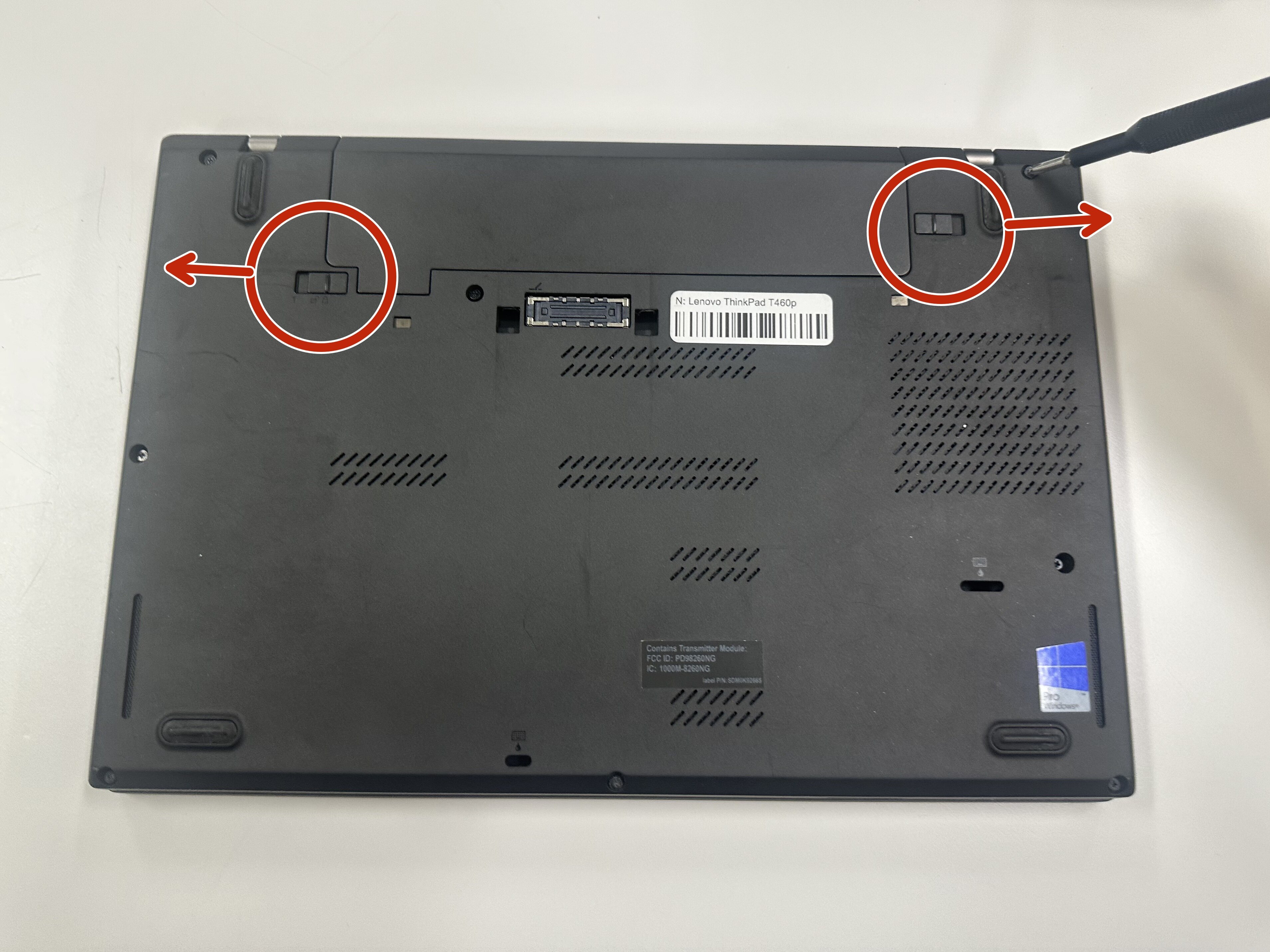
  • Ensure the computer is shut down by depressing the power button above the keyboard.
  • Slide each of the two battery locking tabs toward the closest edge.
  • Remove the battery.
  • Reinstall the new battery by simply pushing it into the battery compartment; you do not need to hold the two retaining tabs back.
Step 2

Repair step

  • Ensure the computer is shut down by depressing the power button above the keyboard.
  • Loosen the eight 4 mm-long captive Phillips screws securing the lower case.
  • Insert an opening pick into the seam between the lower case and chassis.
  • Pry around the entire perimeter of the laptop until the lower case fully releases.
  • Remove the lower case.
Step 3

Repair step

  • Two clips secure each RAM module in place, one on each side. Using your fingers, spread the clips away from the RAM module.
  • Remove the RAM module(s).