
FIXONIC
SellSavedMy Fixonic
Official iFixit API visual reference

Lenovo ThinkPad T460p CMOS Battery Replacement

There is a battery in addition to the external...

iFixit Library Lenovo ThinkPad T460P Easy 15 - 20 minutes Guide 215463
Open the authorised source
Licensed iFixit integration

This attributed iFixit guide is displayed through Fixonic's recorded commercial API permission. iFixit remains the independent source and author of the procedure.

Guide overview

Before you begin

There is a battery in addition to the external battery called the complementary metal-oxide semiconductor (CMOS) battery. The CMOS battery is responsible for keeping track of BIOS data, in addition to time, date, and some user specified settings. It is crucial that this battery functions when the computers main power source is disengaged or it can “forget” these things. Incorrect date and time, long boot times and BIOS issues are all symptoms of this component failing.
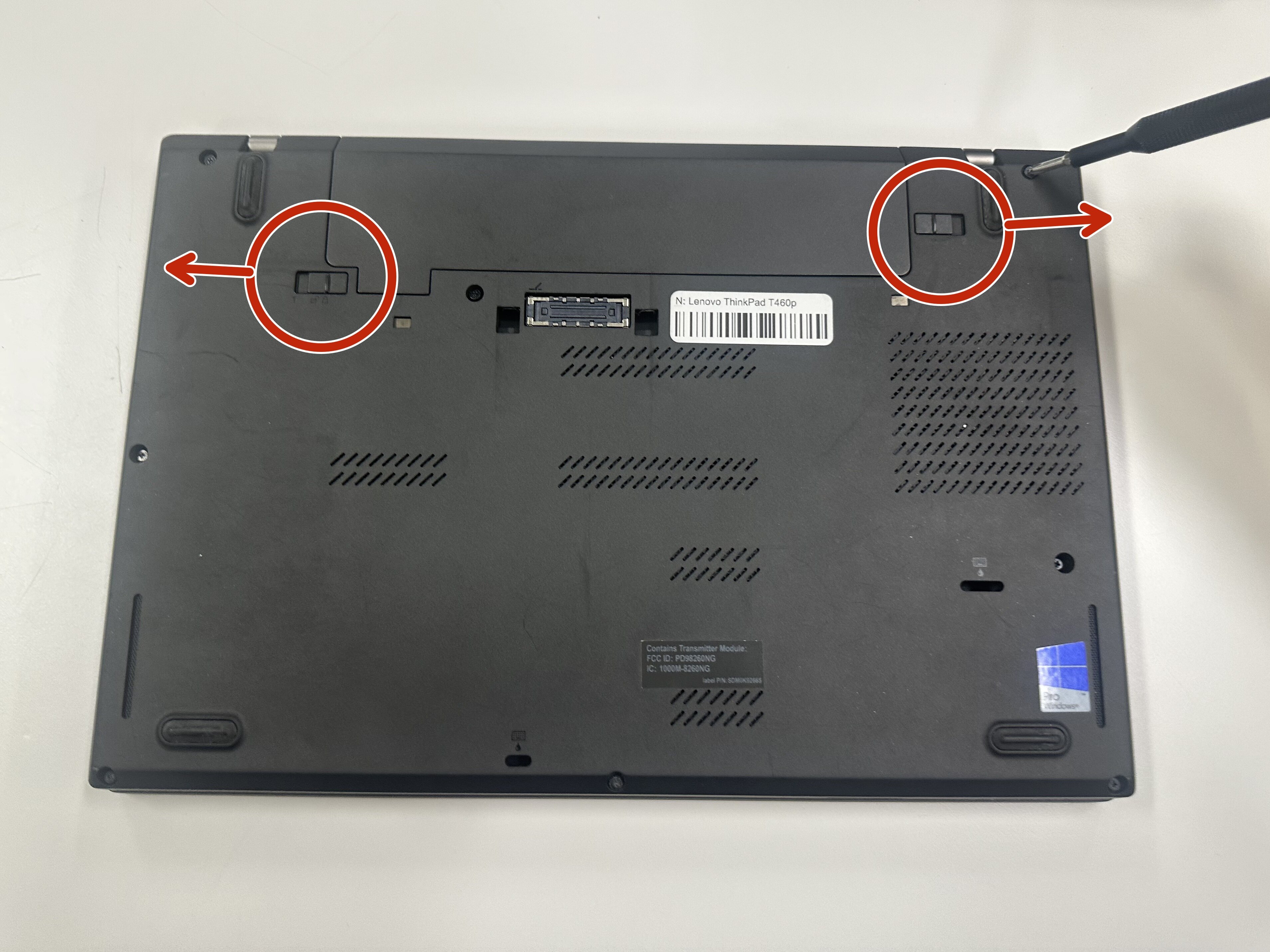
Step 1

Repair step

  • Ensure the computer is shut down by depressing the power button above the keyboard.
  • Slide each of the two battery locking tabs toward the closest edge.
  • Remove the battery.
  • Reinstall the new battery by simply pushing it into the battery compartment; you do not need to hold the two retaining tabs back.
Step 2

Repair step

  • Ensure the computer is shut down by depressing the power button above the keyboard.
  • Loosen the eight 4 mm-long captive Phillips screws securing the lower case.
  • Insert an opening pick into the seam between the lower case and chassis.
  • Pry around the entire perimeter of the laptop until the lower case fully releases.
  • Remove the lower case.
Step 3

Repair step

  • Disconnect the CMOS battery cable pictured; it should pull out of its respective socket with light tension.
  • Remove the CMOS battery.
  • Dispose of the old battery in accordance with local laws and regulations.