FIXONIC
SellSavedMy Fixonic
Official iFixit API visual reference

Canon PowerShot SD780 IS USB Port Replacement

This replacement guide will show you how to...

iFixit Library Canon PowerShot SD780 IS Moderate 10 - 15 minutes Guide 24831
Open the authorised source
Licensed iFixit integration

This attributed iFixit guide is displayed through Fixonic's recorded commercial API permission. iFixit remains the independent source and author of the procedure.

Guide overview

Before you begin

This replacement guide will show you how to access and replace the interface cable port used for exporting photos from the Canon PowerShot SD780 IS.

Step 1

Repair step

  • Begin by turning off the camera and removing the battery to avoid any shock injuries.
Step 2

Repair step

  • After the battery is removed, use a screwdriver to remove the five outermost screws on the camera to allow for a case replacement. Keep in mind that keeping track of where each screw came from is crucial for when putting the camera back together.
Step 3

Repair step

  • There are 2 screws located on the left side of the camera. These screw locations are depicted with the red circle markings in the photos. These screws are 2.0 mm long.
Step 4

Repair step

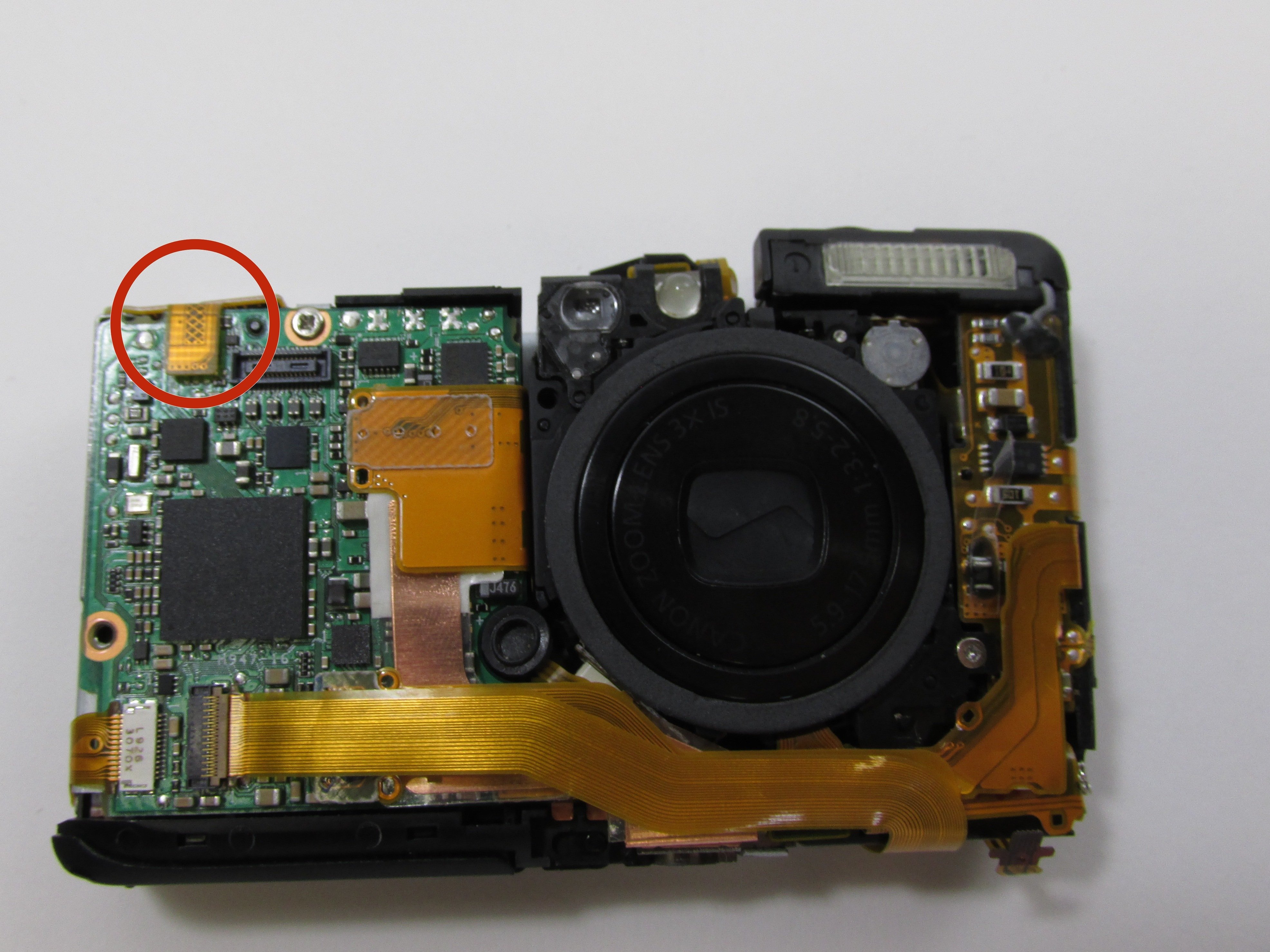
  • Remove the front panel of the camera case to expose the top left copper strip. Gently pull upward on the strip to disconnect it from the camera.
Step 5

Repair step

  • Once you remove the back portion of the camera, you will see the charging component. Remove the metallic strip on the charging component which attaches it to the motherboard.
Step 6

Repair step

  • Using a screwdriver, remove the screw that attaches the charging mechanism to the body of the camera. This will allow the mechanism to be released from the camera.