Step 1 Repair step ⌕ TOOL USED ON THIS STEP Spudger Referenced by the iFixit guide View item Turn the closed phone so that the back panel is facing you. Press down and forward firmly on the gray tab in the middle of the phone.
Step 3 Repair step ⌕ TOOL USED ON THIS STEP Spudger Referenced by the iFixit guide View item Remove the rubber grommet using a spudger.
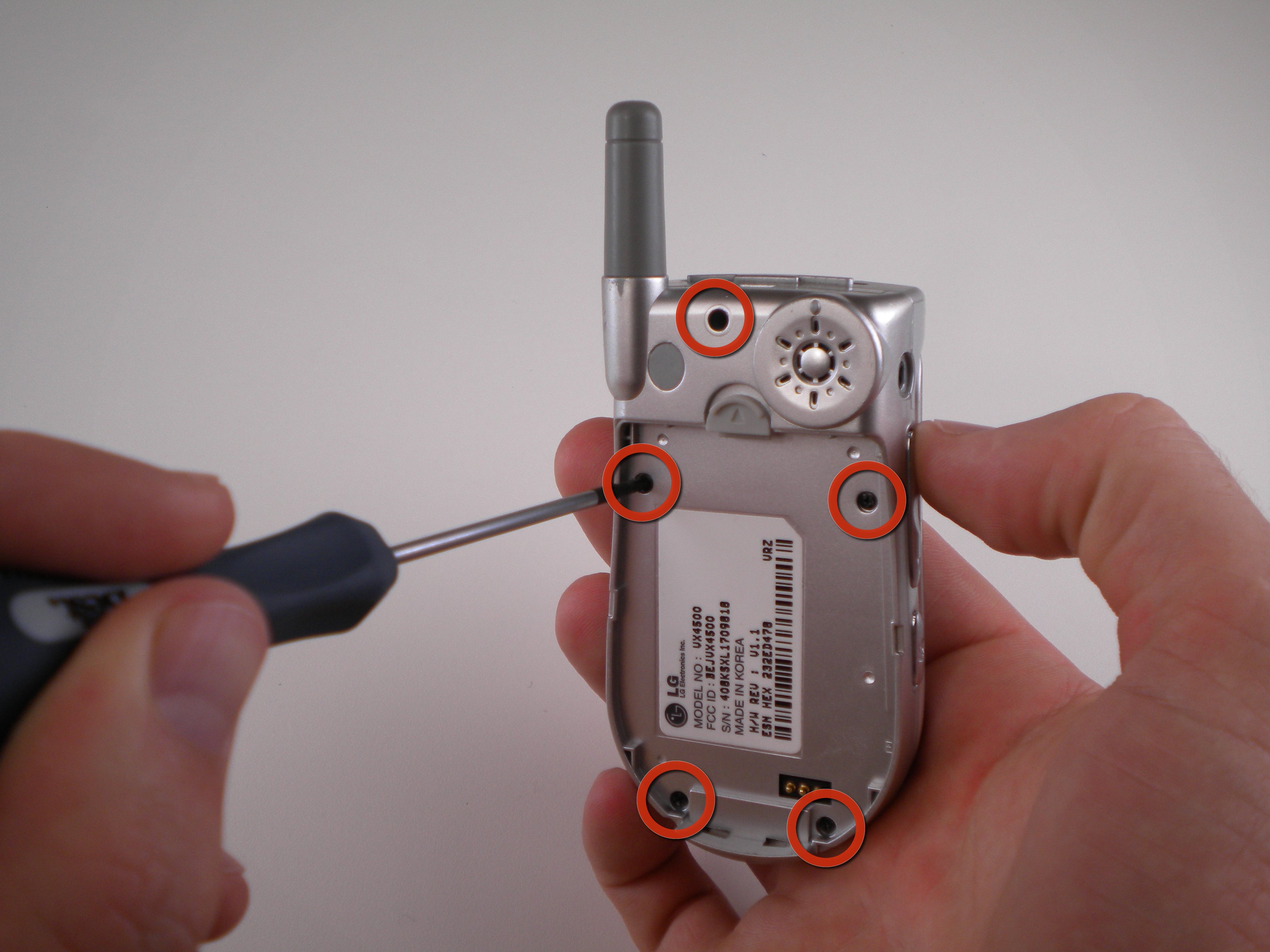
Step 4 Repair step ⌕ TOOL USED ON THIS STEP Phillips #00 Screwdriver Referenced by the iFixit guide View item Be sure not to lose the screws. They are small! Remove the five screws using a Phillips #00 Screwdriver.
Step 5 Repair step ⌕ TOOL USED ON THIS STEP Spudger Referenced by the iFixit guide View item When removing back cover, be careful not to break the speaker wires. Using an Opening Tool, carefully pry off the back cover. Using tweezers, gently pull the speaker wires out.
Step 7 Repair step ⌕ TOOL USED ON THIS STEP Spudger Referenced by the iFixit guide View item Carefully pry and lift up on the logic board using an iPod Opening Tool.
Step 9 Repair step ⌕ TOOL USED ON THIS STEP Spudger Referenced by the iFixit guide View item Use an iPod Opening Tool to lift up on the keypad and pull it out.
 FIXONIC