FIXONIC
SellSavedMy Fixonic
Official iFixit API visual reference

Acer Iconia Tab A500 USB Port Replacement

Attributed iFixit repair guide for Acer Iconia Tab A500.

iFixit Library Acer Iconia Tab A500 Easy 10 minutes Guide 26044
Open the authorised source
Licensed iFixit integration

This attributed iFixit guide is displayed through Fixonic's recorded commercial API permission. iFixit remains the independent source and author of the procedure.

Step 1

Repair step

  • To start, gently separate one corner of the case using the black spudger.
Step 2

Repair step

  • Once you have successfully pried the spudger in between the front case and back case, continue do so around the entire tablet until the back case is completely disconnected.
Step 3

Repair step

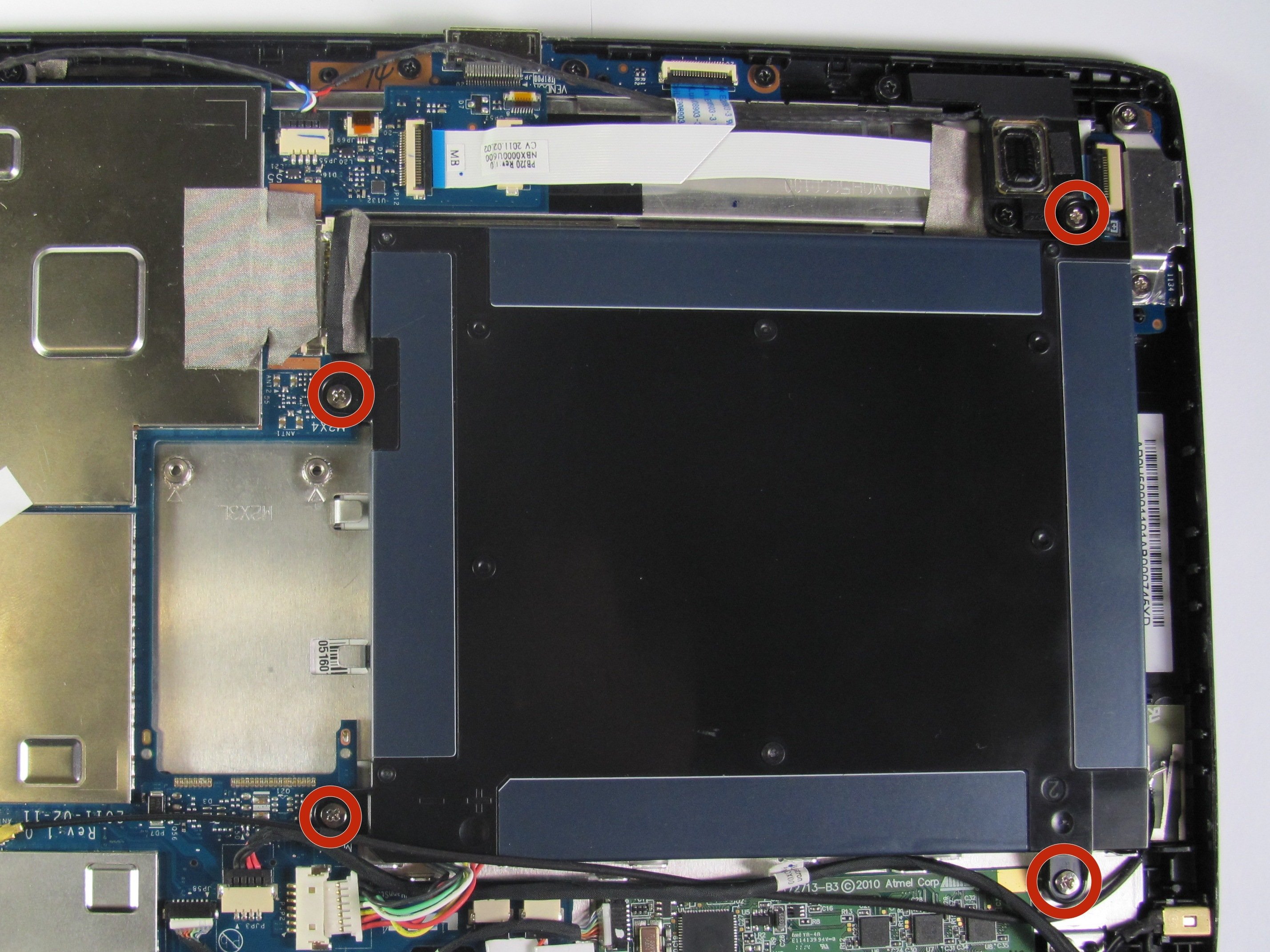
  • Remove the 5mm screws that are securing the battery to the rest of the tablet.
  • Use the Phillips #00 Screwdriver to remove the 5mm screws.
Step 4

Repair step

  • Use the sharper end of the spudger to disconnect the battery from the mother board.
  • The battery connector will slide off.
Step 5

Repair step

  • After setting aside the battery, remove the two 5mm screws holding the metal plate over the USB port.
Step 6

Repair step

  • Find and remove the silver 5mm screw holding down the metal cover opposite the USB port.
Step 7

Repair step

  • Disconnect the blue cable by gently lifting the flap.
  • Remove the indicated 2mm screw holding the speaker in place.
Step 8

Repair step

  • Pull up the metal panel just enough to allow access, then remove the USB port.