FIXONIC
SellSavedMy Fixonic
Official iFixit API visual reference

TomTom ONE Speaker Replacement

If your speakers have stopped working, this is...

iFixit Library TomTom ONE Moderate No estimate Guide 2715
Open the authorised source
Licensed iFixit integration

This attributed iFixit guide is displayed through Fixonic's recorded commercial API permission. iFixit remains the independent source and author of the procedure.

Guide overview

Before you begin

If your speakers have stopped working, this is the guide for you! It will show you how to replace your speaker with a new one.

Step 1

Repair step

  • Use a T-9 Torx screwdriver to unscrew the four screws on the back cover.
Step 2

Repair step

  • Using the spudger, gently pry apart the back case from the front case. It is easier to start on a side and work your way around the device.
Step 3

Repair step

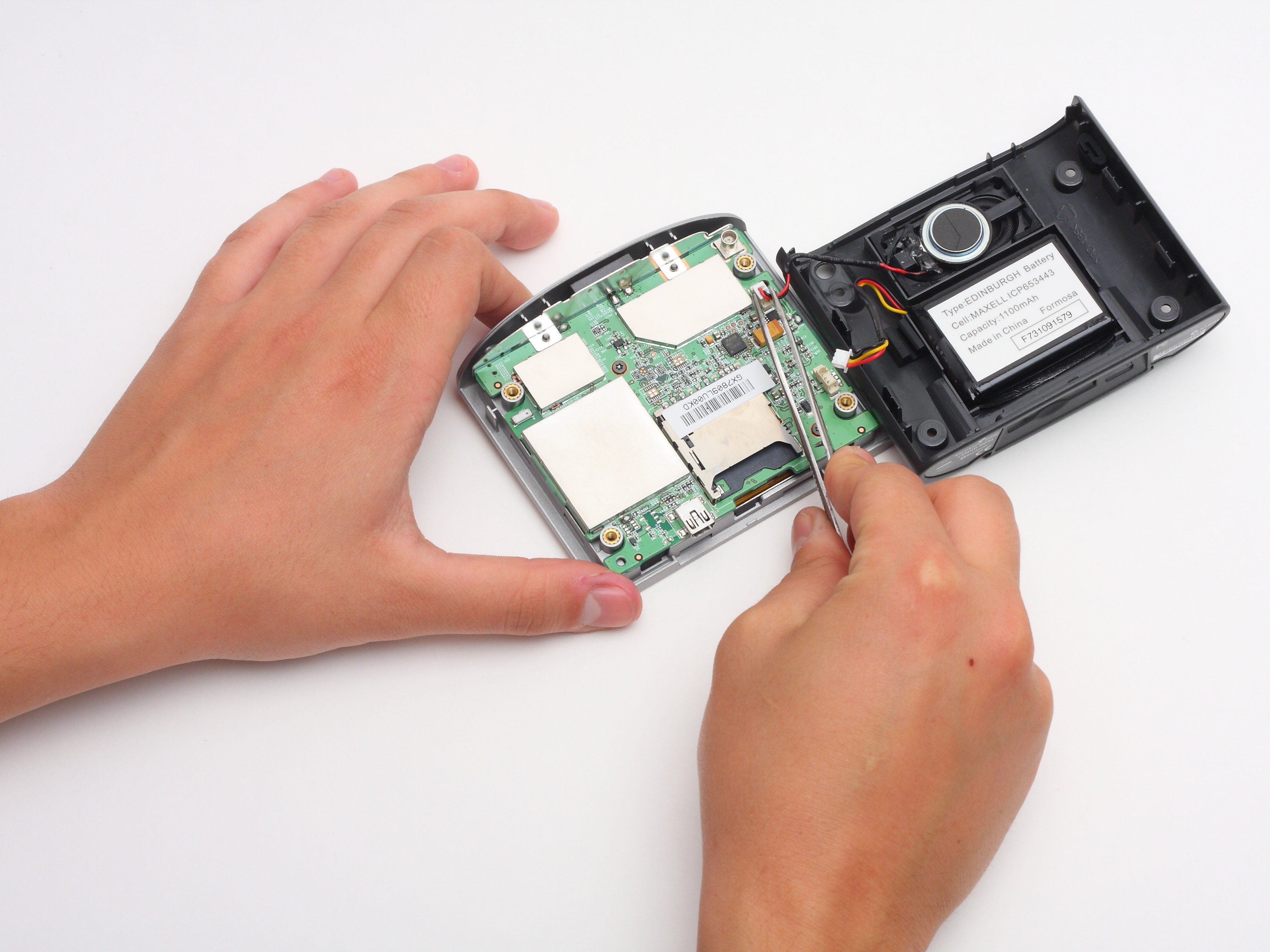
  • Carefully pull the back cover apart from the front cover. Be careful not to pull too hard because there are two sets of wires connecting the device.
Step 4

Repair step

  • Once the two covers are separated, use the tweezers, or even your fingers, to gently disconnect the two sets of wires that are connected to the motherboard from the back cover. You may have to wiggle the wires a little bit to get them to disconnect.
Step 5

Repair step

  • Take the spudger and pry out the speaker.
  • When taking out the speaker, the entire plastic shock mounting casing will come out.