FIXONIC
SellSavedMy Fixonic
Official iFixit API visual reference

Dell Latitude D600 RAM (Main Memory) Replacement

This guide will show how to add RAM or replace...

iFixit Library Dell Latitude D600 Easy 5 minutes Guide 27271
Open the authorised source
Licensed iFixit integration

This attributed iFixit guide is displayed through Fixonic's recorded commercial API permission. iFixit remains the independent source and author of the procedure.

Guide overview

Before you begin

This guide will show how to add RAM or replace existing RAM on the Latitude D600

Step 1

Repair step

  • Find the battery
Step 2

Repair step

  • Pull the tab to release the battery
Step 3

Repair step

  • Pull the battery out
Step 4

Repair step

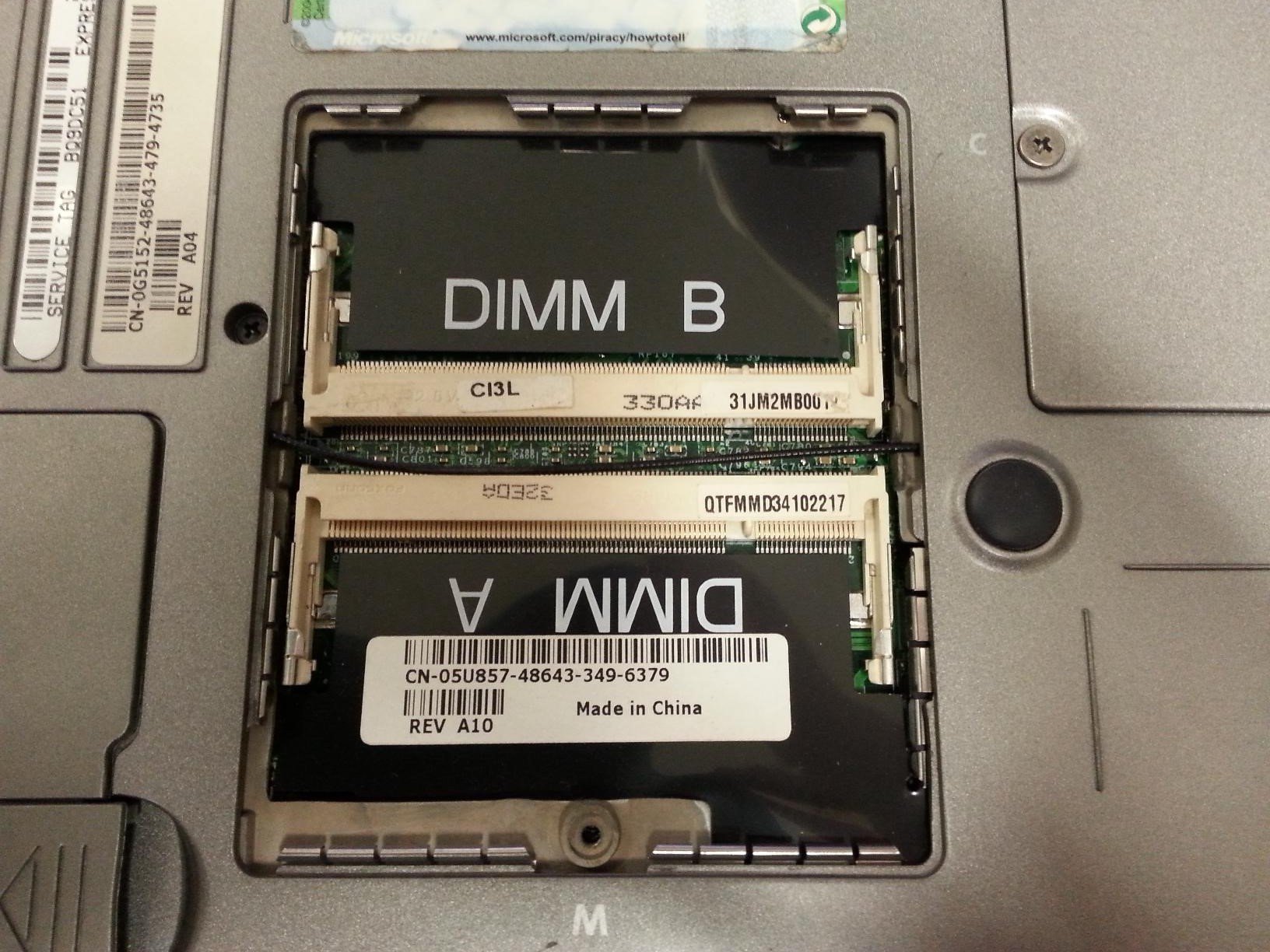
  • Find the panel underneath the microsoft product key sticker, the panel is labeled with an M
  • Unscrew the single screw above the M
Step 5

Repair step

  • Pull off the panel to reveal the RAM
  • RAM is held in by two tabs, pull each tab to the side and the RAM will pop up
Step 6

Repair step

  • Once the RAM is popped up, slowly pull it out of the slot
Step 7

Repair step

  • To add or replace RAM, place the memory into the slot at an angle
  • Make sure you line it up correctly
  • If it is in correctly it should stay up at an angle by itself
  • Then push down in the middle until it clicks into place
Step 8

Repair step

  • The RAM should be secured by the tabs where the two semi circles are on the RAM
  • If it is not secure, just gently pull it out and try again, use the images to help you out