
FIXONIC
SellSavedMy Fixonic
Official iFixit API visual reference

1988-1997 Ford Thunderbird Speakers Replacement

A step by step guide on how to replace the...

iFixit Library 1988-1997 Ford Thunderbird Moderate No estimate Guide 28726
Open the authorised source
Licensed iFixit integration

This attributed iFixit guide is displayed through Fixonic's recorded commercial API permission. iFixit remains the independent source and author of the procedure.

Guide overview

Before you begin

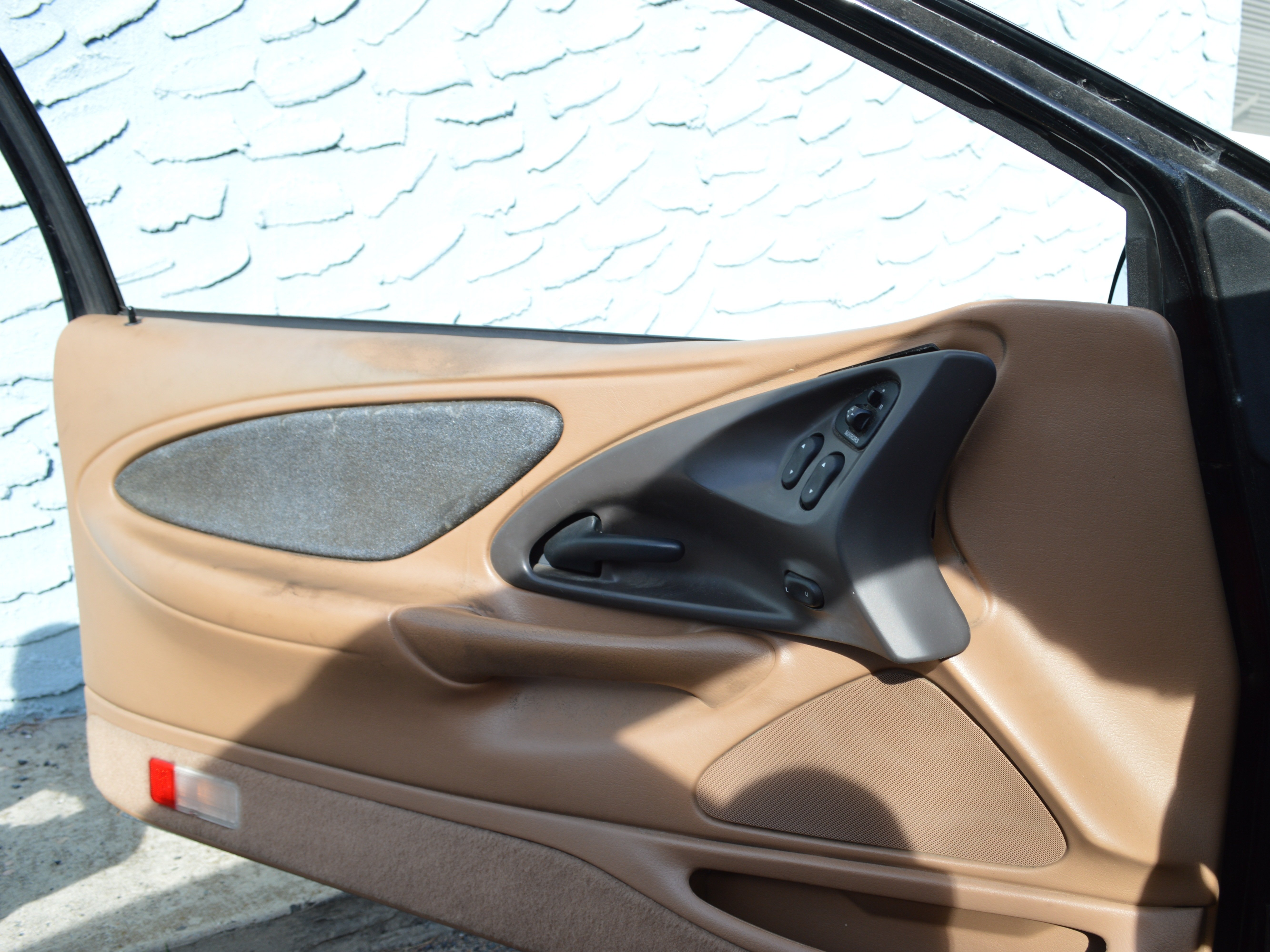
A step by step guide on how to replace the speakers on a 1996 Ford Thunderbird.
Step 1

Repair step

  • Use a plastic pry tool (or screwdriver but be careful) to pop the black panel off of the door.
Step 2

Repair step

  • Once the black panel has been removed, take out the power side mirror plug (if you have one)
Step 3

Repair step

  • Begin romving the power windows connector by removing the screws, then prying off the plastic connectors
Step 4

Repair step

  • Remove the bolt holding on the plastic to the door.
Step 5

Repair step

  • Pry the plastic off of the light enclosure on the bottom of the door. Once you remove it, take the screw out. This is the only other screw holding the door on.
Step 6

Repair step

  • Now your door should look like this! (With some Ford factory duct tape)
Step 7

Repair step

  • Once you've removed the speaker off of the door by removing the bolts unplug it. This is the connector
Step 8

Repair step

  • Once you solder the wires (or crimp them) replace the new speaker on to the door.
Step 9

Repair step

  • Moving to the back, use your screw driver or pry tool on the BOTTOM of the panel.
  • Pry it outward, then pull it out.
Step 10

Repair step

  • Remove the speaker like the driver's side (as show earlier)
  • Unplug the speaker, solder the wires, put the bolts back on afterwards
Step 11

Repair step

  • Here's the passenger side door panel taken out. remove the screws and pry out like the driver's side
Step 12

Repair step

  • Follow the same steps from the driver's side for the passenger's side, replace all the plastic, and enjoy!