FIXONIC
SellSavedMy Fixonic
Official iFixit API visual reference

LG VX4500 Rear Cover Replacement

This guide shows how to remove the rear case of...

iFixit Library LG VX4500 Moderate 10 - 20 minutes Guide 2951
Open the authorised source
Licensed iFixit integration

This attributed iFixit guide is displayed through Fixonic's recorded commercial API permission. iFixit remains the independent source and author of the procedure.

Guide overview

Before you begin

This guide shows how to remove the rear case of your LG VX4500 to access the internals of your phone.

Step 1

Repair step

  • Turn the closed phone so that the back panel is facing you.
  • Press down and forward firmly on the gray tab in the middle of the phone.
Step 2

Repair step

  • Now just lift up on the battery and remove it from the phone.
Step 3

Repair step

  • Remove the rubber grommet using a spudger.
Step 4

Repair step

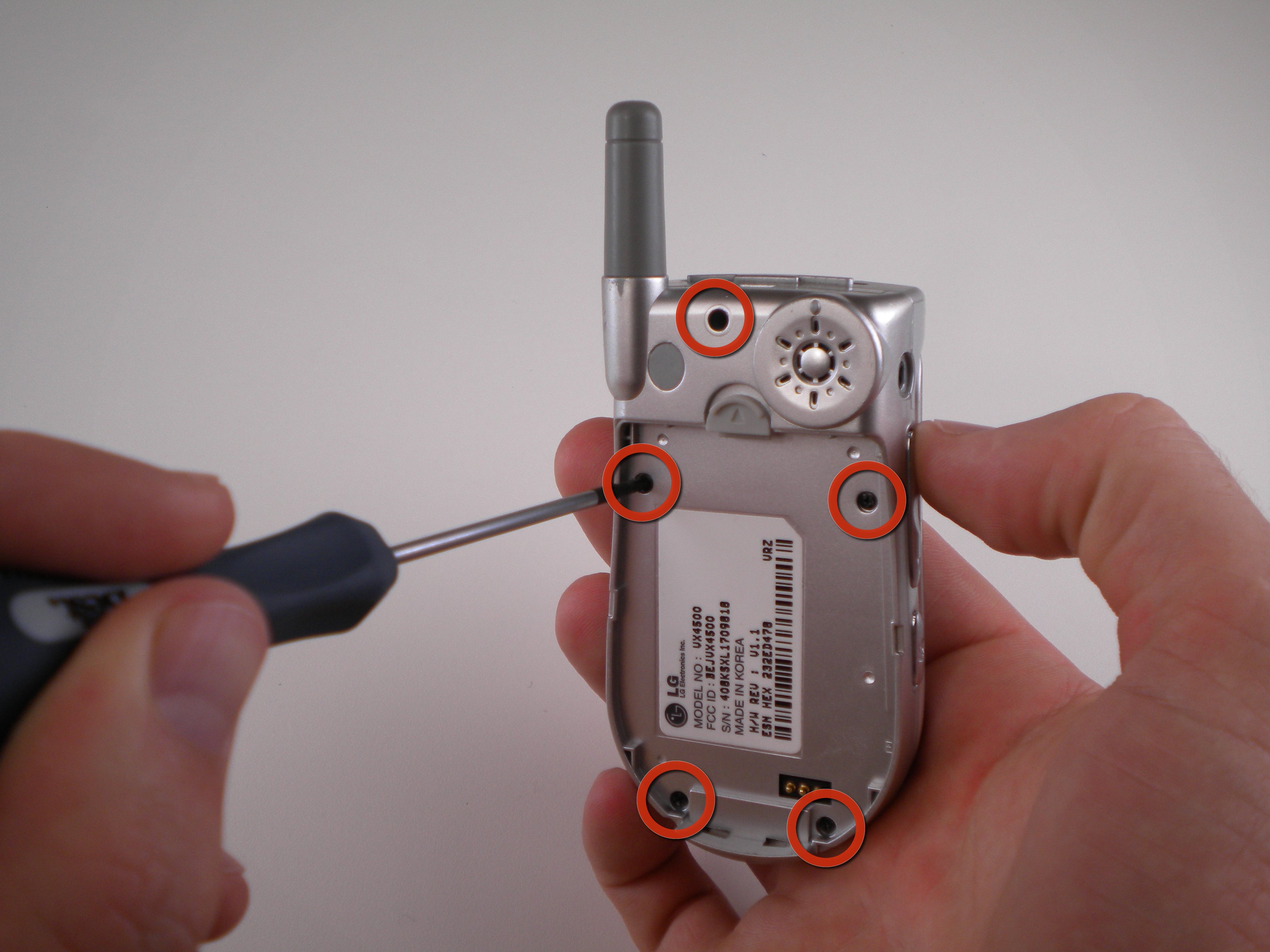
  • Be sure not to lose the screws. They are small!
  • Remove the five screws using a Phillips #00 Screwdriver.
Step 5

Repair step

  • When removing back cover, be careful not to break the speaker wires.
  • Using an Opening Tool, carefully pry off the back cover.
  • Using tweezers, gently pull the speaker wires out.
Step 6

Repair step

  • Separate the two halves.