FIXONIC
SellSavedMy Fixonic
Official iFixit API visual reference

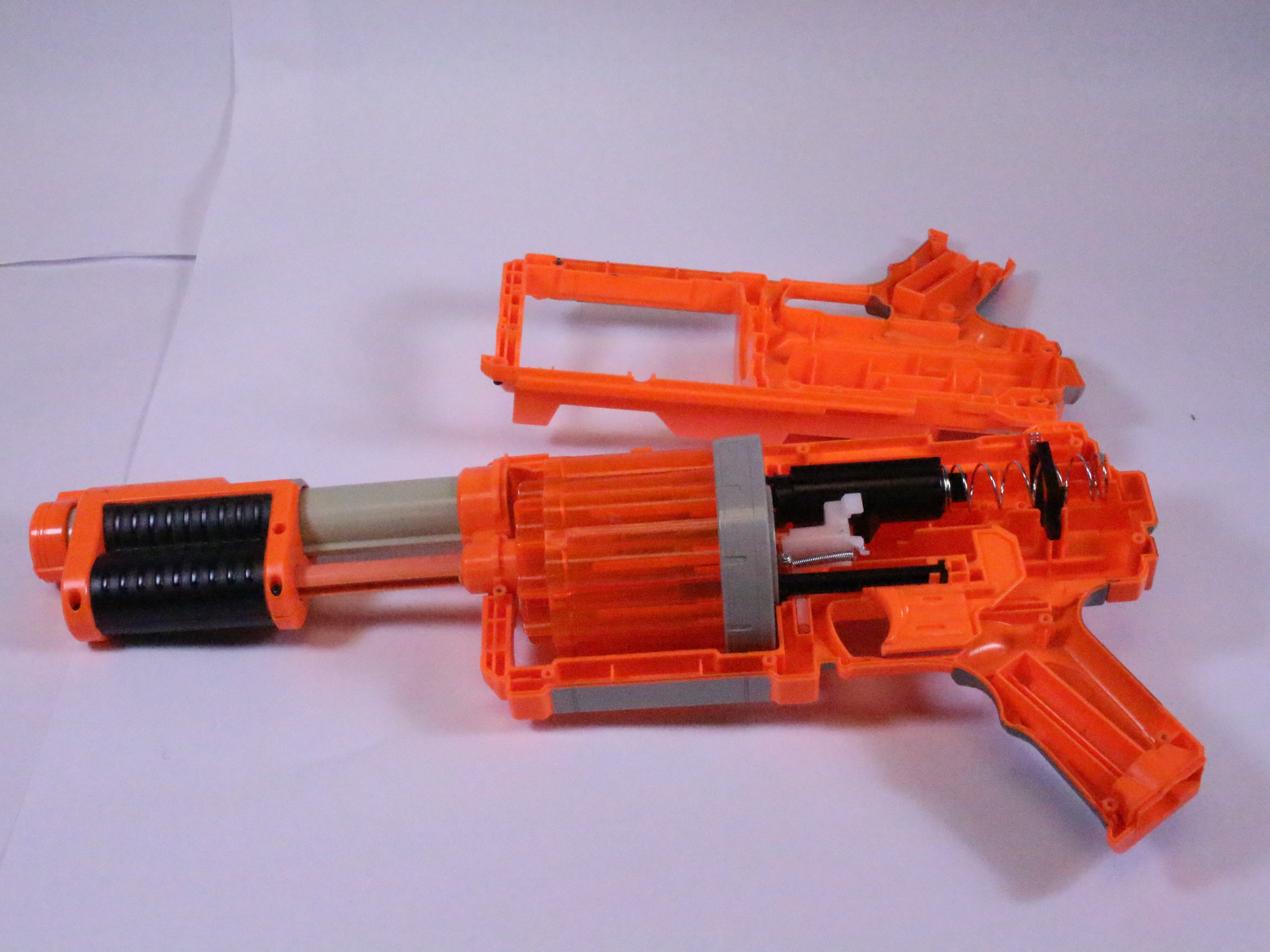
Disassembling Nerf Dart Tag Furyfire Main Body

You will learn how to remove the front panel of...

iFixit Library Nerf Dart Tag Furyfire Easy 5 minutes Guide 30498
Open the authorised source
Licensed iFixit integration

This attributed iFixit guide is displayed through Fixonic's recorded commercial API permission. iFixit remains the independent source and author of the procedure.

Guide overview

Before you begin

You will learn how to remove the front panel of the Nerf gun. The front panel of the Furyfire is the piece that closes onto the other half of the gun to enclose the components and hold them in place. Knowing how to remove the front panel is required for you to be able to perform any other repairs on the Furyfire.

Step 1

Remove the screws

  • Using a 00 Phillips screwdriver, remove all screws from the front panel. The screws have a length of .95 cm.
Step 2

Remove Panel

  • After the screws have been removed, gently lift the panel from the gun and set it aside.