FIXONIC
SellSavedMy Fixonic
Official iFixit API visual reference

Apple AirPort Extreme Model A1143 Wi-Fi Antenna Replacement

The three WiFi antenna are very fragile and...

iFixit Library Apple AirPort Extreme Model A1143 Moderate 15 minutes Guide 30679
Open the authorised source
Licensed iFixit integration

This attributed iFixit guide is displayed through Fixonic's recorded commercial API permission. iFixit remains the independent source and author of the procedure.

Guide overview

Before you begin

The three WiFi antenna are very fragile and sensitive. Be very careful when removing and replacing them, as touching the replacement antenna can cause them to not function at peak efficiency. The old antenna do not require the same care, though you should avoid bending or forcing to remove the antenna because they could snap and ruin the device. Also be careful with the metal attached to the antenna can bend and cause the metal casing to not fit back together with the other pieces.

Step 1

Back Pad

  • The back pad is held in with glue so use caution when removing to prevent tearing. Low heat may be used to help remove the pad.
  • Slowly peel off the rubber pad on the bottom of the device. Start from one corner and peel with your fingers. Use heat if necessary until pad is completely removed.
Step 2

Back Cover

  • After removing the rubber pad, unscrew the five 5mm phillips #00 screws in the holes of the back cover.
Step 3

Repair step

  • Lift up the back case from the perforated edge to remove it.
Step 4

Remove from Case

  • Remove logic board and metal casing from outer case by prying from one side using a spudger.
Step 5

Detach Logic Board From Case

  • Unhook the wires connecting the logic board to the metal casing by grabbing and pulling up on each connection with tweezers.
Step 6

Pull Back Tabs

  • Carefully push back the three metal tabs with your fingers on the sides of metal case.
Step 7

Remove Metal case

  • Carefully pull the metal case away from the logic board.
Step 8

Repair step

  • Unscrew the 5mm #00 screws from each of the three antennas located on the sides of the metal casing.
  • Pull away antennas from metal case.
Step 9

Repair step

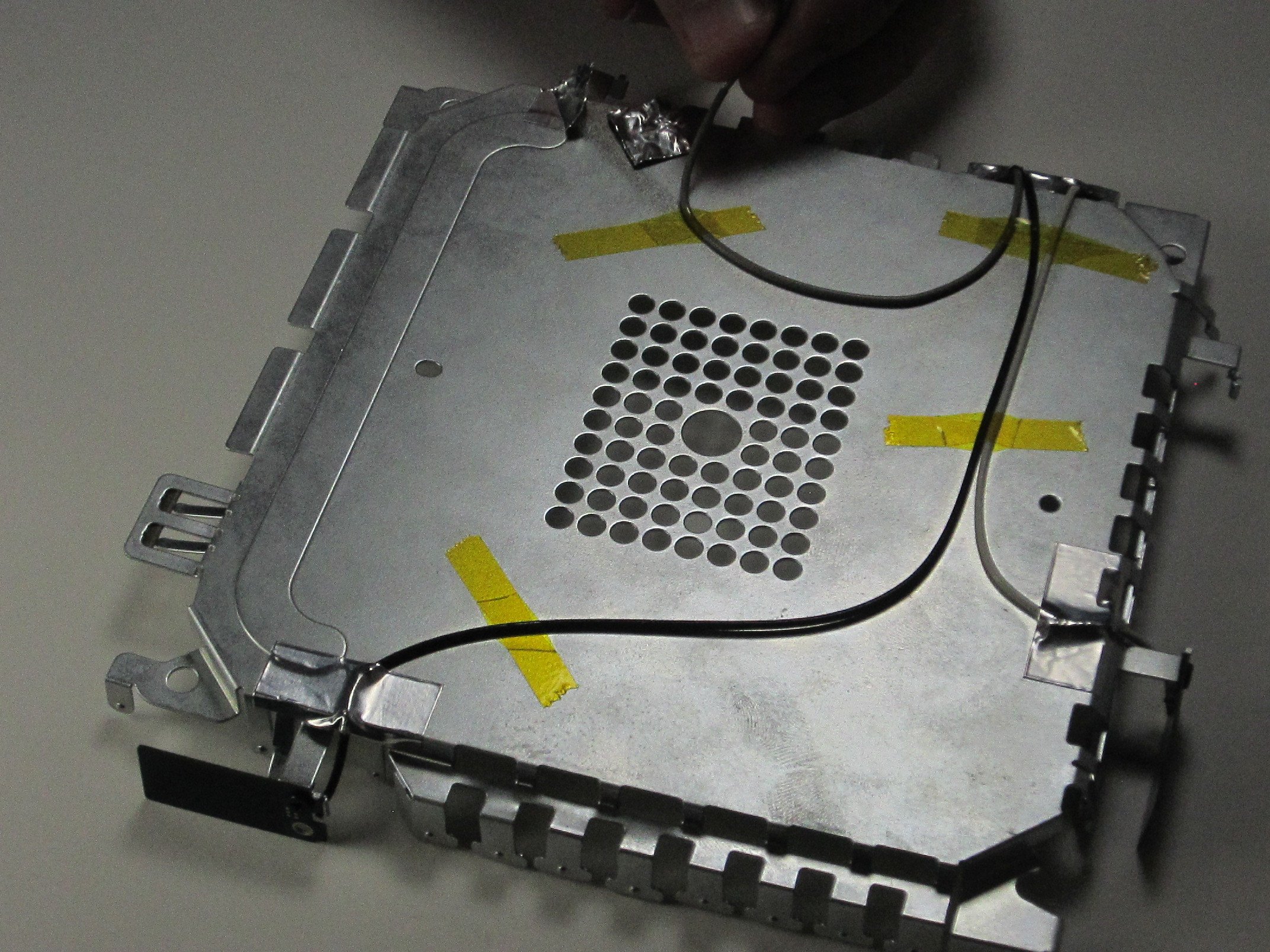
  • Pull up the less visible silver tape that holds the antenna cords in place at the ends of the device using your fingers.
  • Remove clear yellow tape that holds the cords to the outer casing in the same manner.