FIXONIC
SellSavedMy Fixonic
Official iFixit API visual reference

LG G Watch Motherboard Replacement

This guide will show you how to replace the...

iFixit Library LG G Watch Moderate 10 - 15 minutes Guide 30969
Open the authorised source
Licensed iFixit integration

This attributed iFixit guide is displayed through Fixonic's recorded commercial API permission. iFixit remains the independent source and author of the procedure.

Guide overview

Before you begin

This guide will show you how to replace the motherboard in your LG G Watch.

Step 1

Repair step

  • Spring bars attach the two halves of the wristband to the watch body. The spring bar has a shoulder on either end.
  • Be prepared to apply some pressure with your fingers to perform the following action.
  • First, slide the wristband down on the spring bar to expose the shoulder of the spring bar.
  • Grasp the exposed shoulder with the tweezers to perform the next step.
Step 2

Repair step

  • This is a challenging step. Do it carefully to prevent the spring bar from flying out of the wristband.
  • Use the tweezer to depress the spring bar so that it collapses by a few millimeters and pops out of the hole that was holding it in place.
  • Now carefully pull the other end of the spring bar to detach the wristband from the watch face.
  • Repeat steps 1 and 2 for the other wristband.
Step 3

Repair step

  • Use the T5 Torx screwdriver to unscrew the four silver 2mm x 3mm T5 screws that hold the back cover in place.
Step 4

Repair step

  • Slide the opening pick between the rear case and the rest of the device to separate the two halves.
  • Gently pull the two halves apart.
Step 5

Repair step

  • Use a pair of tweezers to remove the gasket that lies embedded in a groove that runs around the perimeter of the front half.
Step 6

Repair step

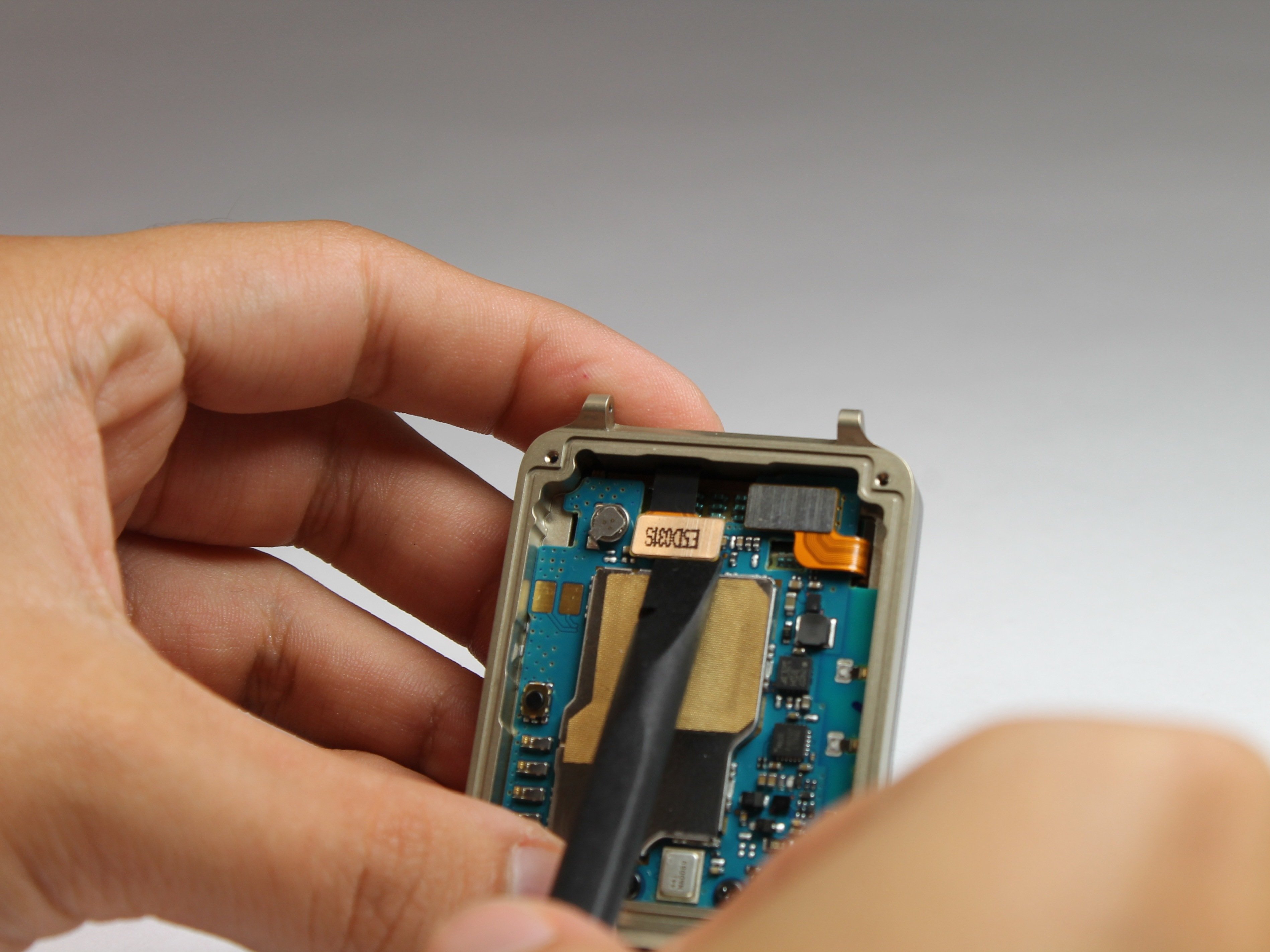
  • Use the spudger to gently lift up and disconnect the display connector.
  • Now use the spudger to disconnect the digitizer connector.
Step 7

Repair step

  • Use a Phillips #000 screwdriver to remove the two black PHO 2.5mm x 3mm screws.
  • Use the spudger to gently remove the motherboard.