FIXONIC
SellSavedMy Fixonic
Official iFixit API visual reference

HP Slate 8 Pro IO Board Replacement

This guide is designed to help you out with...

iFixit Library HP Slate 8 Pro Moderate No estimate Guide 31003
Open the authorised source
Licensed iFixit integration

This attributed iFixit guide is displayed through Fixonic's recorded commercial API permission. iFixit remains the independent source and author of the procedure.

Guide overview

Before you begin

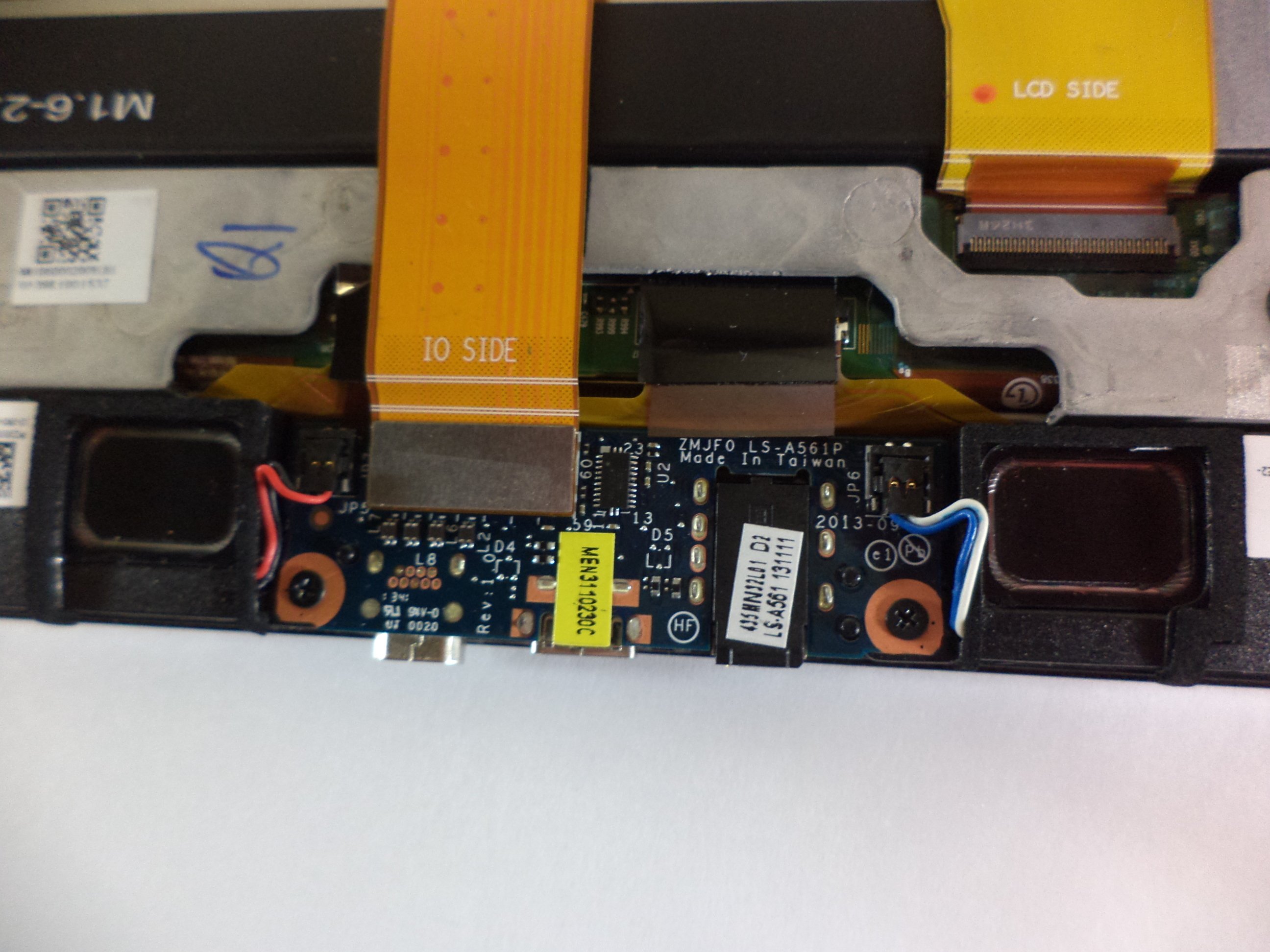
This guide is designed to help you out with changing the IO board. The IO board is used for charging the device, connecting the headphones, and being able to connect to the HDMI cable. If none of these are working you should consider replacing the board itself.

Step 1

Remove back cover

  • Turn off the tablet. If you are unsure whether the tablet is off or in Hibernation, turn the tablet on, and then shut it down
  • Remove the back cover.
Step 2

Disconnect battery cable

  • Disconnect the battery cable from the system board
Step 3

Remove ribbon cables

  • Pull the yellow ribbons
Step 4

Disconnect speaker cables

  • Disconnect the speaker cables from the I/O board
Step 5

Remove screws

  • Remove the two Phillips PM1.5×4.0 screws that secure the I/O board to the display panel assembly.
Step 6

Remove the IO board

  • Remove the IO board carefully.