FIXONIC
SellSavedMy Fixonic
Official iFixit API visual reference

2006-2008 Isuzu i-Series Wiper Motor Replacement

This guide will show how to replace the wiper...

iFixit Library 2006-2008 Isuzu i-Series Moderate 45 minutes - 1 hour Guide 31732
Open the authorised source
Licensed iFixit integration

This attributed iFixit guide is displayed through Fixonic's recorded commercial API permission. iFixit remains the independent source and author of the procedure.

Guide overview

Before you begin

This guide will show how to replace the wiper motor. Some standard tools will be needed such as screwdrivers, sockets, wrenches, etc. This replacement is relatively simple and should not take more than one hour for completion.

Step 1

Removing Nut Caps

  • Use a plastic prying tool or spudger to gently remove nut cap from wiper base.
Step 2

Removing Nuts

  • Use a 5/8 wrench or socket to remove the necessary nut holding the wiper in place.
Step 3

Removing Wiper Arms

  • Once the necessary nuts are removed, the wiper blade itself can be removed.
  • This can be done easiest by first flexing the wiper to the upright position, then gently pulling the wiper off of the screw.
Step 4

Removing Retainer Clips

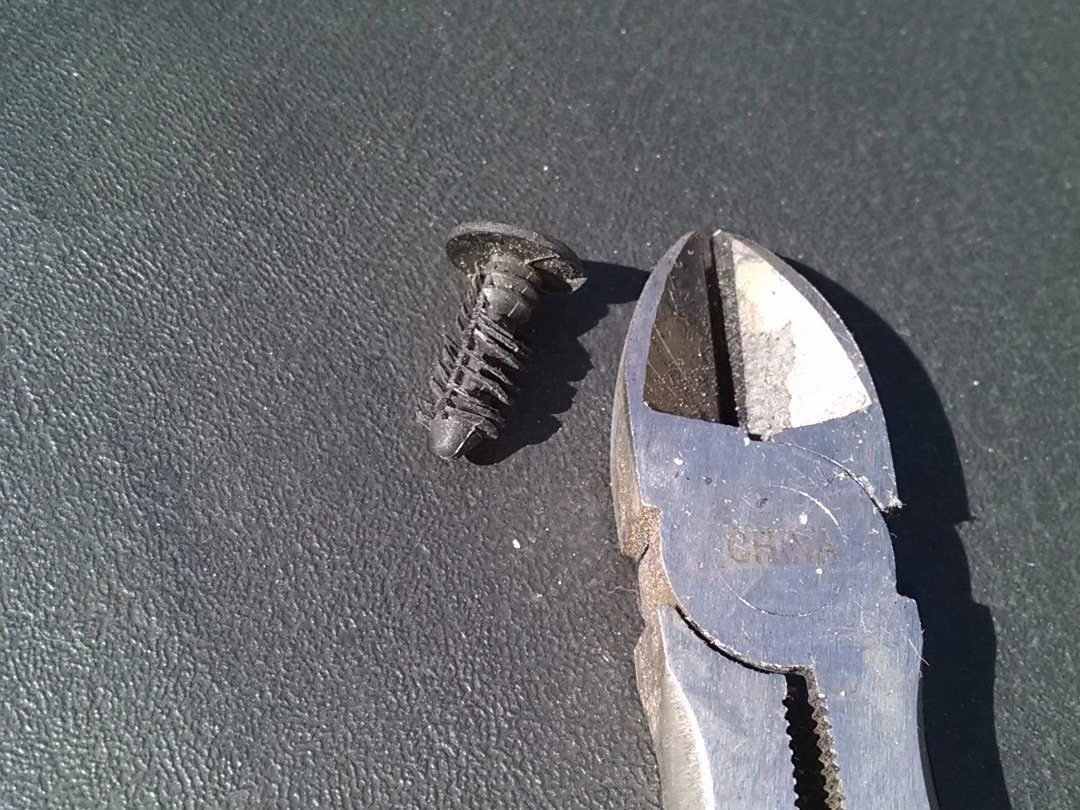
  • Open the hood of the truck for easier access to the wiper cowl.
  • Using pliers, locate the six retainer clips on the plastic cowl and remove them by pulling straight up.
Step 5

Removing Wiper Cowl

  • Position your hands underneath the wiper cowl and start to gently loosen the plastic from the windshield.
  • Pull straight towards the front of the truck to slide the wiper cowl over the screws that held the wiper blades, exposing the wiper components underneath.
  • The wiper cowl is flexible and can therefore be removed a little bit at a time. Take your time.
Step 6

Repair step

  • Locate the two screws on each side of the wiper assembly.
  • Use a 10mm socket or wrench and remove each screw.
Step 7

Removing wiper assembly

  • Rotate assembly towards the windshield while starting to remove it from the truck.
  • Unplug the wiring harness located towards the driver's side of the truck.
  • The wire can then be fed through to remove the assembly the rest of the way.
Step 8

Accessing the Assembly

  • Remove the connecting arm socket with a 1/2 inch wrench or socket (red circle).
  • Remove the three motor bolts with a 10mm wrench or socket (orange circles).
  • The wiper motor is now able to be replaced.