FIXONIC
SellSavedMy Fixonic
Official iFixit API visual reference

Jabra CRUISER2 Motherboard Replacement

The motherboard is the most important part of...

iFixit Library Jabra CRUISER2 Moderate 10 - 15 minutes Guide 32541
Open the authorised source
Licensed iFixit integration

This attributed iFixit guide is displayed through Fixonic's recorded commercial API permission. iFixit remains the independent source and author of the procedure.

Guide overview

Before you begin

The motherboard is the most important part of the Jabra CRUISER2. It controls the device. This guide will tell you step-by-step how to remove the motherboard so you can replace it with a functioning one.

Step 1

Repair step

  • Use the iOpener tool to unglue the adhesive of the device. The link to the iOpener instructions are listed below.
  • iOpener Instructions
Step 2

Repair step

  • Place the flat head of the bigger plastic opening tool in between the front plate and back plate.
  • Pull the tool toward the back of the device to pry it open.
  • Repeat this process over all edges of the device.
Step 3

Repair step

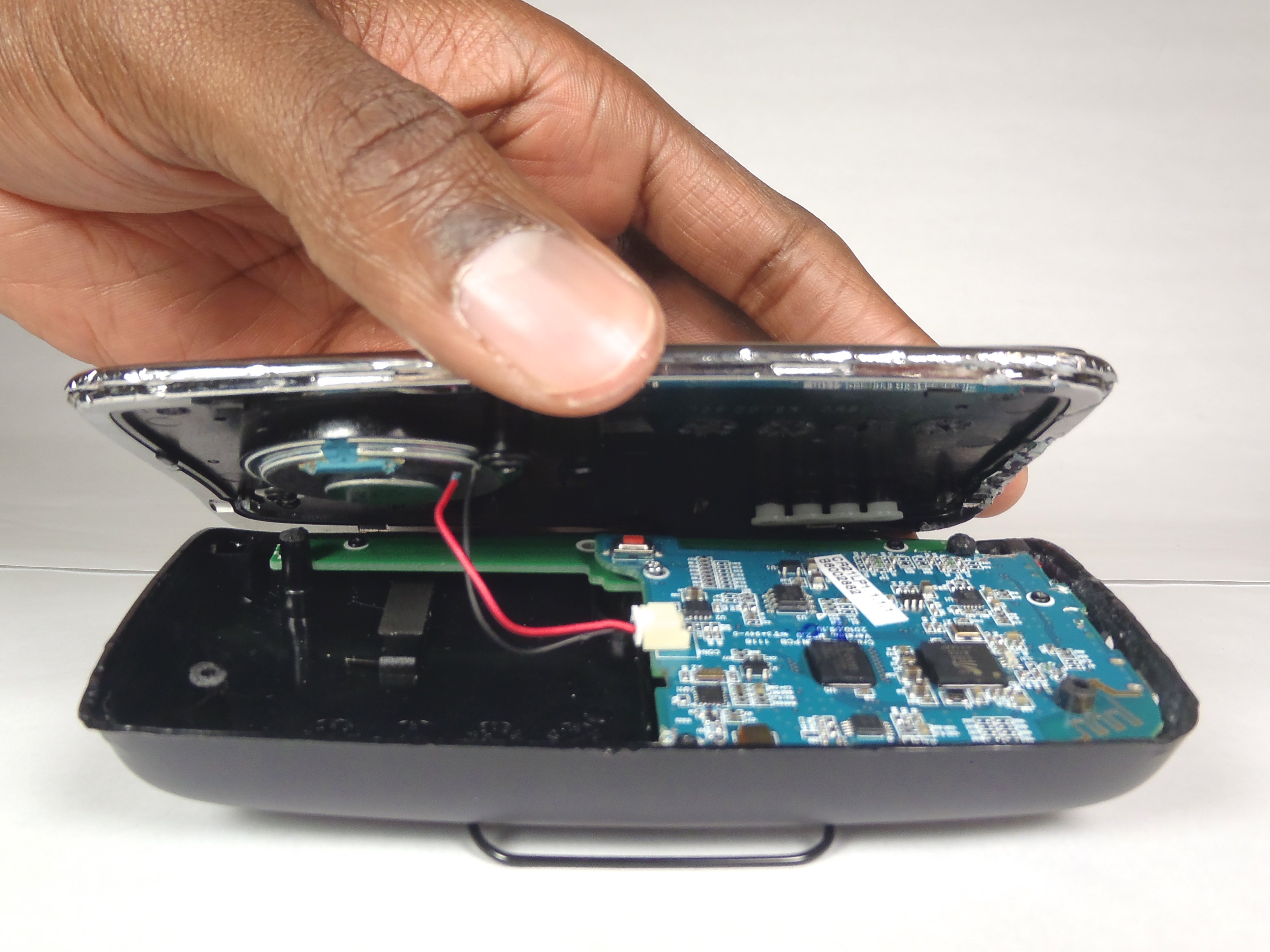
  • Open up the device by pulling the front plate straight up from the back plate.
Step 4

Repair step

  • Carefully detach the wire running from the speaker to the motherboard by unplugging it from the white socket.
Step 5

Repair step

  • Using the PH000, unscrew the three 4.55 mm screws in the motherboard.
  • The names of the screwdriver heads are listed on the sides of each head.
Step 6

Repair step

  • Remove the motherboard from the device by lifting it up from the back plate.