FIXONIC
SellSavedMy Fixonic
Official iFixit API visual reference

Motorola Defy Rear Facing Camera Replacement

This guide will go through the steps of...

iFixit Library Motorola Defy Moderate 15 - 30 minutes Guide 32737
Open the authorised source
Licensed iFixit integration

This attributed iFixit guide is displayed through Fixonic's recorded commercial API permission. iFixit remains the independent source and author of the procedure.

Guide overview

Before you begin

This guide will go through the steps of replacing the camera module for the Motorola MB525 starting from the tear down of the phone to replacement of the camera module itself.

Step 1

Repair step

  • Using the screwdriver and the T-5 bit, unscrew the seven 5 mm screws around the outside of the phone.
Step 2

Repair step

  • Remove the back cover of the phone by sliding the bottom black button to the unlock position and lifting it up.
Step 3

Repair step

  • Use a plastic opening tool to pry the battery out of the phone.
Step 4

Repair step

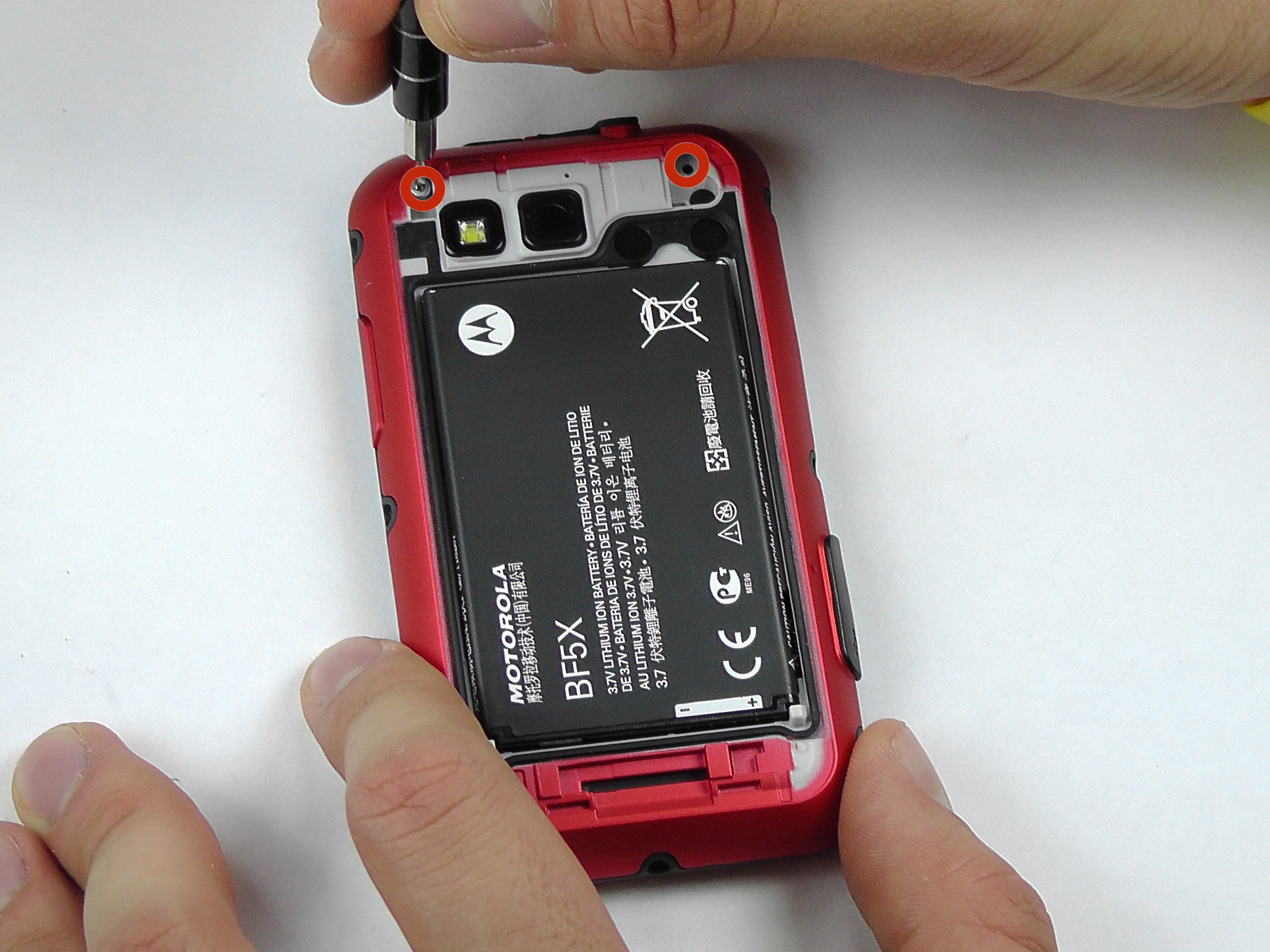
  • Unscrew the two silver screws located at the top of the back of the phone.
Step 5

Repair step

  • Use a plastic opening tool to gently pry the midframe from the rest of the phone.
Step 6

Repair step

  • Start to pry around the bottom of the camera module with the metal spudger and replace with the new camera module.
  • Be careful of the pins that are connected to the camera module on the bottom.