FIXONIC
SellSavedMy Fixonic
Official iFixit API visual reference

HTC Rhyme Battery Replacement

You will disassemble the phone in order to take...

iFixit Library HTC Rhyme Moderate 15 - 20 minutes Guide 32758
Open the authorised source
Licensed iFixit integration

This attributed iFixit guide is displayed through Fixonic's recorded commercial API permission. iFixit remains the independent source and author of the procedure.

Guide overview

Before you begin

You will disassemble the phone in order to take the battery out and replace it.

Step 1

Removing Back Cover

  • Slide the bottom back cover off of the phone.
Step 2

Repair step

  • Locate the four screws on the plastic cover and unscrew them.
Step 3

Repair step

  • Pry the sticker off from the sides.
  • You can use a metal spudger to do this.
  • Peel the sticker off with your hands.
Step 4

Remove the plastic cover

  • Remove the plastic cover using your hands.
Step 5

Repair step

  • Remove the yellow ribbon.
Step 6

Repair step

  • Lift up the blue flaps underneath the battery.
  • Lift up the black flap at the top of the phone.
  • Lift up the black flap at the bottom of the phone.
Step 7

Remove the Motherboard

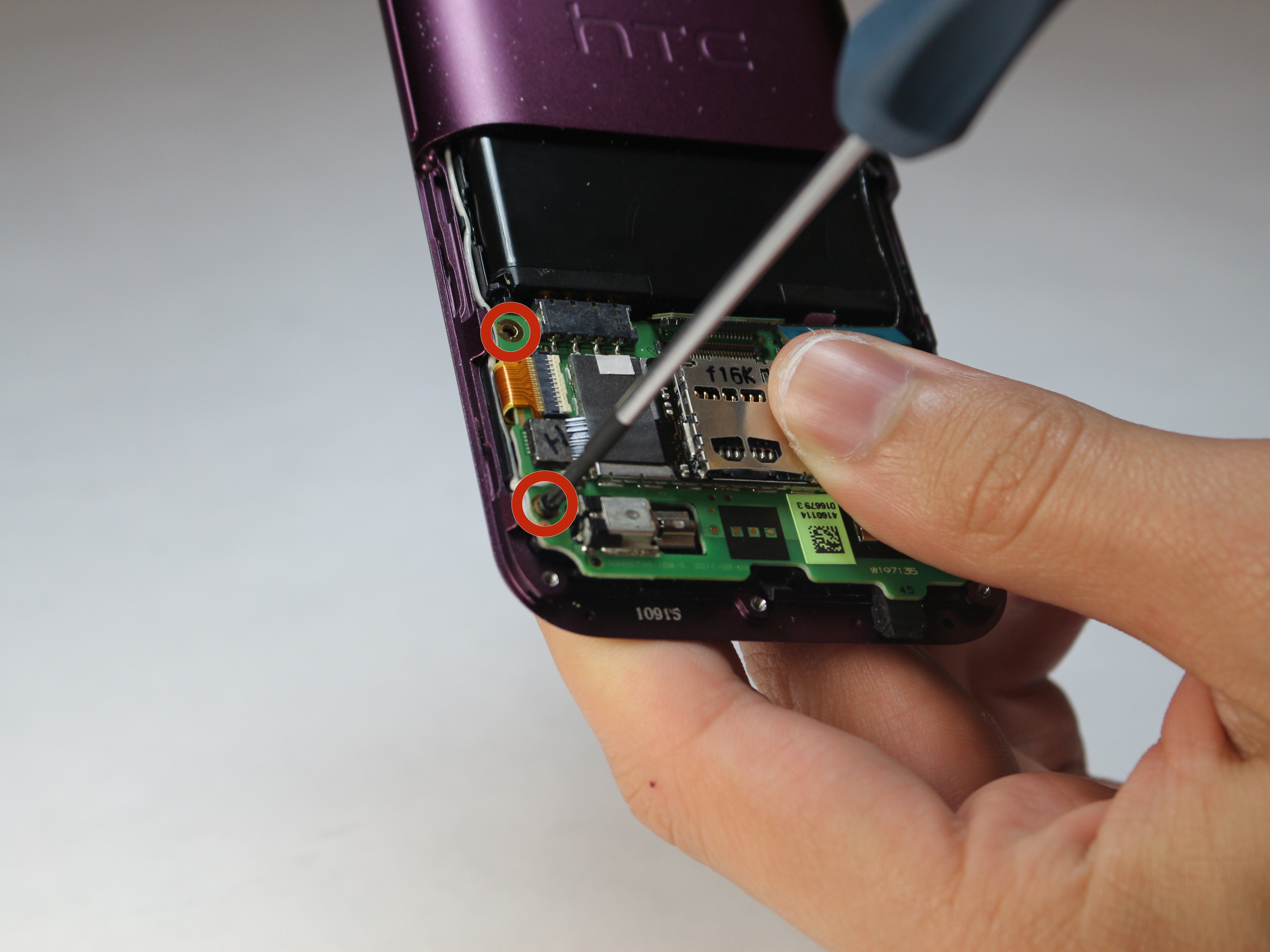
  • Remove all 4 screws.
  • Carefully remove the motherboard with your hands.
Step 8

Removing the Back Plastic Casing

  • Pry the back plastic casing off with your hands.
Step 9

Removing the Battery

  • Remove the screws.
  • Use a metal spudger to remove the battery.