FIXONIC
SellSavedMy Fixonic
Official iFixit API visual reference

LG G2 mini LTE Rear Facing Camera Replacement

Attributed iFixit repair guide for LG G2 mini LTE.

iFixit Library LG G2 mini LTE Moderate 30 minutes Guide 32901
Open the authorised source
Licensed iFixit integration

This attributed iFixit guide is displayed through Fixonic's recorded commercial API permission. iFixit remains the independent source and author of the procedure.

Step 1

Remove the Battery Cover

  • Remove the back cover by placing your fingernail in the crease between the cover and the charging port.
  • Pry upward and the cover should pop off easily.
Step 2

Remove the Battery

  • Remove the battery from the battery bay by prying with your finger at the groove on the lower end of the battery bay.
Step 3

Unscrew the Motherboard Cover

  • Locate 10 screws and remove each one using a screw driver.
Step 4

Remove the Motherboard Cover

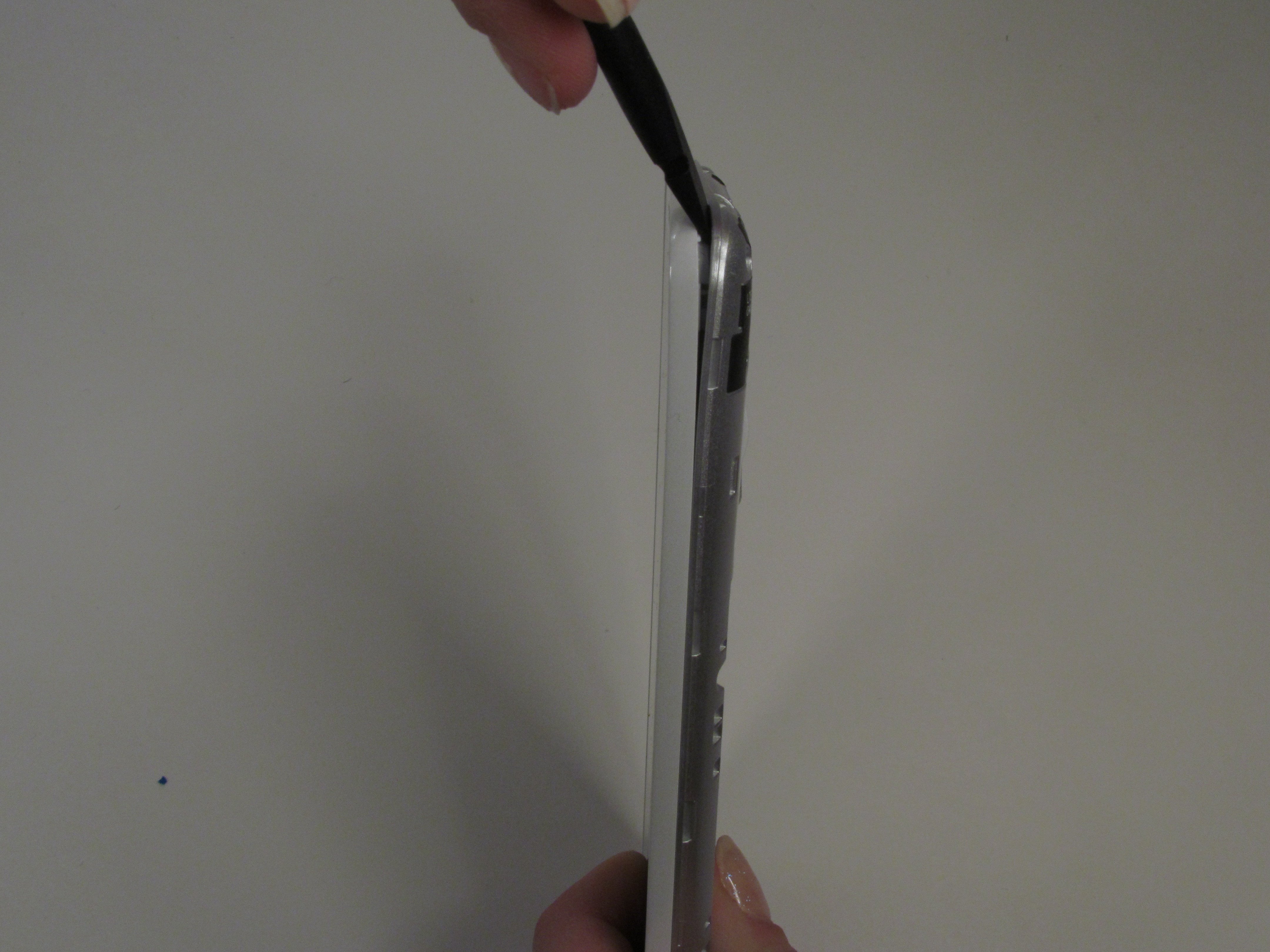
  • Use a plastic spudger tool to pry away the cover by placing it between the cover and the screen bezel.
  • Pry all the way around the phone about every centimeter until the cover is completely separated from the phone.
Step 5

Remove the Camera

  • Locate the rear facing camera.
  • Pry the ribbon cable off of it's connector using the plastic spudger tool.
  • Use your finger to remove the camera.