FIXONIC
SellSavedMy Fixonic
Official iFixit API visual reference

Blu Dash 5.0 Dual SIM Display Cable Replacement

Replacing the display cable that connects the...

iFixit Library Blu Dash 5.0 Dual SIM Moderate 20 - 30 minutes Guide 33431
Open the authorised source
Licensed iFixit integration

This attributed iFixit guide is displayed through Fixonic's recorded commercial API permission. iFixit remains the independent source and author of the procedure.

Guide overview

Before you begin

Replacing the display cable that connects the motherboard to the screen may resolve issues with the screen. This is a moderately difficult step that requires multiple tools.

Step 1

Repair step

  • Find the small slot on the bottom left corner of the back panel.
  • Slide the spudger into the small slot and lightly twist it. This will cause the corner of the back panel to pop up.
  • When the back panel is loose enough, use your fingers to remove it completely.
Step 2

Repair step

  • With the back panel off, you should see a large white rectangle. This is the battery. Slide the spudger under the indent on the bottom right of the battery and pull it up.
Step 3

Repair step

  • Using the PH00 Phillips head screwdriver unscrew the screws holding the panel down, making sure to keep track of the position of the screws.
  • The screw holes with the red circle around them hold screws with a 3.5 mm length.
  • The screw holes with the orange circle around them hold screws with a 2.5 mm length.
Step 4

Repair step

  • Insert the plastic opening tool into a corner of the plastic panel and gently pry it away from the rest of the phone.
  • Do this for each corner until the panel pops up.
Step 5

Repair step

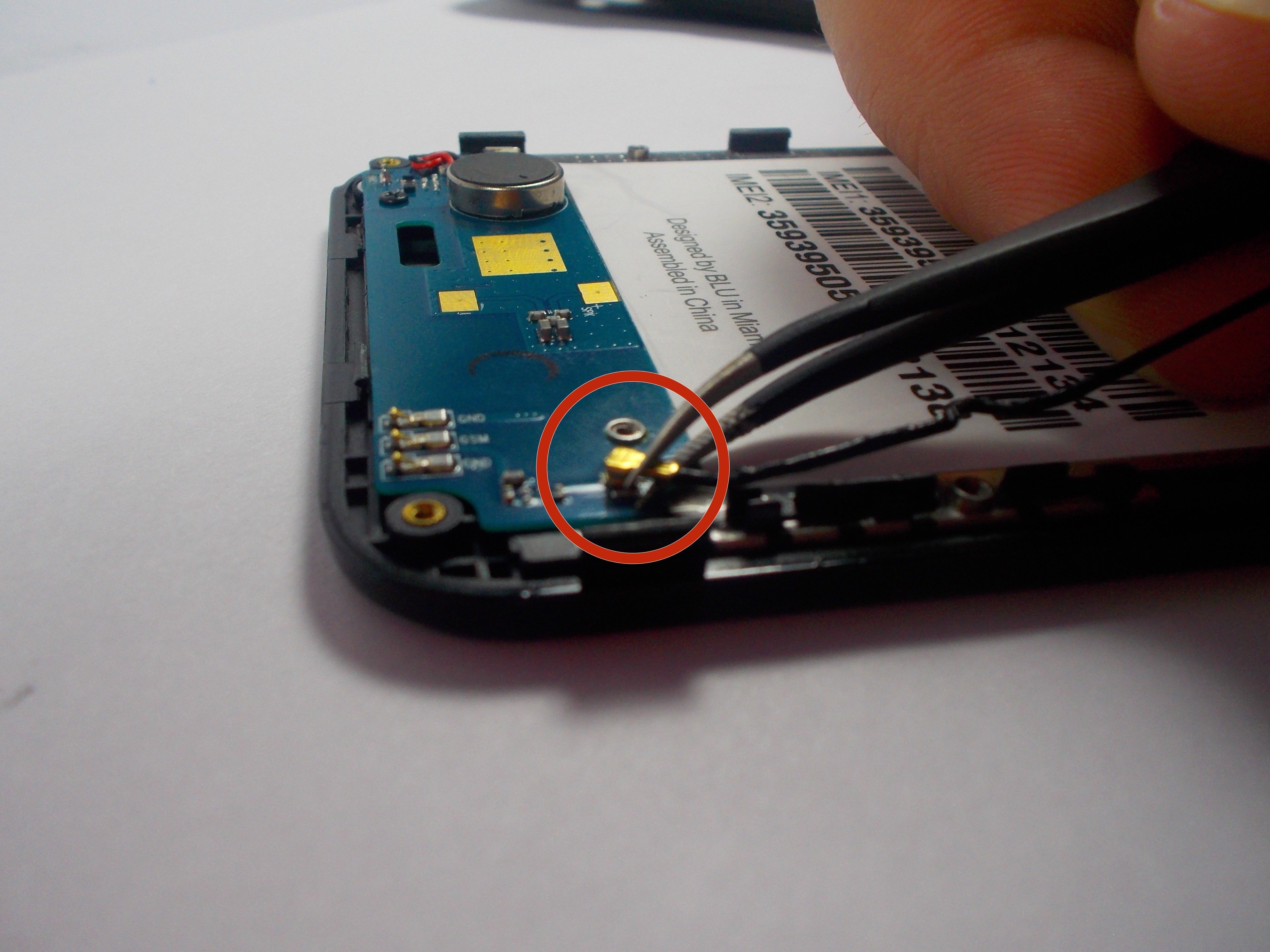
  • Along the right side of the phone you will see a long black wire with 2 gold end pieces on the end. This is the display cable.
  • To disconnect the gold end pieces from the motherboard, take the tweezers and gently but firmly pull upwards. Do this for both ends and the wire will disconnect.