FIXONIC
SellSavedMy Fixonic
Official iFixit API visual reference

Motorola Triumph Speaker Replacement

You will learn how to access your motherboard...

iFixit Library Motorola Triumph Moderate No estimate Guide 33802
Open the authorised source
Licensed iFixit integration

This attributed iFixit guide is displayed through Fixonic's recorded commercial API permission. iFixit remains the independent source and author of the procedure.

Guide overview

Before you begin

You will learn how to access your motherboard using the screwdriver and replace your speakers using the spudger.

Step 1

Repair step

  • Slide the back cover down.
  • Lift the back cover up.
  • Pry the battery out with the spudger
Step 2

Repair step

  • Gently pry out the battery using the spudger
Step 3

Repair step

  • After removing the Battery remove the two screws with a T4 screwdriver.
Step 4

Repair step

  • With the spudger, go around the seam of the phone and pry away the back chassis.
Step 5

Repair step

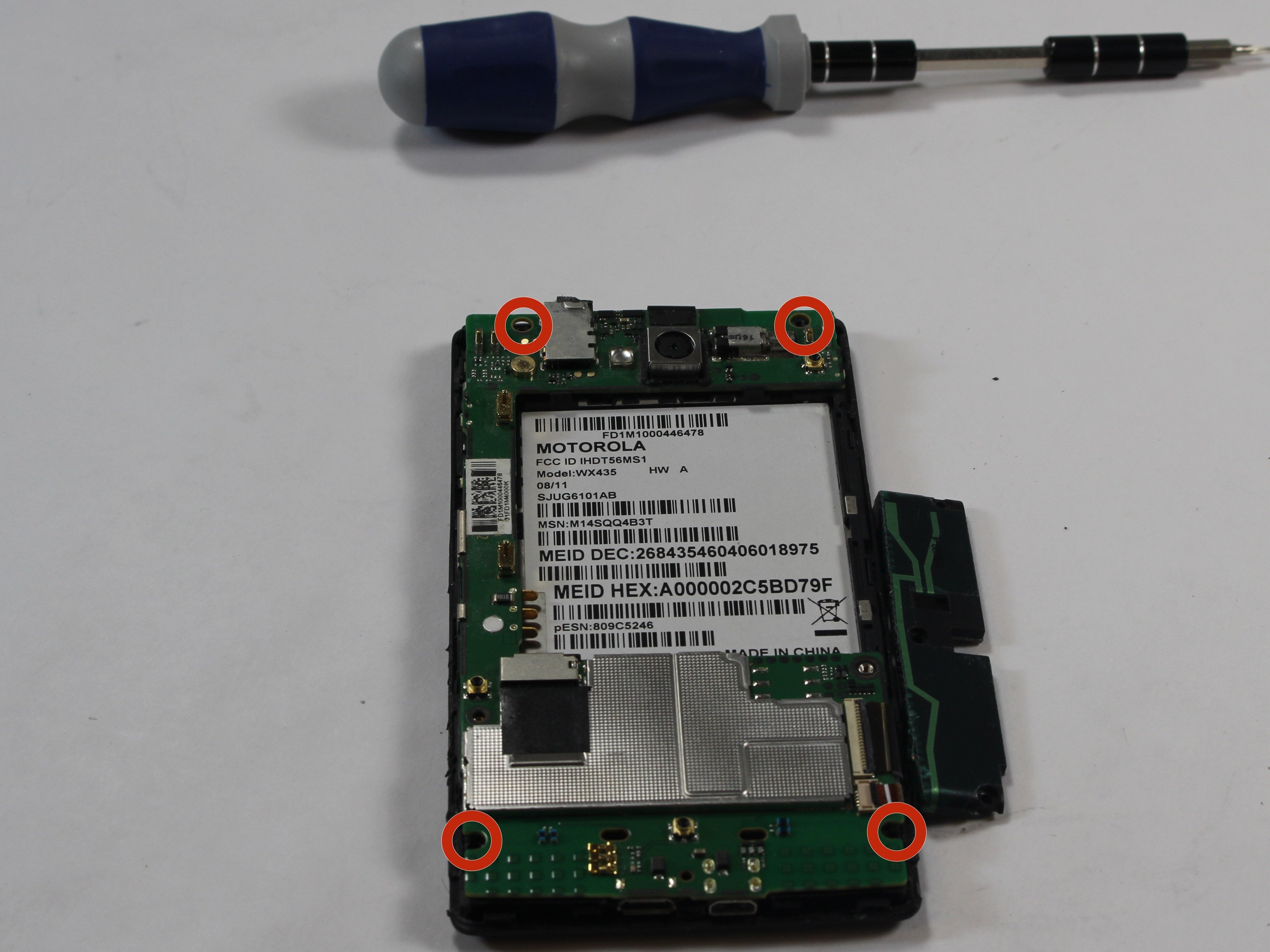
  • Using the T5 screwdriver, remove all the four screws shown in the picture.
Step 6

Repair step

  • Lift up the motherboard out of the device,
Step 7

Repair step

  • Pry the speakers out using the plastic spudger.