FIXONIC
SellSavedMy Fixonic
Official iFixit API visual reference

Angelcare AC401 Baby Monitor Disassembly

hello all, today we will try to repair the...

iFixit Library Angelcare AC401 Baby Monitor Moderate 35 minutes Guide 33916
Open the authorised source
Licensed iFixit integration

This attributed iFixit guide is displayed through Fixonic's recorded commercial API permission. iFixit remains the independent source and author of the procedure.

Guide overview

Before you begin

hello all, today we will try to repair the angelcare baby monitor. two rechargeable battery's exploded, the acid was around an electric power cable. so there were two problems : 1 bad connection 2 battery damage. we will check also the second unit.

Step 1

Repair step

  • first remove the 2 screws at the green plastic plate.
Step 2

Repair step

  • remove the plastic plate ( battery compartment)
  • you'll see that there are 2 more screws. Remove them.
Step 3

Repair step

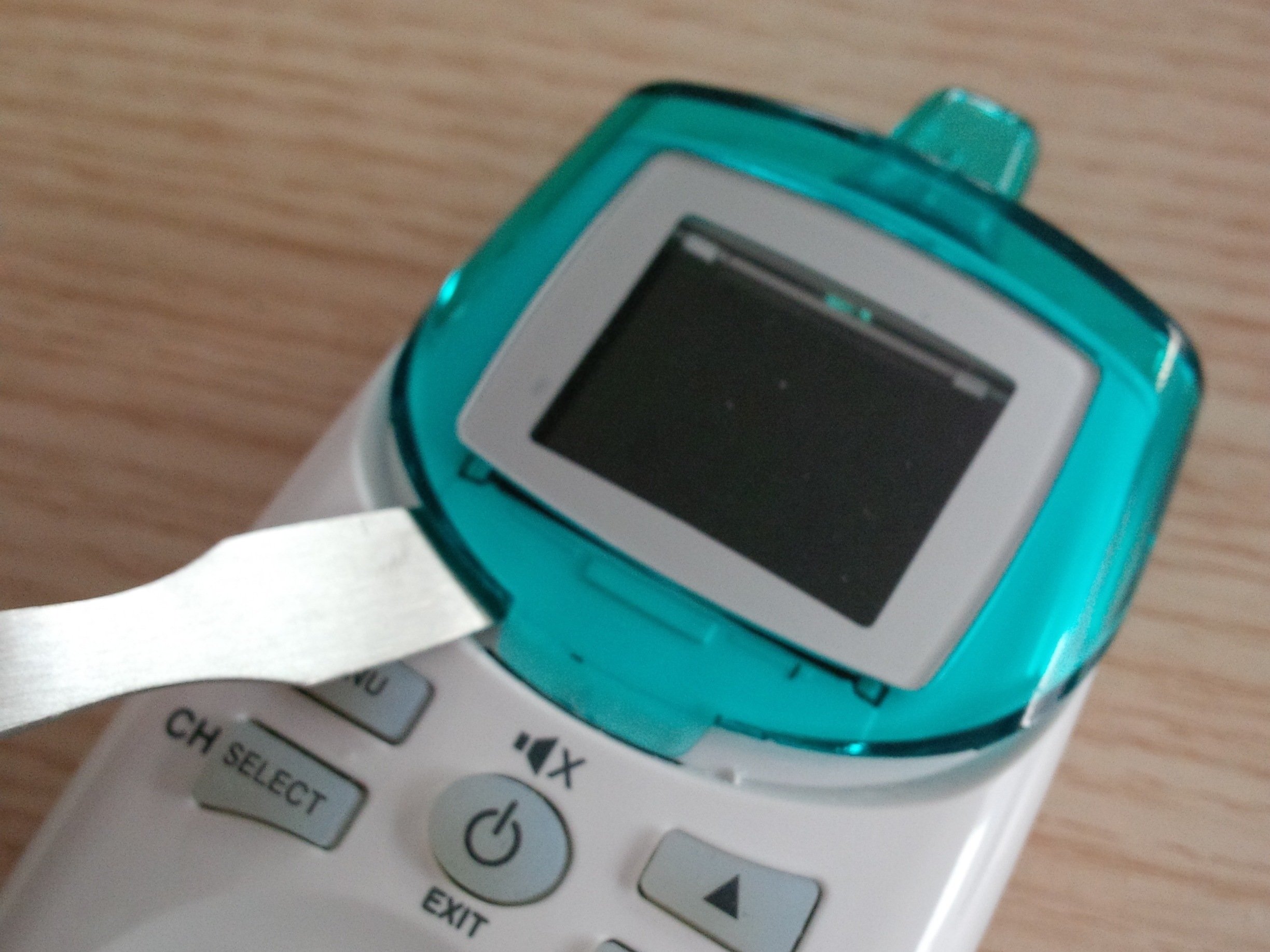
  • now gently remove the green plastic plate arrounf the baby monitor ( arround the screen) use a spudger to click it open.
Step 4

Repair step

  • now open the monitor by clicking it open or slide it open. Sometimes its easier to use a spudger.
  • be carefull for the electric wires.
Step 5

Repair step

  • 2 battery's were exploded so the acid was on the black electric power wire.
  • use a cotton swab with a little bit of destilled water.
Step 6

Repair step

  • remove the 2 PCB's by removing the screws shown in the picture.
Step 7

Repair step

  • pull the first PCB up and remove the screws of the second PCB.
  • after removing the two PCB's, clean the acid on the PCB.
  • after cleaning the PCB's put it al together again.
Step 8

second unit

  • first remove the battery lid. 1 screw.
  • slide it out like you see in picture
  • remove battery's