FIXONIC
SellSavedMy Fixonic
Official iFixit API visual reference

How to Replace the Battery of a Toshiba Excite 7

Attributed iFixit repair guide for Toshiba Excite 7.

iFixit Library Toshiba Excite 7 Moderate No estimate Guide 37052
Open the authorised source
Licensed iFixit integration

This attributed iFixit guide is displayed through Fixonic's recorded commercial API permission. iFixit remains the independent source and author of the procedure.

Step 1

Repair step

  • Remove the back cover.
  • Work your fingernail or flat object under the cover’s seal. Start at the top right corner just above the front facing camera this is the device “Weak Spot”.
  • After you pry open the first clip slide the flat object along the perimeter of the cover until the cover is removable. You should hear the clips pop open.
Step 2

Repair step

  • Remove any black tape from the device.
  • Keep the tape; you will need to put it back on when you are done.
Step 3

Unplug Wires

  • Unplug the wires from the battery.
  • The battery is the black rectangle in the middle of the device. The device has two wiring harnesses attached to it: one just above the battery and one just to the right.
Step 4

remove screws

  • Remove the five screws from the battery.
Step 5

Repair step

  • The battery has one clip you will need to remove. The clip is located at the bottom right corner of the battery just above the right speaker. The speakers and wires are not secured to the battery; they may fall off.
  • Push the clip back then lift the battery up.
Step 6

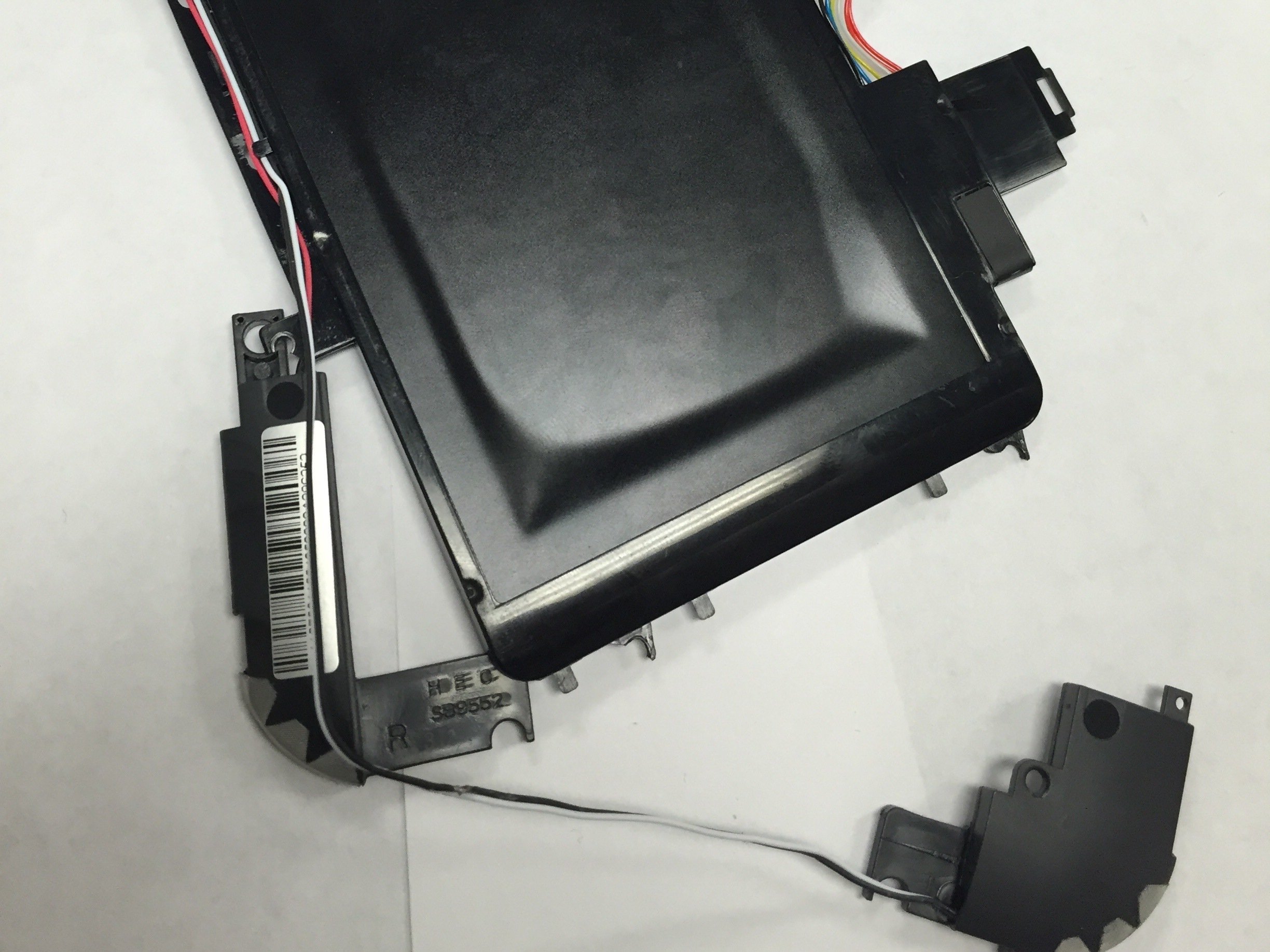
Removing the Speakers From the Battery

  • Remove the speakers from the battery. The speakers are the plastic devices with the mesh on them.
  • Wires are wedged under a couple of clips on the battery; they run along the bottom and left edges of the battery.
  • Lightly coax the wires loose. The wiring harness and speakers come off the battery easily. Be sure to remove wires from clips.
Step 7

Install New Battery

  • Install the new battery into your device, re-install the speakers, and perform the first six steps in reverse.