FIXONIC
SellSavedMy Fixonic
Official iFixit API visual reference

Kindle Voyage Ambient Light Sensor Replacement

The ambient light sensor is what lets you read...

iFixit Library Kindle Voyage Easy 2 minutes Guide 37462
Open the authorised source
Licensed iFixit integration

This attributed iFixit guide is displayed through Fixonic's recorded commercial API permission. iFixit remains the independent source and author of the procedure.

Guide overview

Before you begin

The ambient light sensor is what lets you read in less-than-ideal lighting situations. It is attached to the motherboard near the battery and again at the top where it actually can get light from outside of the device.

Step 1

Repair step

  • Insert a plastic opening tool between the plastic panel shown on the device.
  • Use the tool to pry the plastic away from the device.
  • There will be adhesive holding this piece of plastic to the device. You may have to pull pretty hard to get it separated.
Step 2

Repair step

  • Use an aluminum driver attached with a Phillips head size #00 to remove the four 3mm screws shown in the picture. For reassembly, note that the top two and bottom two screws are different sizes.
Step 3

Repair step

  • Once the screws are removed, the back panel can slide off the device.
Step 4

Repair step

  • Remove the magnetic component with the magnetic head of the aluminum driver.
Step 5

Repair step

  • Use an aluminum driver with Phillips head #00 to remove the four 3 mm screws shown in the picture.
  • Use the same driver to remove the two 2.5 mm screws.
Step 6

Repair step

  • Using the tweezers, undo the attached clip.
  • Remove the three 3 mm screws holding down the rest of the antenna with an aluminum driver and the Phillips #00 head.
  • You should now be able to simply take the WiFi bar off of the device.
Step 7

Repair step

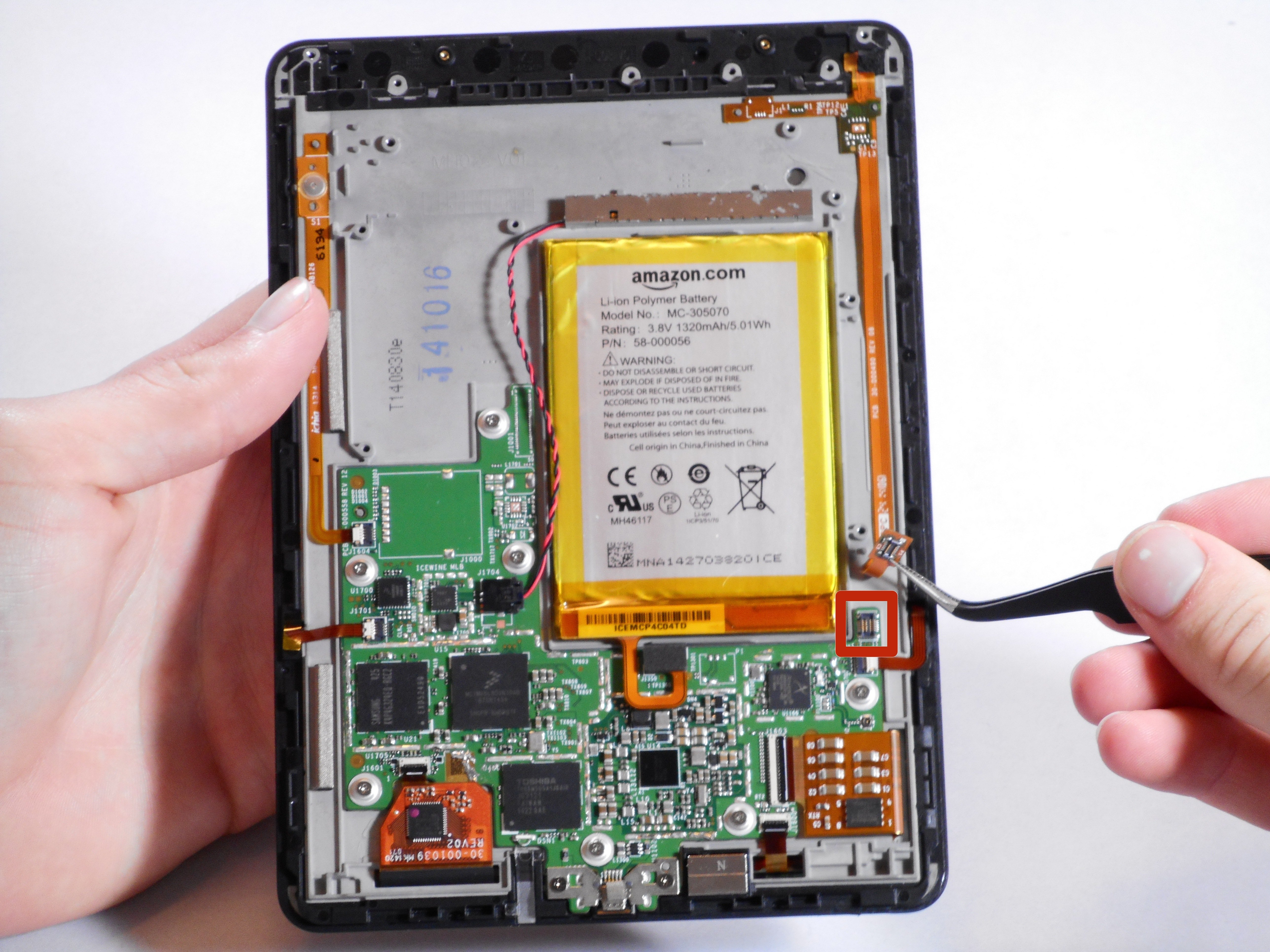
  • Gently remove the connector to the motherboard using tweezers.
  • Continue to carefully pull the rest of the connector from the adhesive connecting it to the Voyage.
  • Detach sensor from the top using fingers