
FIXONIC
SellSavedMy Fixonic
Official iFixit API visual reference

Asus VivoBook Q200E-BSI3T08 Back Panel Replacement

This guide will help with removing and/or...

iFixit Library Asus Q200E Very easy 1 - 3 minutes Guide 37484
Open the authorised source
Licensed iFixit integration

This attributed iFixit guide is displayed through Fixonic's recorded commercial API permission. iFixit remains the independent source and author of the procedure.

Guide overview

Before you begin

This guide will help with removing and/or replacing the back panel.
Step 1

Repair step

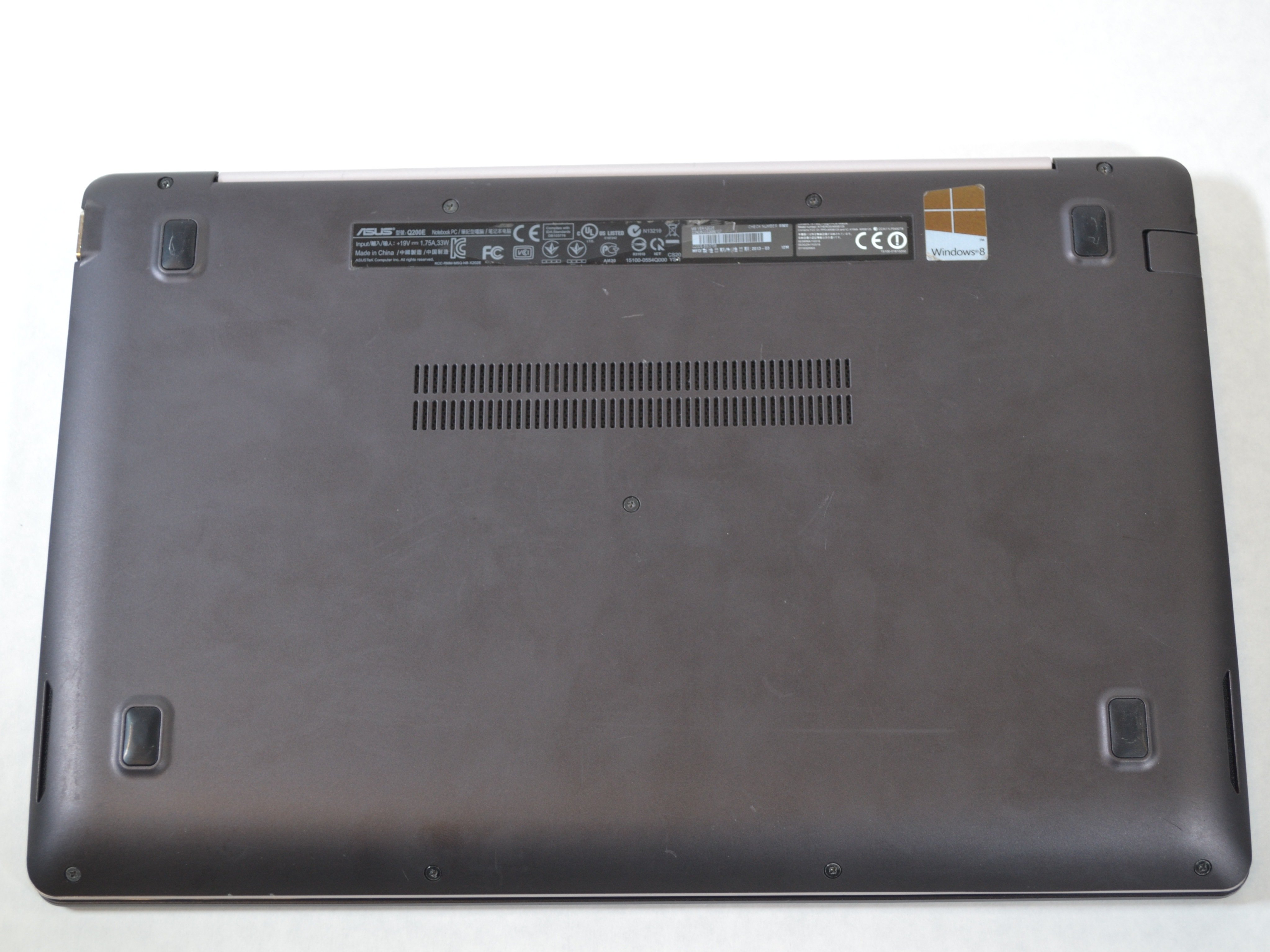
  • Turn off the computer and unplug the charge cable.
  • If the computer is on or plugged in, it could cause electric shock.
  • Turn the computer upside down.
Step 2

Repair step

  • Remove the nine Philips #00 screws holding the back panel in place (four 5.6mm, four 7.7mm, and one 9.2mm).
Step 3

Repair step

  • Use a plastic opening tool to gently remove the back panel.