FIXONIC
SellSavedMy Fixonic
Official iFixit API visual reference

Panasonic Lumix DMC-FX01 Flash Top Assembly Replacement

This guide will show the user how to...

iFixit Library Panasonic Lumix DMC-FX01 Moderate No estimate Guide 3840
Open the authorised source
Licensed iFixit integration

This attributed iFixit guide is displayed through Fixonic's recorded commercial API permission. iFixit remains the independent source and author of the procedure.

Guide overview

Before you begin

This guide will show the user how to disassemble the camera to reach the Flash Top Assembly. Once the Flash Top Assembly is reached, the user can replace it.

Step 1

Repair step

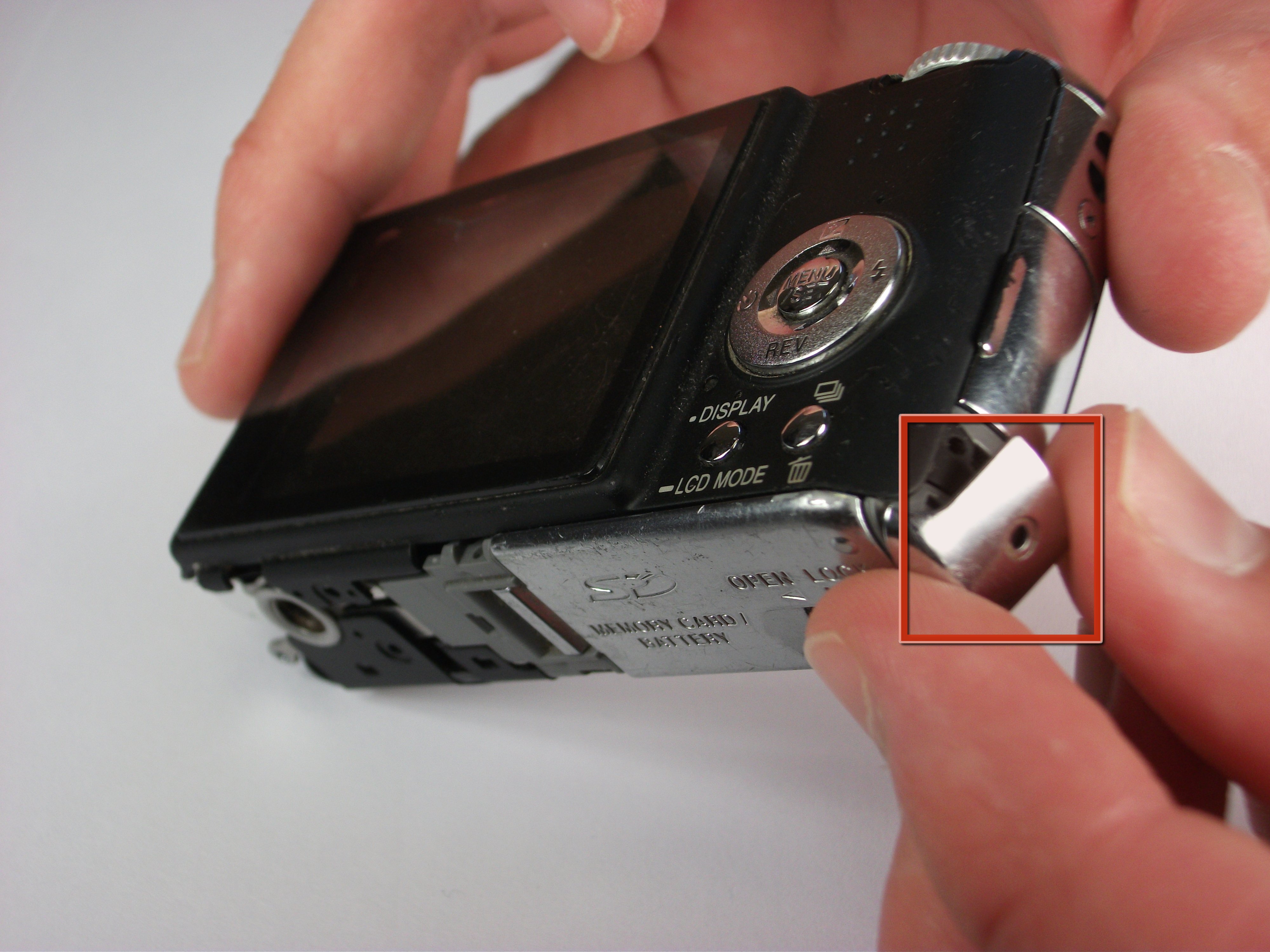
  • Locate the memory card and battery card latch on the bottom of the camera.
  • Slide the latch to the open position.
Step 2

Repair step

  • Open the battery latch, and slide the battery release lever to the right.
Step 3

Repair step

  • Remove the battery from the camera.
Step 4

Repair step

  • Remove the three 4.6 mm screws on the bottom of the camera using a Phillips #00 screwdriver.
Step 5

Repair step

  • Remove the single 3.2 mm screw on the left side of the camera using a Phillips #00 screwdriver.
Step 6

Repair step

  • Remove the left side casing.
Step 7

Repair step

  • Remove the two 3.2 mm screws on the right side of the camera using a Phillips #00 screwdriver.
Step 8

Repair step

  • Remove the bottom right panel.
Step 9

Repair step

  • Gently remove the back casing.
  • Start at the bottom and carefully pry towards the top to get this piece free.
Step 10

Repair step

  • Carefully pry the Flash Top Assembly away from the top.
Step 11

Repair step

  • Replace the Flash Top Assembly with a new one.